


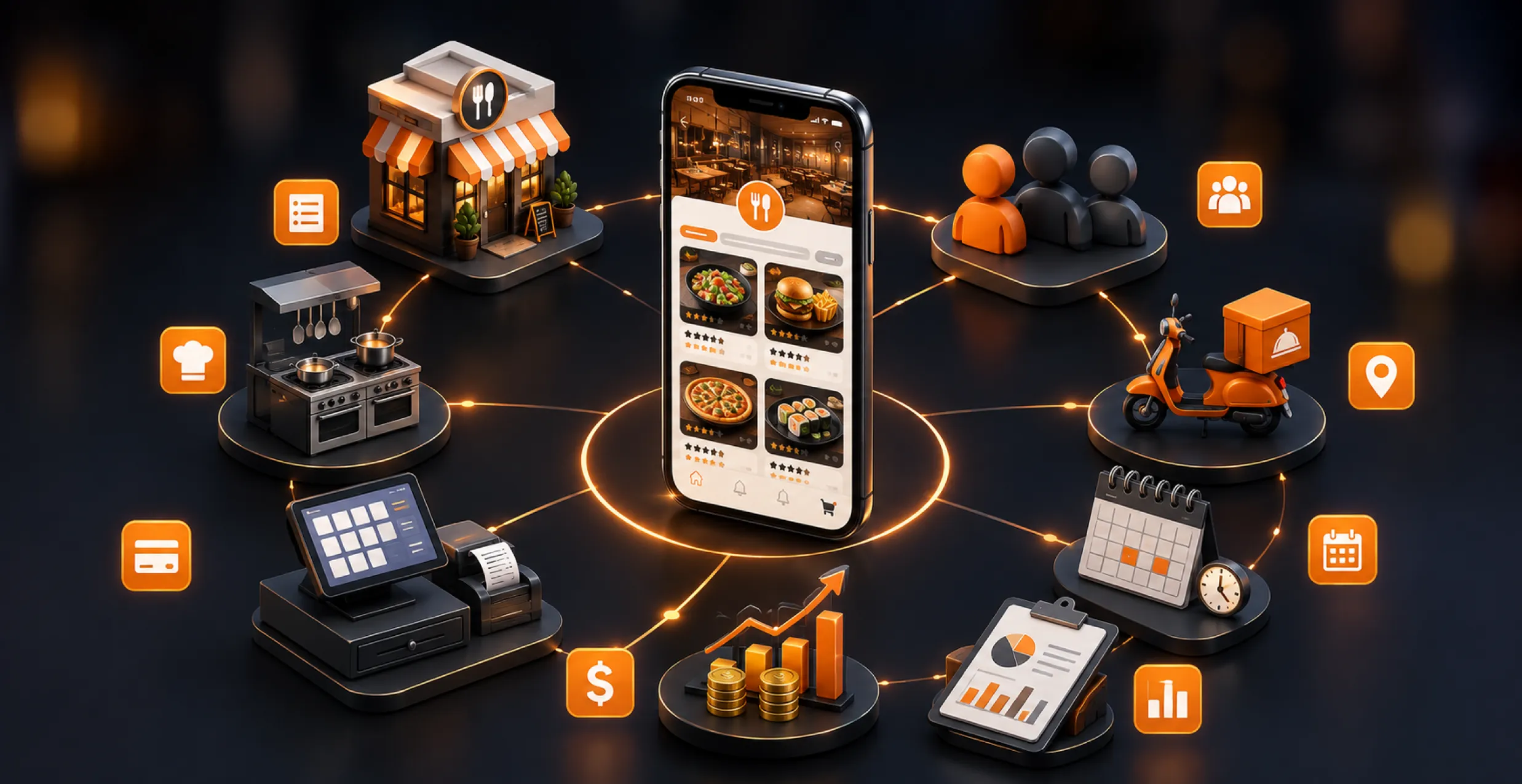
Restaurants lose 23% of orders to competitors with apps. Without one, you’re giving the relationship to the delivery aggregators, not keeping the relationship direct with your customer, your repeat purchases and your pricing power. In this blog, we’ll go over all the things you need for restaurant app development, like which apps are worth building, features, development cost, and a step-by-step build process.
Today, diners expect the same smooth convenience from a small local place that they get from mobile app development giants, like McDonald’s or Starbucks. If you don’t have an app, you tend to lose repeat purchases and loyalty insight. And that direct customer relationship is lost to third-party platforms.
According to Research And Markets, the restaurant management software market is projected to reach USD 8.11 billion in 2026. It should keep rising at a CAGR of 11.62% and end up around USD 15.84 billion by 2032.
This guide is built to answer the exact questions owners are searching for, like what a restaurant management app is, which app matches the business, which features matter most day-to-day, and how much a restaurant app development project costs.
- What Is a Restaurant Management App?
- Types of Restaurant Apps You Can Build
- Restaurant Management App vs Restaurant Website: Which Do You Need First?
- Key Benefits of Restaurant Management Software for Your Business
- Must-Have Features in a Restaurant Mobile App
- How to Create a Restaurant App: Step-by-Step Process
- Tech Stack for Restaurant App Development
- Latest Technologies and Trends in Restaurant App Development
- Cost to Build a Restaurant App
- Restaurant App Development: Build In-House vs Hire a Development Company
- How a Mobile App Helps a Restaurant Business Grow
- Common Challenges in Restaurant App Development (and How to Solve Them)
- Why Choose Octal IT Solution as Your Restaurant App Development Company
- Final Words
- FAQs
What Is a Restaurant Management App?
A restaurant management app is used by restaurant owners to run ordering, online table booking, staff scheduling, and inventory. It also lets restaurant owners manage payments from one dashboard while giving customers a more direct ordering and reservation channel.
It replaces manual registers, paper reservation books, and even disconnected spreadsheets with one single system. A decent restaurant management software development setup ties front-of-house ordering to back-of-house inventory and sales reporting in real time.
For restaurant owners searching for “restaurant management app,” the core idea is straightforward: one platform but two sides. There’s a customer-facing app for ordering, booking, and payments, and then an owner-facing dashboard for watching sales, staff, and stock.
Types of Restaurant Apps You Can Build
Not every restaurant needs the same app, and picking the wrong category can waste your budget. So it’s smart to look at the main types before you jump into developing a restaurant app.

1. Restaurant Ordering App
An online food ordering app where diners can browse the menu, tweak meals, and pay straight away. You also avoid those third-party commission fees entirely.
2. Restaurant Management App
Keeps the whole place going, like daily operations that include order tracking, staff rosters, inventory, and sales overviews. It’s for owners who want a single dashboard instead of three disconnected tools running the business.
3. Cloud Kitchen App
Designed for delivery-only kitchens with no dine-in area at all. It focuses on order management, packaging instructions, and connecting smoothly with the delivery partner integration.
4. Food Delivery App
It brings together restaurants, delivery riders, and customers in one place. Like a multi-vendor food delivery app setup that aggregators use. But here it’s a brand for one restaurant or a small chain.
5. Reviews and Discovery App
For diners who want to find places near them, read honest reviews, and compare menus before committing. Basically, this app is for tracking restaurants and their ratings in one place.
6. Restaurant Booking App
This one is just for table reservations; guests can look at real-time seat availability. Furthermore, confirm the booking with no phone call and no lingering wait.
Note: If you want to create a booking-kind-of app, then you need to connect with restaurant booking app development experts.
Restaurant Management App vs Restaurant Website: Which Do You Need First?
A lot of restaurant owners wonder if app development for restaurant needs comes first or after a website. However, the real answer depends on order volume, budget, and also how customers discover the business.
For restaurants that mostly rely on walk-ins, Google searches, and those occasional online orders. A website tends to work better because it costs less to get it live and keep it running. A restaurant application development effort starts making more sense with repeat ordering and table booking. In addition, loyalty tracking becomes a real chunk of income, not just an idea.
Most restaurants that are already well-established end up needing both at some point. A website for discovery and SEO and a restaurant mobile app for staying connected and encouraging return visits. If you run a smaller, single-location operation, start with a lean website. Additionally, checking demand before jumping into full restaurant management app development is often the safer path for smaller, single-location restaurants.
| Factor | Restaurant Website | Restaurant Management App |
| Main purpose | Discovery and information | Ordering, booking, and operations |
| Best for | Walk-ins and Google search | Repeat orders and loyalty |
| Typical cost | Lower | Higher |
| Order/booking flow | Basic or third-party linked | Built-in, direct, and trackable |
| Customer data | Limited | Full order and preference history |
| Maintenance need | Minimal | Ongoing updates and support |
Key Benefits of Restaurant Management Software for Your Business
Beyond looking modern, restaurant management software changes how a restaurant runs day to day. Additionally, the upsides show right away in sales, staff efficiency, and customer retention.
1. Stronger Customer Relationships
A connected restaurant CRM software module keeps tabs on order history and preferences. So owners can tell what regulars like and also where service is falling short.
2. Real-time Sales Tracking
Owners can check daily, weekly, and monthly sales without doing manual entry. This removes a lot of the guessing about staffing, menu pricing, and promotions.
3. Automated Business Analysis
Dashboards show revenue and growth trends as charts and visuals. So managers don’t have to rely on spreadsheets just to understand what’s happening each day.
4. Better Staff Management
Integrated scheduling and payroll tools let employees view shifts and incentives. As well as hours without needing a manager to update everything every time.
5. Fewer Order Errors
Digital order routing replaces handwritten tickets, cutting mistakes in the kitchen, and it speeds up service during peak hours.
6. Smarter Marketing Decisions
AI automation for businesses can flag repeat customers and slower periods automatically. So promotions get aimed at the right crowd, the right audience, at the right time.

Must-Have Features in a Restaurant Mobile App
Feature choice can make or break a restaurant app; it either clicks or doesn’t. Additionally, the right blend breaks into three groups. Like what customers actually interact with, what owners handle in the background, and what AI layers on top.
A. Customer-Facing Features
1. Digital Menu With Categories
Meals sorted by category, with pictures, prices, and calorie hints, help diners decide quicker. It also cuts that back-and-forth that makes ordering drag.
2. Online Ordering
People can browse, tweak, and pay at their own rhythm, picking delivery, pickup, or dine-in without calling the place.
3. Table Reservations
Guests see live seat availability and confirm the booking right away. So they don’t end up standing there, with no table, after walking in.
4. Geo-location
It lets customers find the closest branch, and it also supports chains expanding into new cities. While keeping each location easy to spot and repeat.
5. Social Sign-in and Sharing
Fast onboarding using existing social accounts and sharing meals and reviews across platforms brings more natural reach.
6. Reviews and Ratings
Customers leave comments inside the app, which builds confidence for first-time visitors. Who is deciding whether to order or reserve?
Note: Want to integrate such a feature into your app? Then you need to consult with experts who can build a restaurant reviews app seamlessly according to your requirements.
7. Real-time Notifications
Order updates, table readiness alerts, and current offers keep people interested. Instead of them constantly reopening the app again and again.
8. Payment Gateway Integration
Safer checkout via cards, wallets, and UPI-style options builds the trust customers look for when saving payment info and reordering later.
B. Owner and Back-Office Features
9. POS Integration Solutions
It connects in-app orders straight into the restaurant point of sale. So the kitchen team sees one unified order queue instead of three separate ones.
10. Customer Relationship Tracking
Keeps order history and preferences stored so staff can personalize service. Moreover, marketing without doing the same manual entry two or more times.
11. Inventory Management Software
Monitors ingredient stock in real time when something is running low. It flags the shortage early, before it messes up the menu or forces those last-minute substitutions.
12. Staff and ERP Tools
Scheduling, payroll, and performance tracking all sit on the same dashboard. So admin stuff doesn’t sprawl across multiple systems.
13. Business Analytics
Sales views, peak hour patterns, and menu-performance summaries help owners choose what to push, what to price down, or what to remove from the menu completely.
C. Advanced and AI Features
14. AI Chatbot Development
Answers customer questions, checks order status, and deals with complaints fast. So staff can focus on service instead of repeating the same things over and over.
15. Personalized Recommendations
AI reviews the order history, then suggests dishes a certain customer might want again, quietly raising the average ticket size.
16. AI App Development Company
The system spots inactive customers, then triggers targeted offers automatically. No marketing team has to manage every single campaign by hand.
How to Create a Restaurant App: Step-by-Step Process
Restaurant owners who are trying to figure out how to make a restaurant app want something that feels clear and step-by-step. So I’ll share the actual flow a development team runs, from the first spark of an idea to the moment it goes live.

1. Define the App Type and Goals
Before a single requirement document gets written, you decide whether the center of gravity is ordering, booking, delivery, or full restaurant operations.
2. Research Competitors and Users
Check what similar restaurant apps already offer and also where customers complain. So you don’t end up recreating the same annoyances that already frustrate diners elsewhere.
3. Plan Features and Scope
Pick the must-haves for the first version and push the nice extras to later. Because building the whole huge world at once quietly raises costs and also stretches the timeline.
4. UI/UX Design Services
A design team maps out the menu path, the checkout journey, and the booking screens. So ordering stays fast and simple even on a smaller display.
5. Choose the Tech Stack
Pick your frontend, backend, database, and third-party integrations based on scalability needs. Not only on what the team happens to already know.
6. Development and Integration
Develop the app in sprints, linking POS systems, payment gateways, and CRM systems as each core module is finished and then verified.
7. Testing Across Devices
Do functional, performance, and security testing on multiple devices too to catch checkout or booking issues before real customers do.
8. Launch and Post-launch Support
Publish on the app stores, keep an eye on crash logs and user reviews, then shape upcoming updates around actual usage signals.
For teams that don’t have in-house resources, partnering with a food delivery app development company can shrink the timeline quite a bit.
Tech Stack for Restaurant App Development
The tech stack decisions matter for both the budget and long-term ability to scale. Additionally, restaurant apps usually use a steady, tested combo instead of chasing experimental technology choices.
| Layer | Common Technologies | Purpose |
| Frontend | Flutter App Development, React Native App Development | Single codebase for Android and iOS, lower cost |
| Backend | Node.js, Python, Java | Order processing, user accounts, API connections |
| Database | PostgreSQL, MongoDB | Stores menu data, orders, and customer records |
| Cloud infrastructure | Cloud Application Development (AWS, Google Cloud) | Keeps app stable during order spikes |
| Third-party APIs | Payment gateways, SMS, maps | Payments, notifications, and geolocation |
Latest Technologies and Trends in Restaurant App Development
Restaurant app development solutions keep shifting, like fast, and stay current with the newest tech trends. As important as choosing the right features when you’re planning a restaurant mobile app.
1. AI-Powered Personalization
Apps can look at past order history and then suggest dishes more or less automatically. A similar approach is used by some large chains inside their apps to nudge average order value upward through smart upselling.
2. AI Chatbot Development
Restaurant apps now lean on chat-based AI so guests can place an order, check status, and even deal. With complaints fully handled inside the app chat or sometimes via voice commands.
3. IoT-Connected Kitchen Systems
Smart sensors watch ingredient stock levels and equipment temperature in real time. Moreover, that info feeds into the restaurant management app so shortages trigger automatic alerts.
4. Super App Consolidation
Restaurants increasingly blend ordering, loyalty, table booking, and delivery tracking into one restaurant application development project instead of juggling separate disconnected tools.
5. Contactless and Biometric Payments
QR-based and face or fingerprint options are replacing card swipes, speeding up the checkout moment. This is also cutting down physical contact at the counter.
6. AR Menu Visualization
Some restaurant mobile app development efforts let diners view a 3D preview of a dish before they order it. That reduces menu confusion, especially for new customers.
7. Cloud Application Development
Multi-brand virtual restaurants can run several delivery-only menus from one kitchen. Managed via a single cloud-powered dashboard instead of separate fragmented systems.
8. Predictive Demand Forecasting
AI models review previous orders plus local events to estimate when things will get busy. This helps restaurants plan staffing and stock ingredients before demand actually spikes.
Cost to Build a Restaurant App
Restaurant owners who are trying to figure out how much it costs to make an app for a restaurant usually run into those vague answers. So, here’s a more realistic breakdown, more like by app tier, and with feature complexity.
- First, you have the development company itself, like their experience, where they’re located, and their hourly rates. It seems small, but agencies in different regions do charge very different amounts for similar work.
- App complexity and also how many features are actually specified. A simpler ordering app is way cheaper than a full management platform. Especially when it also needs POS integration and a CRM setup.
- Design requirements also change the price. Custom UI/UX work is more expensive than just using pre-built templates for menu browsing and checkout.
- After that comes payment gateway integration. Along with other third-party APIs like delivery tracking, which add to development time. As well as licensing expenses on top of the base build.
- Platform choice, building for iOS and Android separately, will typically cost more than doing a single cross-platform build.
- Finally, post-launch maintenance and support are another thing many owners forget to budget for after launch.
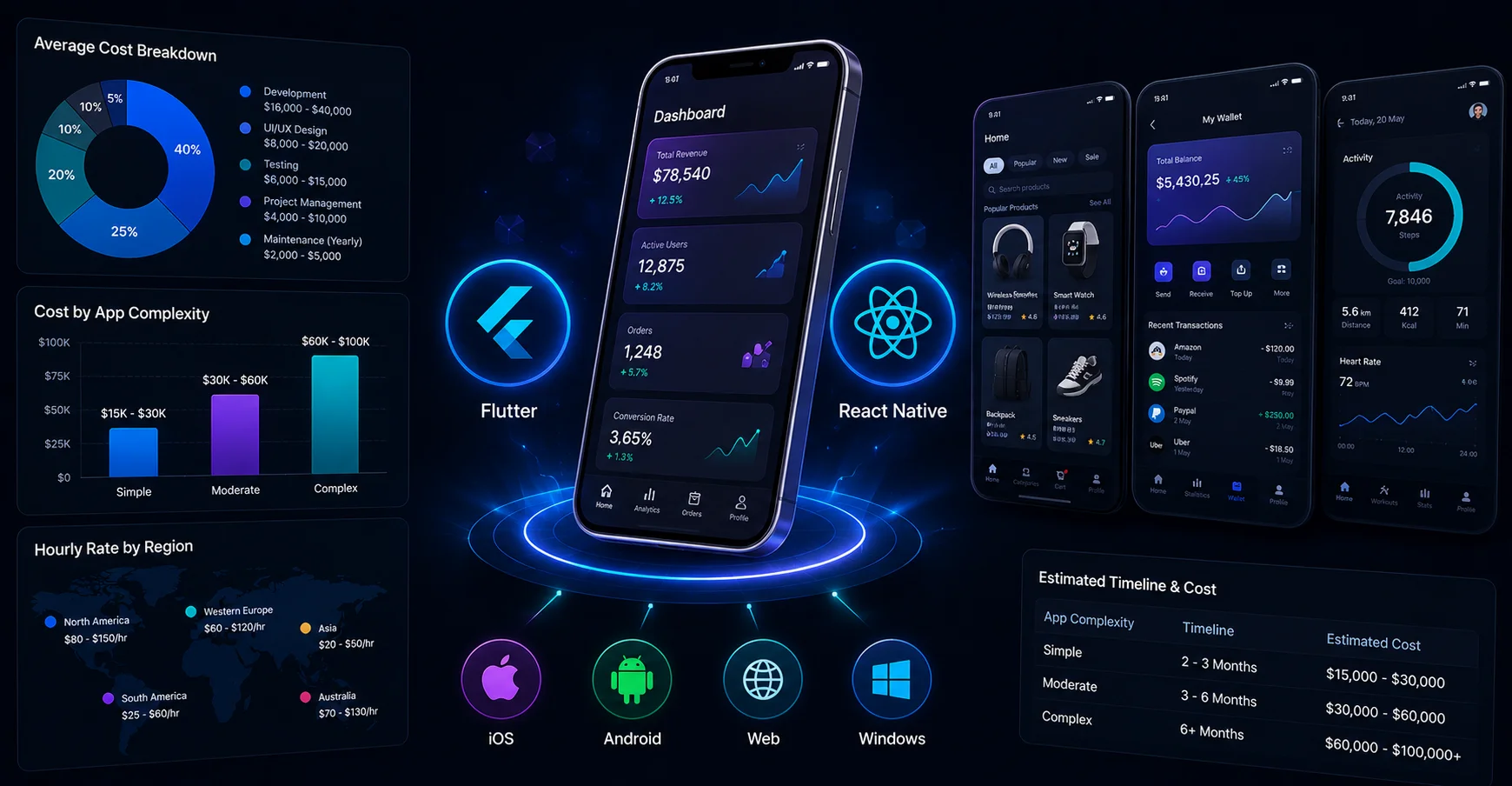
| App Tier | Typical Features | Estimated Cost (USD) |
| MVP / Basic Ordering App | Menu, ordering, payments | $15,000 – $30,000 |
| Mid-Tier Management App | Ordering, booking, CRM, POS integration | $30,000 – $75,000 |
| Full-Feature / Enterprise App | AI features, multi-location, analytics, delivery integration | $75,000 – $150,000+ |
For a more detailed breakdown by feature and platform. A dedicated food delivery app development cost guide explains the cost drivers that are unique to delivery-focused apps.
Restaurant App Development: Build In-House vs Hire a Development Company
Selecting between an in-house team and an outside partner affects both cost and speed. Deciding on the right choice depends on your budget, timeline, and how often the app is expected to get updates. In-house teams tend to work best for large restaurant chains that are planning multiple long-term digital products. Because salary fees can be disperse across ongoing work.
For one restaurant or a small chain, hiring a mobile app development agency on a project basis often ends up more affordable and launches quicker. Outsourced teams also tend to arrive with ready-to-use modules for ordering, booking, and POS integration. This can slice off several months from a completely new build.
The compromise is you get less day-to-day control, though most established restaurant mobile app developers reduce that gap by using dedicated project managers and clear fixed milestones. Still, for most restaurant owners who don’t already have a tech team in place, teaming up with an agency is the more reasonable entry into restaurant software development.
| Factor | In-House Team | Development Company |
| Upfront cost | Higher (salaries, tools, hiring) | Lower (project-based pricing) |
| Launch speed | Slower to hire and ramp up | Faster with pre-built modules |
| Expertise access | Limited to the hires made | Wider, cross-project experience |
| Day-to-day control | Full control | Shared via project manager |
| Scalability | Needs more hiring to scale | Easier to scale up or down |
| Long-term fit | Best for multiple ongoing products | Best for a single app project |
| Maintenance | Handled internally | Often included in support plans |
How a Mobile App Helps a Restaurant Business Grow
Understanding how a mobile app can help a restaurant business grow boils down to measurable outcomes. Additionally, it’s clear that restaurant mobile app development now directly affects revenue, retention, and also daily operational efficiency for owners.
- It cuts commission expenses by nudging orders away from third-party delivery platforms. This takes a bite out of every transaction.
- Builds direct customer information channels instead of letting that data vanish into aggregator apps.
- It increases how often people order by using loyalty features, and it keeps things smoother with saved payment details.
- Feeds near-real-time signals into staffing and inventory. As well as even menu choices so decisions are made.
- It strengthens brand presence with push notifications and more personalized offers.
When this stacks together, the app becomes a real entry point for digital transformation services. Leading to repeat revenue instead of those one-off orders.
Common Challenges in Restaurant App Development (and How to Solve Them)
Every restaurant IT deployment runs into friction somewhere. Furthermore, if you know the traps up front, it helps with both budget and those annoying launch delays during development.

1. POS and Legacy System Integration
Older POS hardware often doesn’t provide modern APIs. Addressing that early keeps you from having to rebuild the order routing system mid-project.
2. Peak-hour Performance
Something that looks fine in testing can crawl during the dinner rush. Load testing beforehand catches it before real customers notice.
3. Staff Adoption
New systems tend to fail when staff simply won’t use them. In addition, a phased rollout helps prevent sliding back to old manual processes.
4. Software Maintenance Services
Apps still need ongoing updates for OS changes and security patches. If you budget for maintenance from day one, you avoid ending up with an abandoned app within a year.
5. Enterprise Mobile App Development Needs
Building an app for just one restaurant doesn’t automatically cover a whole chain. If you plan for multi-location needs early, you reduce the odds of a costly rebuild later.
Why Choose Octal IT Solution as Your Restaurant App Development Company
Choosing the right restaurant app development partner decides if the finished product will hold up over time. Additionally, Octal IT Solution comes with actual, hands-on experience creating online restaurant booking apps.
- There’s also proven expertise as a restaurant app development company across food and hospitality clients.
- They have delivery-focused build experience too, especially from grocery and on-demand ordering projects. Make it work in real life, not only in demos.
- They follow a fixed process covering discovery, design, development, testing, and support.
- The pricing is transparent and milestone-based, instead of those open-ended hourly billing models that drag on and on.
- And you get a dedicated project manager and a maintenance plan after launch, which matters more than people expect after the app is out there.
This combination of proven experience, clear pricing, and dependable post-launch support is what makes Octal IT Solution a reliable On-demand app development provider for owners who want to build with confidence.

Final Words
Building a restaurant app in 2026 isn’t optional anymore, since restaurants are competing on convenience. Furthermore, the right app type, features, and development partner decide if the investment pays off.
Whether the goal is a simple restaurant management app development project, starting with a clear scope. In addition, a realistic budget helps prevent a lot of the usual project delays.
And if you partner with an experienced software development company, most of the tech stack guessing and timeline uncertainty tends to disappear. For restaurants ready to move ahead, a free consultation is the fastest way to get a realistic cost. As well as a timeline estimate before committing any budget.


 Get in Touch
 By
By October 23, 2026