


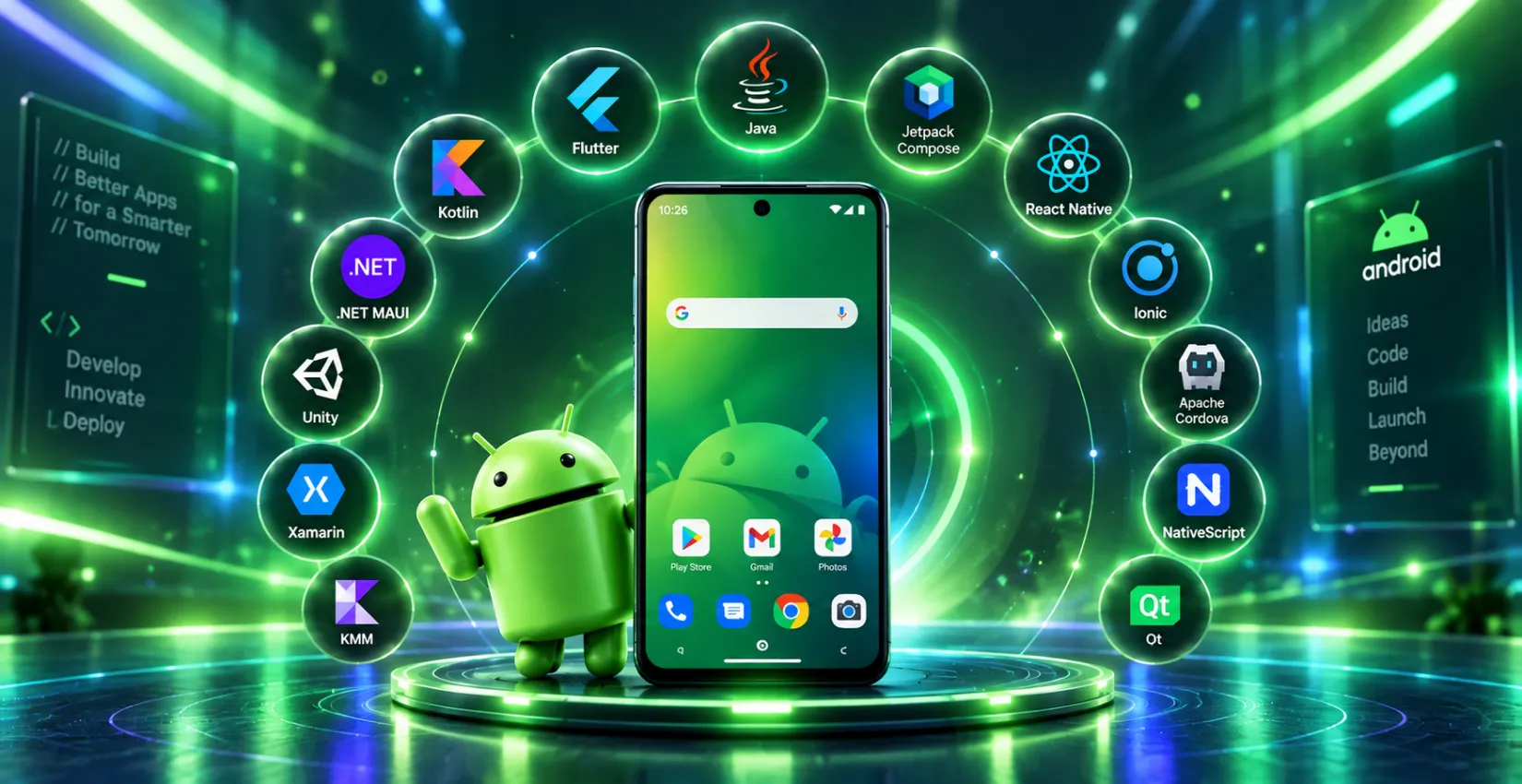
Struggling to pick the right tech stack for your next Android build? The worldwide mobile application industry will reach USD 777.4 billion by 2032 through a 14.4% CAGR, according to Allied Market Research, which makes it essential to select the best Android app development frameworks.
The discussion will focus on four main names, which include Jetpack Compose for native UI development and Kotlin Multiplatform for shared business logic and Flutter for cross-platform consistency and React Native for JavaScript-driven speed.
The guide presents all frameworks together with twelve additional options, which help you discover the best framework for your project requirements and available funds and schedule.
What Is an Application Framework? (And Why It Powers Every Great App)
Developers can build applications more quickly through application frameworks, which provide ready-made software foundations that include libraries and tools and templates. The Android development framework enables teams to avoid starting from zero because they can use existing components, which reduces their development expenses and saves them time. The same logic system that Android uses also applies to other systems because organizations choose to work with Android application development companies for their app needs.
Android App Development: Global Market Size in 2026
The worldwide mobile application market will achieve a value above USD 380 billion during 2026, and it will reach about USD 626.39 billion by 2030 while expanding at a 13.5% annual growth rate from 2026 to 2030 because of rising smartphone usage and AI-based mobile applications and growing worldwide digital service requirements.
The market operates through various industries, which include gaming and health and fitness, music and entertainment, social networking, and retail and e-commerce services. The increasing number of mobile users has brought about higher user interaction with these applications, which simultaneously drive digital transformation and generate major economic benefits throughout the world.
According to BusinessWire, the global mobile application industry will achieve a market value of USD 565.4 billion by 2030 through a 13.4% annual growth rate from 2022 to 2030.
Native vs. Cross-Platform: How to Choose in 2026
The selection between native and cross-platform Android app development frameworks depends on three essential elements, which include performance requirements, financial resources, and the number of Android development platforms needed for your application.
| Factor | Native (Jetpack Compose) | Cross-Platform (Flutter, RN, KMP) |
| Performance | Highest, direct hardware access | Near-native to native, depending on framework |
| Code Reuse | None, Android-only | High, one codebase for multiple platforms |
| Time to Market | Slower for multi-platform apps | Faster for iOS and Android launches |
| Team Skillset | Kotlin/Android specialists | JavaScript, Dart, or shared Kotlin logic |
| Best For | Android-only, performance-critical apps | Startups, MVPs, multi-platform products |
Comparison Table: Top Android App Development Frameworks in 2026
The table below displays the top Android app development frameworks for 2026 through a side-by-side comparison that presents their performance metrics and community backing and learning difficulty and recommended application scenarios.
| Framework | Performance | Community Support | Learning Curve | Language(s) | Ideal Use Case |
| Jetpack Compose | Very high (fully native) | Very strong (Google-backed) | Moderate | Kotlin | Android-only, performance-critical native apps |
| Kotlin Multiplatform | Very high (native compilation) | Strong, fastest-growing | Moderate to steep | Kotlin | Shared logic with native UI, enterprise multi-platform |
| React Native | High (near-native) | Very strong (Meta-backed) | Moderate | JavaScript, JSX | High-performance cross-platform apps, startups |
| Flutter | Very high (compiled to native code) | Strong and rapidly growing (Google) | Moderate to steep | Dart | UI-rich apps, MVPs, mobile/web/desktop |
| .NET MAUI | High (native via .NET) | Growing (Microsoft-backed) | Moderate | C#, .NET | Enterprise apps, Microsoft/Azure ecosystem |
| Ionic | Moderate (WebView-based) | Strong and mature | Easy | JavaScript, HTML, CSS | Hybrid apps, PWAs, quick prototypes |
| Xamarin (Legacy*) | High (compiled to native) | Declining — support ended 2024 | Steep for non-C# devs | C#, .NET | Legacy maintenance only — migrate to .NET MAUI |
| NativeScript | High (uses native APIs) | Moderate and niche | Moderate | JavaScript, TypeScript | Native UI apps using Angular/Vue |
| Apache Cordova | Low to moderate (WebView-based) | Declining | Easy | HTML, CSS, JavaScript | Legacy hybrid apps, simple web-to-app conversions |
| Framework7 | Moderate (WebView-based) | Niche but active | Easy | HTML, CSS, JavaScript | Mobile web apps, PWAs, native-like UI |
| jQuery Mobile | Low | Very limited (declining) | Very easy | HTML, CSS, JavaScript | Basic apps, legacy systems |
| Onsen UI | Moderate (WebView-based) | Active and supportive | Easy | HTML, CSS, JavaScript | Hybrid apps with native look, Cordova-based |
| Sencha Ext JS | High (great UI performance) | Niche and enterprise-focused | Steep | JavaScript | Data-heavy enterprise apps, dashboards |
| Quasar Framework | High (optimized Vue-based) | Growing (Vue community) | Moderate | JavaScript (Vue.js) | PWAs, mobile/web/electron, single codebase |
| Kivy | Moderate (Python-based rendering) | Academic and Python community | Moderate | Python | Scientific apps, educational tools |
| Corona SDK / Solar2D | High (for 2D apps) | Indie developer-focused | Easy | Lua | 2D games, casual apps, quick prototypes |
| Appcelerator Titanium | High (native performance) | Moderate (Axway ecosystem) | Moderate | JavaScript | Native apps with cloud integration |
| Mobincube | Low to moderate (template-based) | Beginner-oriented | Very easy | No-code | Small business apps, MVPs, no-code use cases |
| B4A (Basic4Android) | High (native performance) | Active and growing niche | Easy to moderate | BASIC-like language | Beginner to intermediate Android-only apps |
List of Top Frameworks for Android App Development in 2026
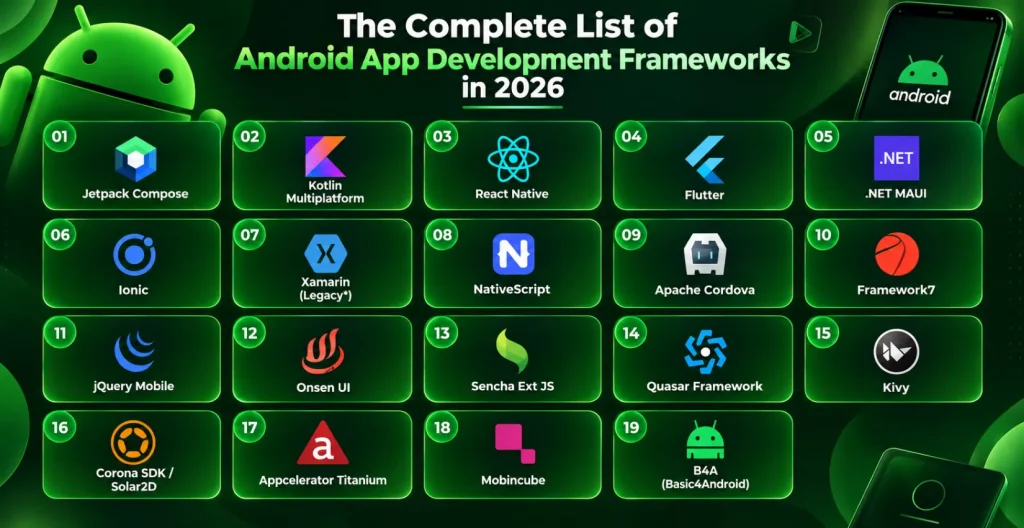
The evaluation of Android app development frameworks for 2026 includes these options, which receive individual assessments about their advantages and disadvantages and their primary characteristics. The web-based options use identical base libraries, which a web app development company would select for creating browser-based applications.
1. Jetpack Compose
Jetpack Compose serves as Google’s official contemporary Android UI toolkit, which replaces traditional XML layouts through its declarative Kotlin-based system. The standard has become Google’s official native Android development framework, which Reddit and other businesses use to accelerate their user interface development while reducing their code base for boilerplate components. The standard will become the default starting framework for Android-only applications during the year 2026.
Pros:
● Kotlin-first with fully native performance
● Less boilerplate via declarative syntax
● Seamless Android Studio and Material Design integration
Cons:
● Learning curve for teams used to XML layouts
● Android-only—no cross-platform reach
● Migration tooling for legacy codebases still maturing
Features of Jetpack Compose:
● Declarative UI with automatic state-driven updates
● Built-in state management for composable functions
● Full access to native Android APIs
● Backed directly by Google with long-term roadmap support
2. Kotlin Multiplatform (KMP)
Kotlin Multiplatform enables development teams to share their business logic, which includes networking and data validation and database operations between Android and iOS platforms and other targets, while preserving native user interfaces through Jetpack Compose and SwiftUI. The production environment of Duolingo and Philips demonstrates their adoption of this tool, which has become one of the fastest-expanding Android app development solutions during the year 2026.
Pros:
● Near-native performance via direct native compilation
● Shares logic without sacrificing native UI quality
● Backed by JetBrains with growing enterprise adoption
Cons:
● UI still needs separate platform-specific builds
● Smaller community than Flutter or React Native
● Tooling still maturing relative to older frameworks
Features of Kotlin Multiplatform (KMP):
● Shared modules for logic, not UI
● Compatible with Jetpack Compose and SwiftUI
● Native compilation for near-native speed
● Strong fit for Android-first, multi-platform roadmaps
3. Flutter
Flutter functions as Google’s development toolkit, which enables developers to create native applications for multiple platforms through a single Dart programming codebase. The tool serves as a preferred choice for Android app developers and their hiring organizations because it delivers consistent pixel-perfect user interfaces and delivers high performance across mobile and web and desktop platforms.
Pros:
● High-performance via Dart and the Skia engine
● Beautiful, consistent UI across every platform
● Strong Google backing and a growing community
Cons:
● Dart has a smaller developer talent pool
● Larger app size compared to fully native builds
● Fewer third-party libraries than React Native
Features of Flutter:
● Runs on Android, iOS, web, and desktop from one codebase
● Widget-based architecture for complex, custom UIs
● Deep Visual Studio Code integration
● Rich widget library with pixel-level control
4. React Native
Meta created React Native, which stands as a leading Android app development framework that enables developers to build applications that operate on multiple platforms with performance close to native apps. The platform supports major applications, including Instagram and Skype, while serving as a top choice for organizations that need JavaScript expertise and want to speed up their development process.
Pros:
● Reusable components across iOS and Android
● Large community with extensive third-party libraries
● Backed by Meta with active long-term support
Cons:
● Native modules still needed for advanced features
● Performance can lag behind fully native apps
● UI rendering inconsistencies on older devices
Features of React Native:
● Code reuse improves maintainability across platforms
● Live and hot reloading for real-time changes
● Large, active developer community for troubleshooting
● NPM ecosystem speeds up installation and setup
5. .NET MAUI
Microsoft developed .NET MAUI as the next step after Xamarin, which enables developers to create native apps for Android and iOS using a single codebase through C# and .NET development. The platform serves as the natural progression for businesses that have already invested in Microsoft solutions because it delivers better Azure connectivity than the previous system provided.
Pros:
● Native performance with a shared C# codebase
● Deep Azure and Microsoft ecosystem integration
● Actively maintained, unlike Xamarin
Cons:
● Smaller community than Flutter or React Native
● Best suited to teams already using .NET
● Tooling still maturing versus older cross-platform tools
Features of .NET MAUI:
● Single codebase spanning Android, iOS, and desktop
● Native API access through the .NET runtime
● Full Visual Studio integration
● Built-in support for MVVM architecture
6. Xamarin
Microsoft developed Xamarin as their initial cross-platform development platform, which reached its official end of support in May 2024. Organizations that maintain Xamarin applications during 2026 need to follow the recommended path of migrating their applications to .NET MAUI because Microsoft offers dedicated tools that simplify the migration process, and new development work should begin with MAUI instead of Xamarin.
Pros:
- Still functional for existing, unmigrated apps
- Familiar C# and .NET codebase for legacy teams
- Direct, Microsoft-backed migration path to .NET MAUI
Cons:
- No official support or security updates since May 2024
- No new features, bug fixes, or platform compatibility updates
- Growing risk as Android/iOS OS updates outpace it
Features of Xamarin:
- Shared C# codebase for Android and iOS
- Native API access via Xamarin. Forms
- Compatible with Visual Studio (legacy projects only)
7. Ionic
Ionic functions as an open-source framework that allows developers to create applications that work across mobile devices, desktop computers, and web browsers through the use of HTML, CSS, and JavaScript. The extensive collection of ready-made UI components allows teams to concentrate on front-end development because they can create applications that work on Android and iOS and the web through one unified codebase.
Pros:
● Built on familiar web technologies (HTML, CSS, JS)
● Fast prototyping and development cycles
● Wide plugin ecosystem via Capacitor
Cons:
● Performance lags for graphics-heavy apps
● Relies on WebView rather than true native rendering
● Limited native look and feel
Features of Ionic:
● Easy integration with Angular and other JS frameworks
● Common choice for hybrid apps and PWAs
● Hot reloading for instant preview of changes
● Large library of customizable UI components
8. NativeScript
The open-source framework NativeScript enables developers to create mobile applications through JavaScript and TypeScript programming languages. Users can access native device APIs and UI components directly through NativeScript without using a WebView layer. The platform supports Angular and Vue.js, which enables teams to continue using these tools they already know.
Pros:
● Direct native API access via JS/TS
● Real native UI rendering, no WebView
● Angular and Vue.js support built-in
Cons:
● Smaller community and plugin ecosystem
● Slower development cycle than some alternatives
● Debugging can be more complex
Features of NativeScript:
● Flexible development tools and environment
● Open-source and approachable for new teams
● LiveSync for real-time code updates
● Large plugin ecosystem for extending UI
9. Apache Cordova
Apache Cordova (formerly PhoneGap) enables web developers to transform their HTML and CSS and JavaScript applications into native applications that run on Android and iOS and various other platforms through native SDK usage. The system functions as a legacy technology, which users should maintain their hybrid applications but should not use for creating new applications.
Pros:
● Uses standard, widely known web technologies
● Easy to learn and quick to integrate
● Broad plugin support for device features
Cons:
● Poor performance in complex, graphics-heavy apps
● UI inconsistencies across different devices
● Largely deprecated in favor of newer tools
Features of Apache Cordova:
● JavaScript APIs for native device feature access
● Extensive plugin library for extended functionality
● Standard web technologies for UI development
● Built-in debugging tools for issue resolution
10. Framework 7
Framework7 exists as a free open-source framework that enables developers to create web applications and mobile applications that offer a native-like experience through its straightforward design and customizable interface elements. The platform provides an excellent selection for teams who want progressive web app development services and hybrid applications through its native-like interface, which requires minimal system resources.
Pros:
● Easy to use for web developers
● Clean, modern, customizable UI components
● Well-suited to building hybrid PWAs
Cons:
● Relies on WebView rendering
● Less suited to fully native-feel apps
● Smaller community and plugin ecosystem
Features of Framework7:
● Offline-first approach for apps that work without internet
● Pre-designed components for fast UI development
● Responsive design across screen sizes
● Wide range of built-in animations
11. Onsen UI
Onsen UI exists as a free UI framework that developers use to create hybrid mobile applications through HTML5 and CSS and JavaScript, while it works well with Angular and Vue.js and regular JavaScript code. The platform offers ready-made components together with automated platform-based design, which enables developers to create polished native apps quickly.
Pros:
● Easy integration with multiple JS frameworks
● Responsive design with native-style components
● Strong documentation and tutorials
Cons:
● Lower performance than fully native frameworks
● Not ideal for heavy logic or animation-based apps
● Smaller ecosystem than mainstream alternatives
Features of Onsen UI:
● Supports Angular, Vue.js, and jQuery
● Automatic styling based on platform
● Optimized for Cordova-based projects
● Flat and material design support
12. Sencha Ext JS
Sencha Ext JS operates as a JavaScript framework that provides an extensive set of features to support the development of large enterprise applications through its 140+ UI components, which include charts and grids and data-heavy tools. Teams select this option to develop internal dashboards through CRM software development services because they need to handle structured data and perform analytics operations.
Pros:
● 140+ pre-built, enterprise-grade UI components
● Strong data visualization and grid support
● Built-in state management
Cons:
● Steep learning curve for new teams
● Expensive licensing for commercial use
● Overkill for simple, low-data apps
Features of Sencha Ext JS:
● Component-rich UI toolkit
● MVC/MVVM architecture
● Theming and layout system
● Powerful data package for managing models
13. Quasar Framework
Quasar operates as a Vue.js framework, which lets developers create high-performance Android and iOS and web and desktop applications through a single shared codebase. The system operates on Vue 3 and Vite, which creates an ideal environment for startups and small teams who want to achieve fast work speed together with high system performance.
Pros:
● Single codebase across multiple platforms
● Rich CLI and customizable UI components
● Extensive, well-maintained documentation
Cons:
● Fewer native features than React Native or Flutter
● Smaller community than mainstream alternatives
● Best suited to teams already using Vue
Features of Quasar Framework:
● Vue 3 and Vite-powered development
● Responsive layouts and UI components
● Built-in SSR, PWA, and Cordova/Electron support
● Strong performance and fast build times
14. Other Niche & No-Code Android App Development Tools
The following Android app development tools focus on specific application areas, which include indie games and no-code MVPs, but they need only brief evaluation instead of full examination:
- jQuery Mobile: A lightweight JavaScript library for basic mobile web UIs. The application presents a basic interface that users can quickly understand, although it does not meet current app standards.
- Kivy: The open-source Python framework receives academic and data science team support because it enables them to create experimental multi-touch applications.
- Corona SDK / Solar2D: A Lua-based framework that enables quick development of 2D games through its design for independent developers who create casual games.
- Appcelerator Titanium: Lets teams develop native Android and iOS applications by using one JavaScript codebase, which includes analytics features and cloud backend integration.
- Mobincube: A no-code, drag-and-drop interface that enables users without programming experience to create basic MVPs and develop small business applications.
- B4A (Basic4Android): A Visual Basic-inspired programming language that produces native Android code through compilation while remaining simple enough for beginners to learn Android development.
Jetpack Compose vs Kotlin Multiplatform vs Flutter vs React Native: Which Should You Choose?
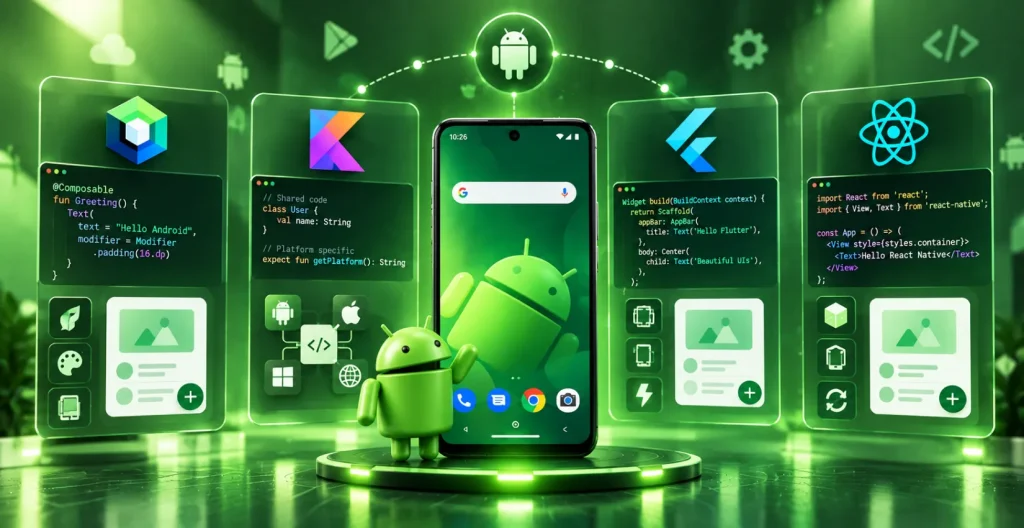
The four Android mobile app development frameworks receive ongoing comparisons throughout 2026 because they handle distinct sets of problems. Jetpack Compose serves as the native-first option, while Kotlin Multiplatform maintains a balance between shared business logic and native user interface development, and Flutter and React Native achieve complete platform compatibility through their single codebase approach even though they reduce some deep native functionality.
| Aspect | Jetpack Compose | Kotlin Multiplatform | Flutter | React Native |
| Platform Reach | Android only | Android, iOS, shared logic | Android, iOS, web, desktop | Android, iOS |
| UI Approach | Fully native | Native per platform | Custom-rendered (Skia) | Native components via bridge |
| Performance | Highest (native) | Near-native | Very high | High |
| Best For | Android-only apps | Shared logic, native UI | Pixel-consistent cross-platform UI | JS teams, fast iteration |
| Backing | JetBrains | Meta |
Which Framework Should You Use in 2026?
You need to select the correct option that matches your specific requirements instead of following what others do. Here’s how to match your project to the best Android application development platform for your goals:
- For Enterprise Apps: .NET MAUI and Kotlin Multiplatform enable businesses to achieve native performance while maintaining shared code for different platforms, which aligns with their current Microsoft- and Kotlin-based systems.
- For Startups & MVPs: Flutter and React Native enable developers to launch their cross-platform applications at the fastest speed while offering access to extensive developer communities for recruitment and problem-solving support.
- For UI-Heavy, Android-Only Apps: Jetpack Compose provides Android applications that focus on user interface design with Android-only support, the best native experience when developers don’t have to support iOS from their common codebase.
- For Multi-Platform Products with Native UI: Kotlin Multiplatform stands as the best choice for 2026 to distribute business logic across multiple platforms while developers maintain complete native user interface control for each platform.
- When You’re Not Sure: Bring in an experienced Android application development company of companies to your project from the start because the right partner will determine which framework suits your budget and timeline and maintenance requirements before starting coding.
Final Verdict
Android development teams need to choose between Jetpack Compose and Kotlin Multiplatform for their native-first projects because these two frameworks dominate the field in 2026. The frameworks Flutter and React Native continue to serve as the primary choice for developers who want to create applications that work on multiple platforms. The enterprise .NET community now uses .NET MAUI as their main framework, which replaced Xamarin, but the other listed frameworks serve specific purposes.
Your selection depends on how many platforms you want to support and what skills your team possesses and the available time you have. You can avoid all the guessing by working with Octal IT Solution because our team has experience with Android application development companies in Dubai to provide you with the perfect framework solution right from the start. Contact us anytime.
Frequently Asked Questions
1. Which framework is used for Android app development?
The most widely used Android frameworks in 2026 are Jetpack Compose for native apps and Flutter for cross-platform builds. Google recommends Compose as their official framework for fresh Android-only development projects because it delivers native performance through reduced programming requirements.
2. What is the most used framework for mobile app development?
The best Android application development frameworks include Flutter and React Native, which lead adoption rates, while Jetpack Compose and Kotlin Multiplatform and .NET MAUI follow as popular choices for different platforms and team requirements.
3. Which programming language is best for Android app development?
Google has established Kotlin as their official programming language for Android development, which developers use in all modern Android application development frameworks, including Jetpack Compose and Kotlin Multiplatform. The system continues to support Java, but it does not serve as the default programming language anymore.
4. Which technology is best for Android app development?
The best framework for Android app development in 2026 depends on team needs because Jetpack Compose works best for native apps, but Flutter and Kotlin Multiplatform provide cross-platform capabilities and shared code between platforms.
5. What’s the difference between Jetpack Compose and Kotlin Multiplatform?
The Jetpack Compose framework enables developers to create native user interfaces that function exclusively on Android operating systems. The business logic of Kotlin Multiplatform, including networking and data handling operations, becomes available for both Android and iOS platforms while developers maintain the ability to design native user interfaces through Compose and SwiftUI, respectively.
6. Is Xamarin still supported in 2026?
No, Microsoft ended official Xamarin support in May 2024. Organizations that continue to use Xamarin applications need to develop a plan for migrating their applications to .NET MAUI because this platform serves as the official successor, which will receive future updates and extended support.

 By
By September 18, 2026





 Get in Touch