


Key Takeaways
- Understand the comprehensive process of AI app development from idea to revenue generation.
- Identify various AI app types, such as predictive, generative, and conversational apps.
- Analyze the growing demand for AI app development driven by customer expectations and technological accessibility.
- Learn the step-by-step development process, from defining the problem to monitoring and retraining.
- Explore crucial security measures and the importance of data readiness for successful AI applications.
Introduction
Every AI app starts the same way. Someone opens a blank screen and thinks, this could be smarter. Then the real picture begins. You identify a problem that you can actually solve. In reality, you check the data you have. You weigh the API against a custom model.
Somewhere around week two, the real questions show up. Which model suits your budget? Which stack won’t break under real users? How much will this actually cost?
Most teams don’t fail because the idea is weak. They fail because no one mapped out the whole process before writing the first line of code.
This guide is that map. It follows the exact path that a real AI application development project takes. It covers everything from the initial idea to a stable, revenue-generating application.
You’ll explore key production decisions, from choosing the right approach and model to building the right tech stack. You’ll also learn how to integrate your existing AI, manage costs, and make the investment pay off.
We will also cover what most guides miss: security, legacy integration, and monetization decisions that matter after launch. By the end, you’ll know exactly how to build an AI app, step by step, without guessing. Let’s start by defining what an AI app actually is.
AI App: Types, Examples & How It Works
An AI app uses data and AI models to perform tasks that normally require human judgment. AI apps can improve over time when they use feedback, new data, or updated models.
Think of the difference between a basic calculator and a spam filter. The calculator always does the same calculation. The spam filter gets smarter with every email it processes.
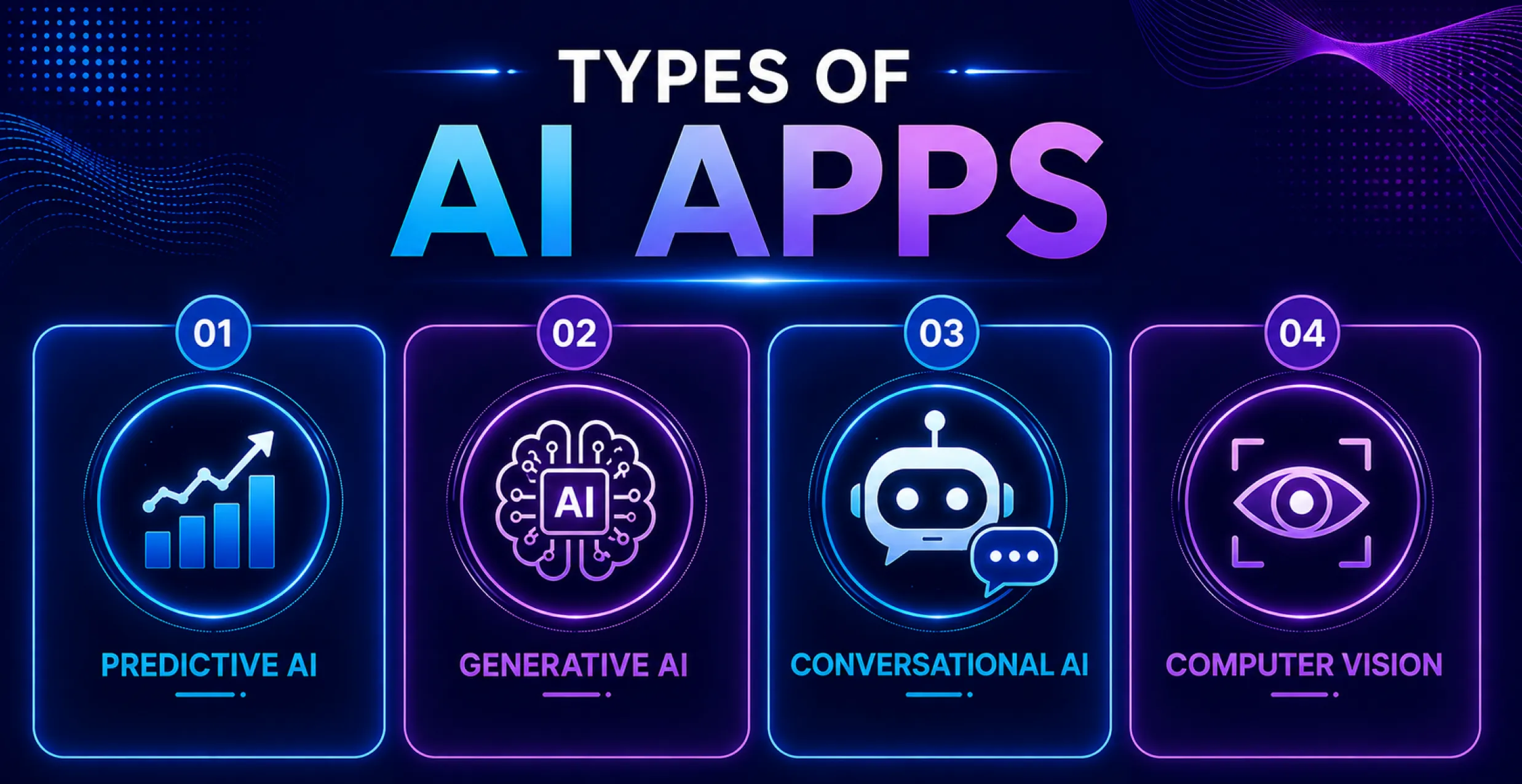
Predictive AI Apps
These apps predict outcomes using historical data, like demand or churn. Netflix and other streaming apps use this to rank what you’ll watch next and score likely results before you act.
Generative AI Apps
Text, photos, code, and music are among the new stuff that these apps produce. Tools like Jasper and GitHub Copilot generate suggestions from simple inputs. Many teams building those features rely on external GenAI development services to move faster.
Conversational AI Apps
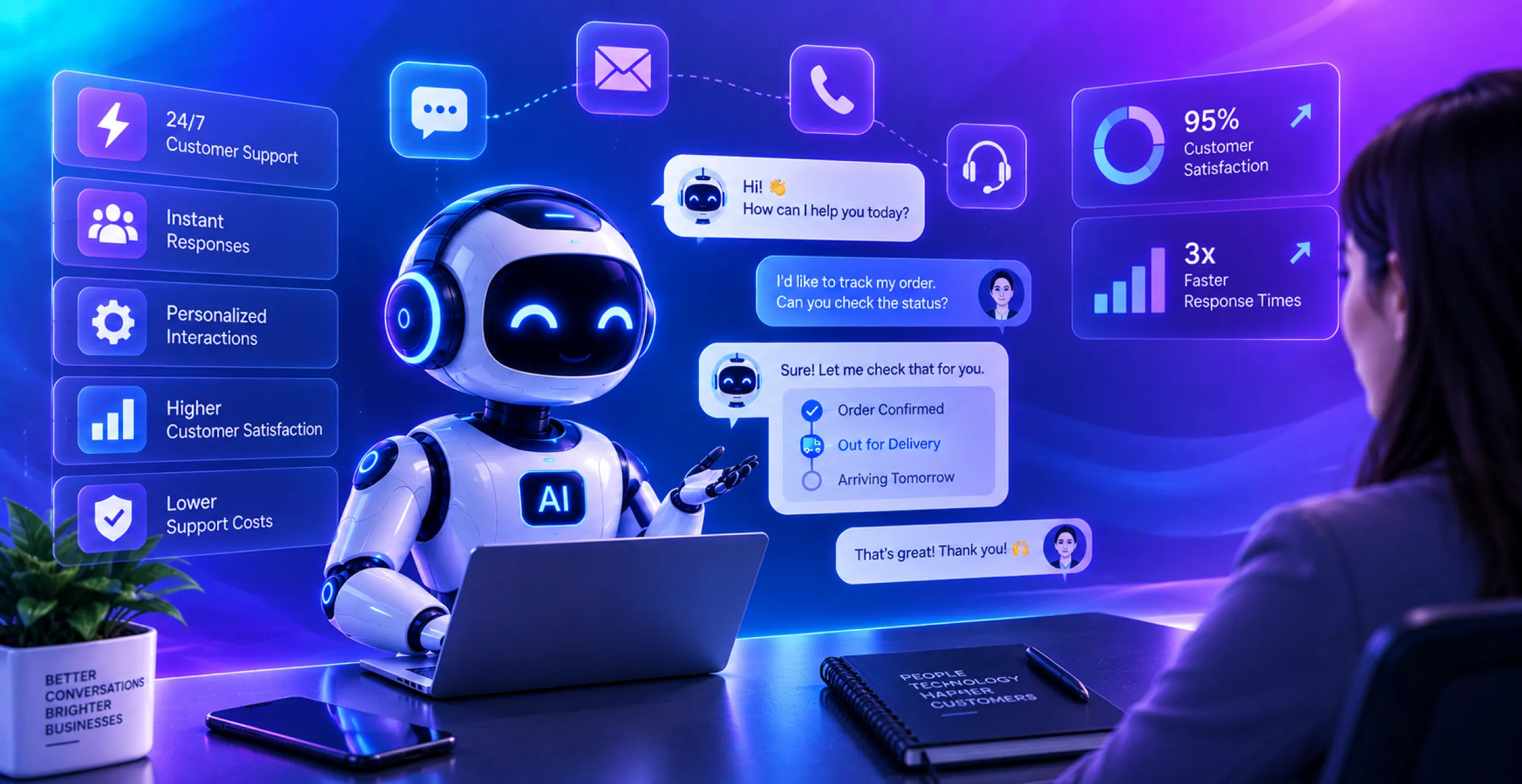
Natural language is understood and responded to by these apps. Chatbots or AI conversational assistants work this way. They interpret your words and respond in real time.
Computer Vision Apps
Instead of merely interpreting text, these apps now also translate photos and videos. Google Lens is a famous example. It scans images, identifies objects and text, and matches them with relevant results.
Most modern products combine two or three of these types. A single app might forecast demand, generate summaries, and answer questions in chat, all at once.
Why AI App Development is Growing: Market Analysis
The numbers show just how quickly this shift is happening. 88% of companies now use AI as at least one company feature, in line with McKinsey’s State of AI Survey (2025).
Agentic AI is moving from experimentation into production infrastructure. Gartner estimates Agentic AI will power roughly one-third of enterprise software by 2028.
Customer expectations have also changed. People now expect instant, customized responses, rather than extensive paperwork and static dashboards.
AI app development has also become more available. Small teams can now use pre-trained models and open APIs. They can build functions that once required an entire IT department.
That accessibility has also increased competition. Many companies are now turning to external AI app development services to keep pace. Their competitors are delivering AI features in weeks.
Top AI App Use Cases Across Industries
Every industry uses AI in different ways, yet the core pattern stays the same. AI automates repetitive tasks, anticipates unexpected events, and personalizes experiences at scale. This is the foundation of the most AI business app development work today, regardless of industry.
Fintech & Banking
AI fintech app development powers fraud detection, credit scoring, and robo-advice tools. Banks capture suspicious transactions in real time instead of after the fact.
Healthcare
Healthcare providers can use AI healthcare app development to support diagnosis, predict patient risks, and triage appointments. Hospitals use it to flag high-risk patients early.
Retail & E-commerce
AI-powered recommendation tools and visual search tools drive growth and conversion. Shoppers are looking for products that match their actual behavior, not bestseller lists.
Productivity & Business Tools
Meanwhile, an AI productivity app handles scheduling, document summarization, and meeting notes. Teams save hours every week on administrative work.
Logistics & Manufacturing
Predictive maintenance and route optimization can cut downtime and delivery costs. Sensors feed data into models that flag problems before they happen.
Despite the differences, these use cases follow the same basic pattern. Each one replaces a slow, manual process with a faster, data-driven process.
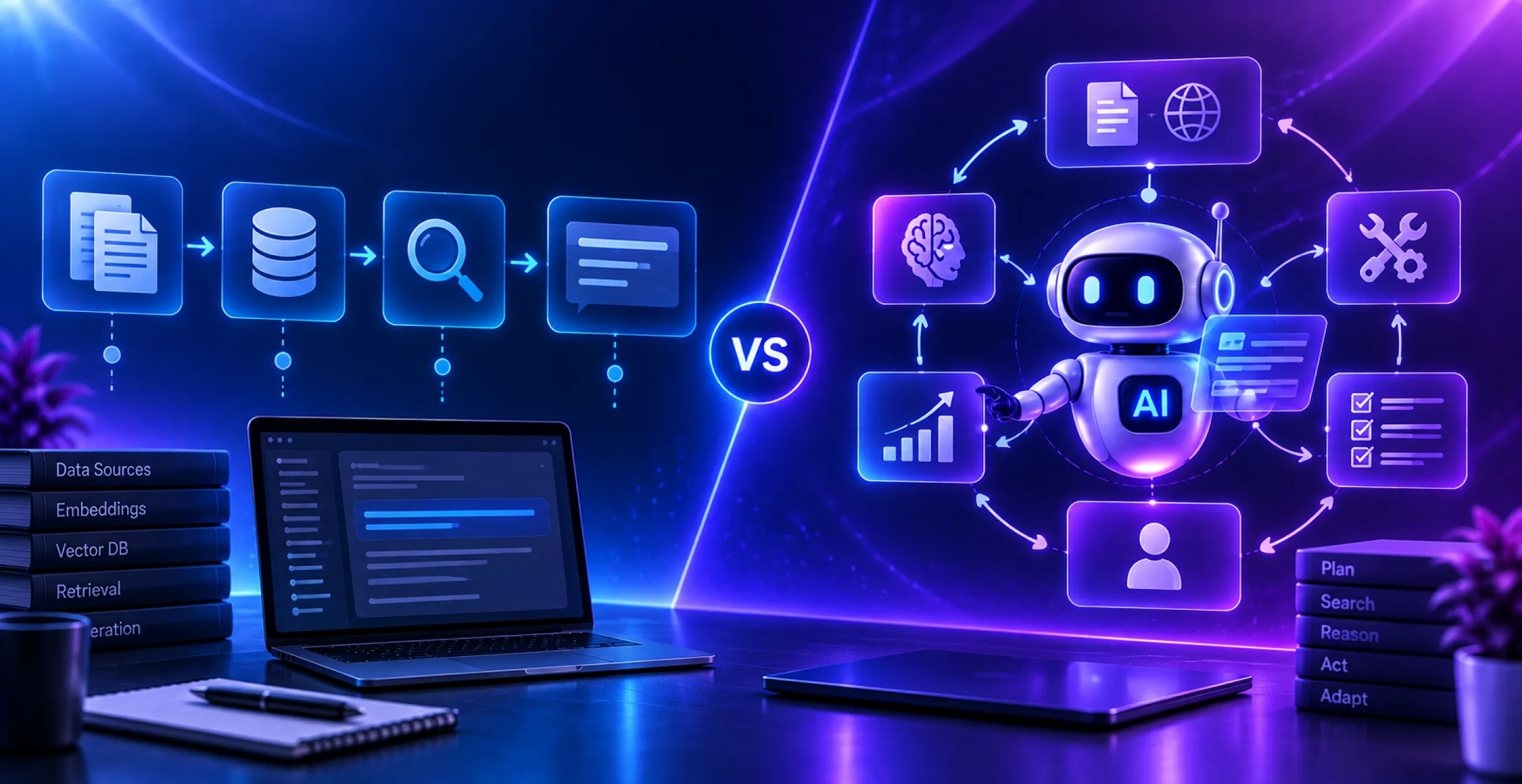
Build vs. Buy vs. Fine-Tune vs. RAG: Choosing the Right AI Approach
This is also where teams often make costly mistakes. Jumping straight into custom development can waste months and inflate your budget. The right choices early in the process can prevent costly delays later.
- Buy: Use Existing APIs
This means accessing a provider’s model through the OpenAI API integration or a similar service. It is the fastest way to implement and approve an idea.
- Fine-Tune: Adapt a Pretrained Model
Fine-tuning trains an existing model on your own data. This works well when you want domain-specific tone or accuracy without building from scratch.
- RAG: Retrieval-Augmented Generation
RAG combines a model with your own documents and databases in real time. It is best when the answers must stay accurate and current, like support or legal content.
- Build: Training a Custom Model
Custom model training is the most expensive and slowest path. It makes the most sense when your data and use cases are honestly unique.
In practice, many teams combine these approaches. A GPT API integration for standard logic, along with RAG, covers most of the real-world enterprise needs.
Core Components of an AI App
Every AI app is made up of a handful of core building blocks. Most AI app developers start here before choosing any tool or framework.
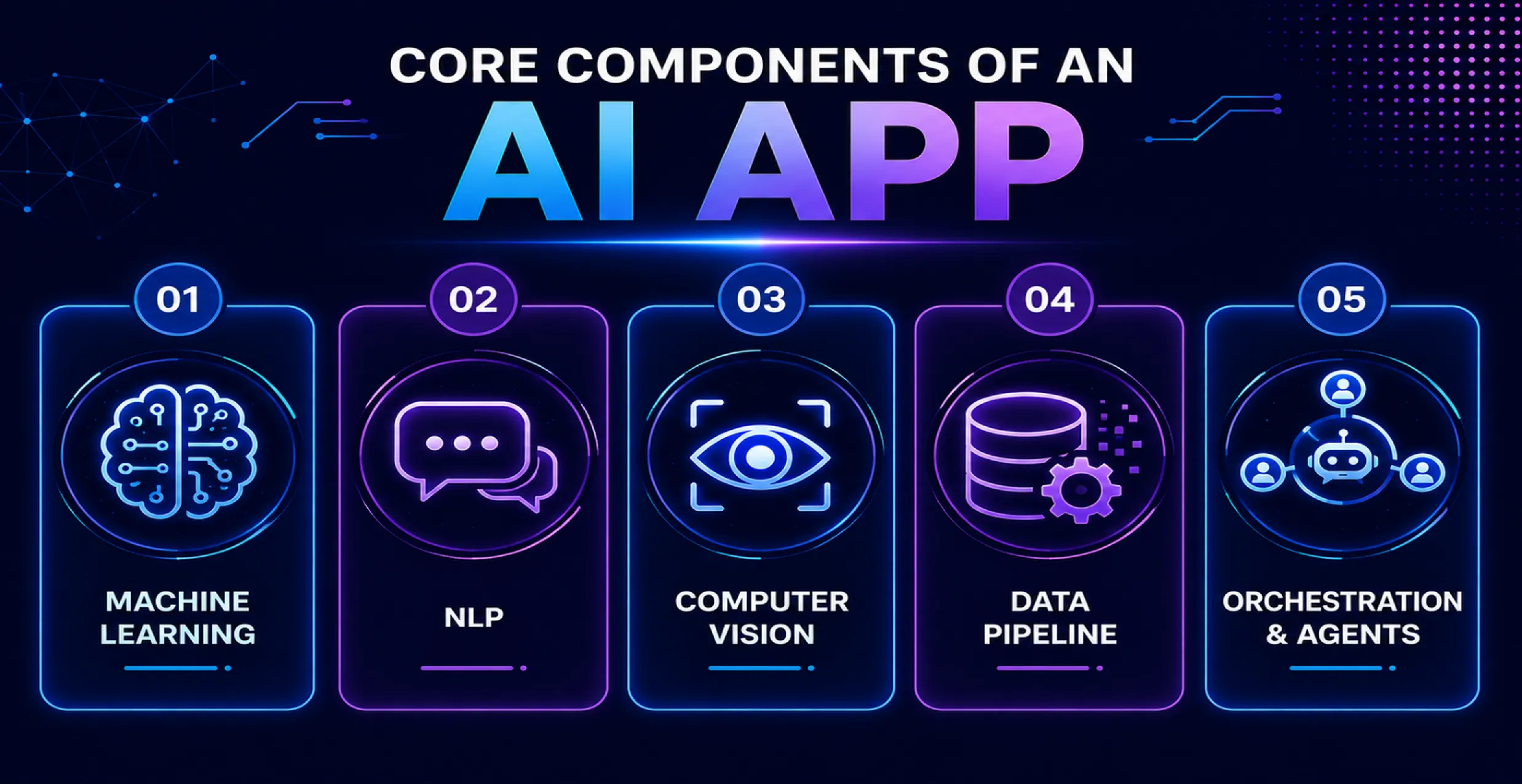
Machine Learning Layer
This step manages the pattern recognition and prediction. It powers recommendations, predictions, and classification tasks.
Natural Language Processing
NLP helps apps understand and generate human language. It powers chatbots, summaries, and searches.
Computer Vision
This element analyzes images and videos. It is essential for image search, quality control, and facial recognition capabilities.
Data Pipeline & Storage
This is the pipeline that processes, cleans, and stores your data. Weak data pipelines are a common reason AI software development projects fail.
Orchestration & Agents
Agent frameworks let your app connect multiple steps and tools. This enables multi-step workflows that can use tools and complete tasks with limited human input.
How to Choose the Right AI Model/LLM for Your App
Choosing a model isn’t always about chasing the top leaderboard score. It’s about matching the model to your use case, performance needs, and budget.
- Match the Model to the Task
Complex reasoning tasks may require more capable models. Simple classification or summarization tasks can often use smaller, less expensive models.
- Check Context Window Needs
Apps that process long documents or large codebases need larger context windows. Simple chat apps usually need much smaller context windows.
- Weigh Proprietary vs. Open-Source
Proprietary APIs are faster to integrate and require less infrastructure. Open-source models such as Llama or Qwen provide more control but require your own hosting infrastructure.
- Factor in Cost At Scale
A model that is cheap during testing can become expensive at production scale. Always estimate cost based on 1,000 real user interactions, not per test call.
- Test Before You Commit
Test the same use case with two or three models before making a decision. Real-world performance can differ significantly from benchmark results.
AI App Tech Stack: Frontend, Backend, AI Models & Infrastructure
Your stack determines how fast you can build and how well your app can scale. Most AI platform development decisions come down to these layers, not abstract trends. Here’s what an entire 2026 AI app stack actually includes, layer by layer.
| Stack Layer | Technologies |
| Frontend | React, Next.js, Flutter, SwiftUI |
| Backend | Node.js, Python (FastAPI), Go, Django |
| AI Model Layer | OpenAI API, Claude API, Gemini API, Llama, Qwen |
| Vector Databases | Pinecone, Weaviate, pgvector, Milvus |
| Agent Orchestration | LangGraph, CrewAI, Claude Agent SDK, AutoGen |
| Agent Interoperability | Model Context Protocol (MCP), Agent2Agent (A2A), Agent Communication Protocol (ACP) |
| Infrastructure & Hosting | AWS, Google Cloud, Azure, Vercel |
| AI Observability & Guardrails | LangSmith, Arize AI, Guardrails AI, Weights & Biases |
| On-Device / Edge AI | Core ML, ONNX Runtime, TensorFlow Lite, MediaPipe |
Agent interoperability and observability are 2 layers that most guides miss. Skipping these layers can cause problems that only appear after launch.
How to Build An AI App: Step-By-Step Development Process
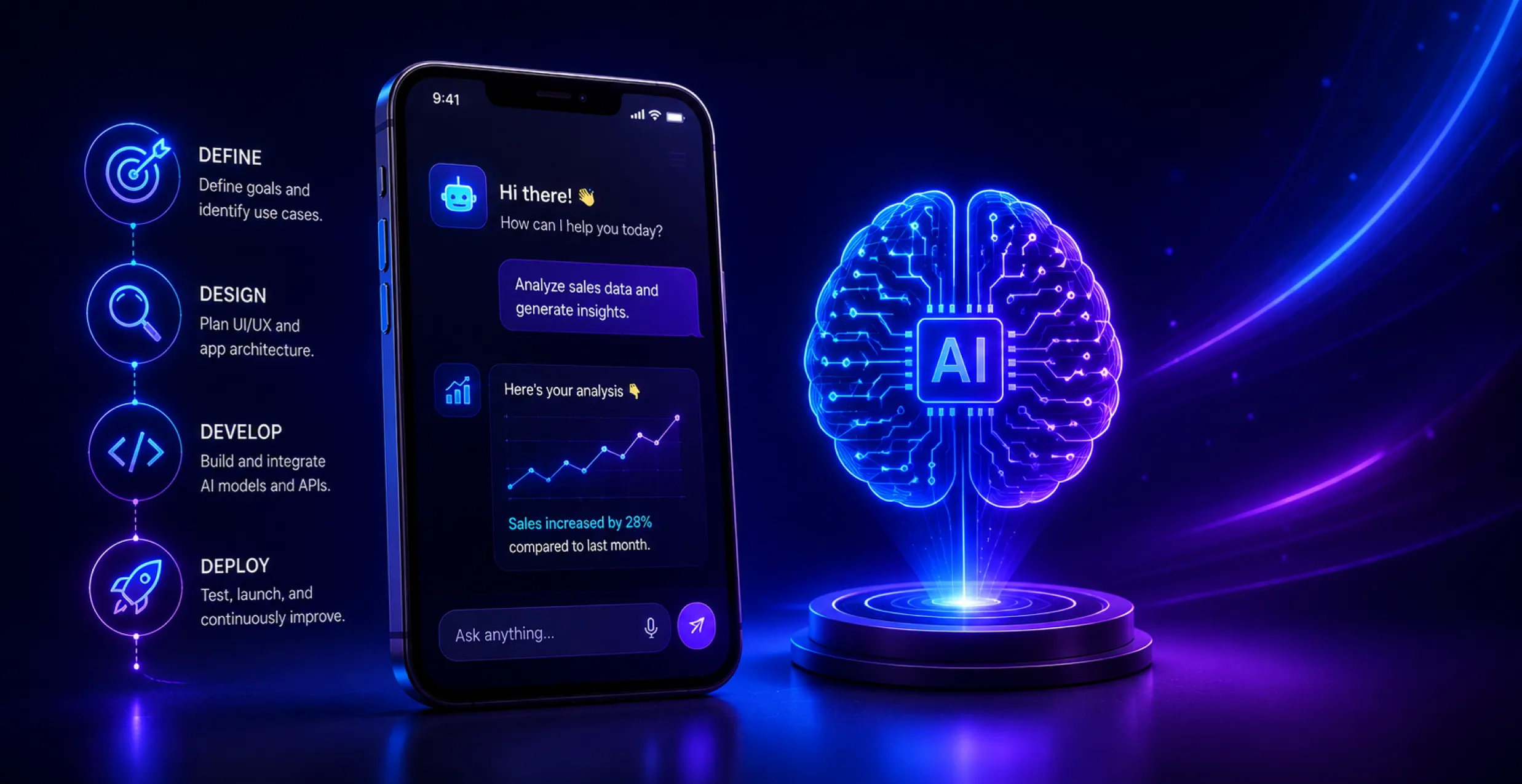
This is the core AI app development process most AI teams follow.
Step 1: Define the Problem
Start with a specific, measurable problem. Treat this as step 0, even though it appears as step 1 in the development process.
Step 2: Audit Your Data
Check what information you already have and where the gaps are. Your data readiness often determines the actual timeline.
Step 3: Choose Your Approach
Decide between buy, fine-tuning, RAG, or custom build. Revisit the framework above before moving forward.
Step 4: Design the Experience
Map out how users will interact with AI. Show users when AI is uncertain and give them an easy way to correct its output.
Step 5: Build and Integrate
This is where your developers assemble the model, backend, and frontend. Developers integrate the model with the backend and the frontend at this stage.
Step 6: Test Rigorously
AI testing requires more than traditional QA. Include checks for hallucination, bias, accuracy, and edge cases.
Step 7: Deploy in Stages
Launch to a small user group first. Check the actual behavior before rolling out to everyone.
Step 8: Monitor & Retrain
Set up indicators for accuracy drops and usage spikes. Set a retraining schedule from day one instead of waiting for performance problems.
AI Integration in Existing Applications / Legacy Modernization
Most businesses don’t want a new app. They need AI woven into the system they’re already running.
This is where how to integrate AI into an existing app becomes the real question, not “how to build an AI app” from scratch.
- Start With An API Layer
Wrap AI features behind a clean API. This lets you add new AI features without immediately changing the legacy code.
- Modernize Data Access First
Legacy databases are often not structured for AI use. Create a clean data-access layer before starting model development.
- Add Features Incrementally
Start with an AI feature, like smart search or auto tagging. Expand only after the features prove their value.
- Plan for Downtime-Free Rollout
Use feature flags to test AI features with a subset of users. This lets you test the feature without disrupting the existing application.
Reliable AI integration services treat legacy systems as obstacles to design around. They avoid tearing apart the existing structure.
Must-Have Features for a 2026 AI App
Basic AI features are becoming less distinctive. Users now expect apps to respond intelligently, work across different inputs, and complete useful tasks.
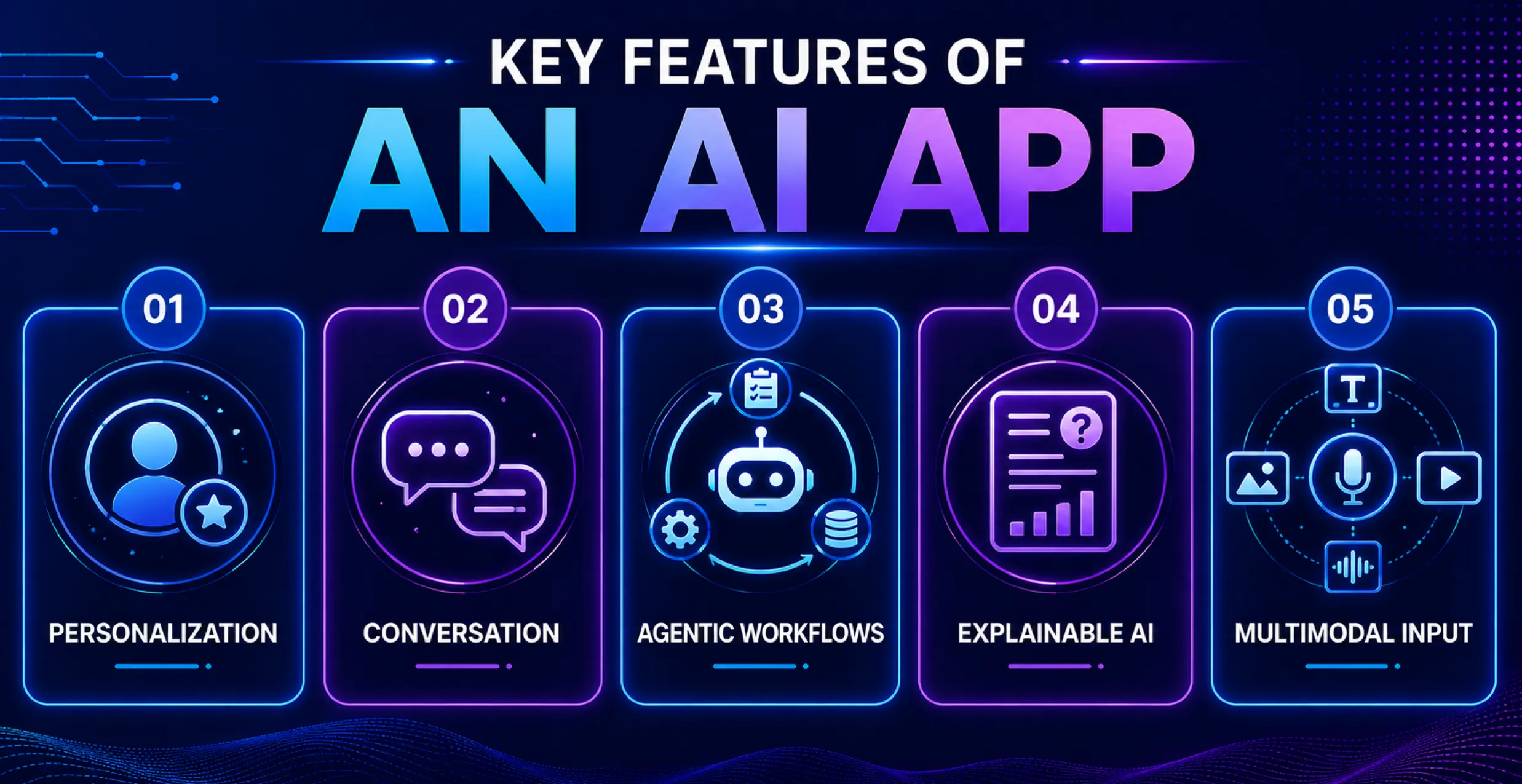
- Real-Time Personalization
The app adjusts recommendations and content for each user. Users increasingly see personalization as a basic expectation rather than a bonus.
- Conversation Interface
Users type or speak naturally instead of navigating menus. An AI chatbot app development approach makes this the front door to most capabilities.
- Agentic Workflows
Agentic workflows are a major shift from the AI apps most teams built in 2024. And this will continue in 2026 AI applications.
- Explainable Outputs
Users can see why AI produces a result, not just the result itself. This helps users understand and trust AI decisions, especially in finance and healthcare.
- Multimodel Input
Instead of only using text, users can include files, voice notes, and photos. Most app categories now expect this flexibility.
AI App Security, Privacy & Compliance
Security can no longer wait until the final testing stage. It should shape the architecture from the start.
- Prompt Injection Defense
Malicious inputs may try to manipulate your AI to leak data or ignore instructions. Input validation and output filtering are now standard practice.
- Data Privacy by Design
Sensitive data should never sit in prompts without encryption and access controls. This is especially important for AI fintech app development and healthcare apps that handle personal records.
- App Store AI Disclosure Rules
Apple and Google now require clear disclosure when AI produces or influences content. Missing these disclosures can delay or prevent app approval.
- Bias & Fairness Audit
Regularly test outputs across different user groups. Unchecked bias can create legal and reputational risks.
- Audit Trails and Explainability
Keep logs of AI decisions, especially in regulated industries. Regulators increasingly expect you to explain some automated decisions on request.
How Much Does it Cost to Build an AI App in 2026?
AI app development cost depends on scope, data readiness, and how custom your model needs to be. Here is a real cost breakdown.
| Project Tier | Cost Range | Typical Scope |
| Basic AI App | $30,000 – $80,000 | Single feature, pre-trained model or API, light integration |
| Mid-Level AI App | $80,000 – $250,000 | Custom workflows, RAG setup, moderate integration |
| Enterprise AI App | $250,000 – $1M+ | Multi-feature system, custom models, deep legacy integration |
Data preparation alone typically takes 25–40% of the budget. Clean, well-structured data can significantly reduce development costs.
Ongoing costs can be just as important as initial AI development costs. Plan to spend roughly 15-25% of the initial development cost each year on maintenance, monitoring, retraining, and model updates.
AI App Monetization Models
A strong AI app still needs a business model that can support its ongoing costs. These monetization models are gaining traction in 2026.
- Subscription (SaaS)
Users pay a fixed monthly price for access. It works best for productivity and B2B tools with everyday use.
- Usage-based / Token Pricing
Users pay based on how much AI compute they consume. This reflects how you are likely paying for the underlying model API yourself.
- Freemium With Paid AI Features
The core app stays free, but advanced AI capabilities sit behind the paywall. This model works well when users can access basic features for free and pay for advanced AI capabilities.
- Embedded / White-Labeled Licensing
This model allows other organizations to incorporate your AI features into their products. This works well for specialized AI tools built for a specific industry or business need.
Choose the model that matches your actual cost structure. Token-heavy features rarely survive on a flat, unlimited subscription price.
How Long Does It Take to Build an AI App?
Data readiness is a key factor. Teams with clean, ready-to-use data can often shorten the development timeline.
| App Complexity | Timeline | What’s Included |
| MVP / Proof of Concept | 6–12 weeks | Core AI feature, basic UI, limited testing |
| Mid-Scale App | 4–7 months | Full UI, custom model tuning, system integration |
| Enterprise System | 8–14 months | Multiple features, heavy compliance, large-scale rollout |
Common AI App Development Challenges & How to Solve Them
Even experienced AI development companies face these challenges. Knowing sooner saves time later.
- Poor Data Quality
Incomplete or inconsistent data delays everything downstream. A dedicated data audit should resolve this before any model work begins.
- Model Hallucinations
Models can produce confident but inaccurate answers. Ground outputs in real data using RAG, and always show sources where possible.
- Integration Complexity
AI integration with legacy systems can take longer than expected. Create a clean API layer as soon as possible to avoid repetitive work.
- Rising Compute Costs
Usage-based pricing can spike unexpectedly with scale. Set a usage limit for each person from day one and track the costs.
- Talent Gaps
Skilled AI engineers can be difficult to hire, especially for short-term projects. Many companies choose to hire AI developers through a specialist partner instead.
Key AI App Trends to Watch in 2026
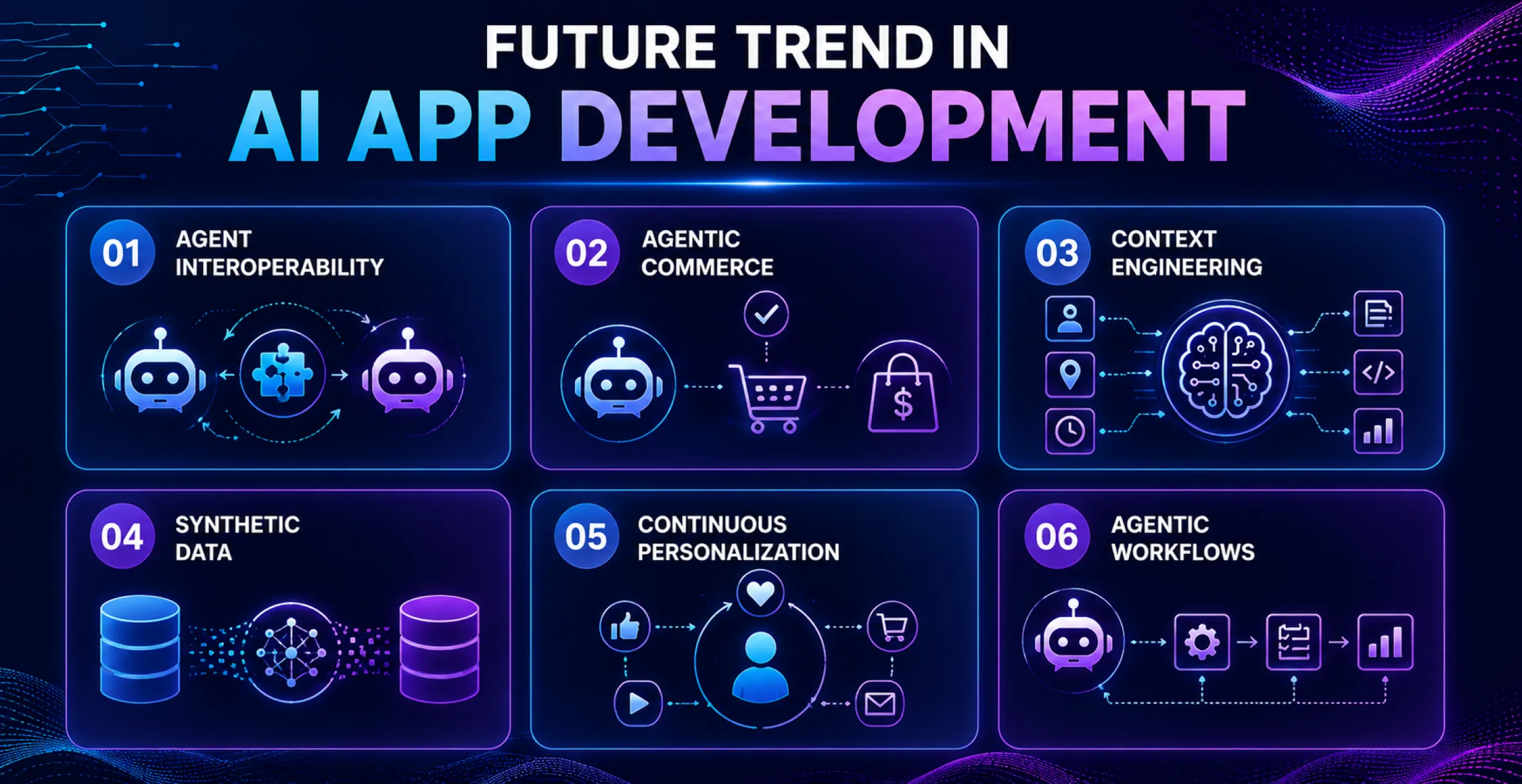
Most trend lists repeat the same five factors every year. These trends are already changing how teams approach AI app development.
Agent Interoperability
A shared protocol lets AI agents connect with tools and other agents without custom integrations for every connection. MCP adoption reached 97 million monthly downloads in March 2026. That’s up from 2 million downloads when it launched in 2024.
Agentic Commerce: Agents That Pay Each Other
New payment protocols allow AI agents to pay for data, API calls, and other digital services. This could turn AI agents into active participants in digital commerce rather than passive tools.
Context Engineering Replaces Prompt Engineering
Teams are shifting from writing smart prompts to controlling the information the models receive at each step. Structured memory and retrieval now matter more than wording.
Synthetic Data Gains Ground
Licensing and privacy restrictions reduce useful real-world data. Teams are increasingly using synthetic data sets to supplement limited real-world training data.
Continuous Per-User Personalization
Apps are moving past static profiles towards models that adapt per user over the years. These systems go beyond RAG by continuously adapting to each user’s behaviour and preferences.
Agentic AI in Everyday Workflows
Apps are increasingly handling multi-step tasks autonomously rather than simply answering individual requests. Agentic AI development services are becoming a core offering for most development partners.
Why Octal IT Solution Stands Out As A Top AI App Development Partner
Choosing a partner shapes your outcome as much as your idea does. Octal IT Solution has spent years turning early ideas into live, working products.
Not all AI consulting companies offer the same depth, and that difference shows up quickly once your project starts.
We bring real-world AI application development experience across fintech, healthcare, and enterprise use cases. Our team builds beyond basic AI add-ons. Every engagement starts with your actual problem, not a pre-made template.
As an AI app development company, we work with engineers and data experts in every project. That combination is exactly where most in-house AI builds quietly fall apart.
We also work with newer AI technologies, including agent orchestration, RAG pipeline, and legacy system integration. These aren’t add-on skills; they are core to how the team builds.
For teams looking for an AI app development company USA, compliance and data residency may also matter. We plan for those requirements from the beginning, especially for location-sensitive projects.
Conclusion
Building an AI app in 2026 isn’t about choosing the most powerful model. It’s about making the right decisions in the right order.
Start with the real problem. Choose the right approach, not just the most trendy one. Select a model that fits your price range, not the leaderboard.
Plan security and integration from day one. Price your app based on its development costs and expected returns.
This guide went all the way from initial idea to live, working product. Following this process helps teams avoid costly mistakes and make better decisions before development begins.
If you’re ready to move from planning to development, an experienced AI development partner can help you avoid costly delays.


 Get in Touch
 By
By October 7, 2026