


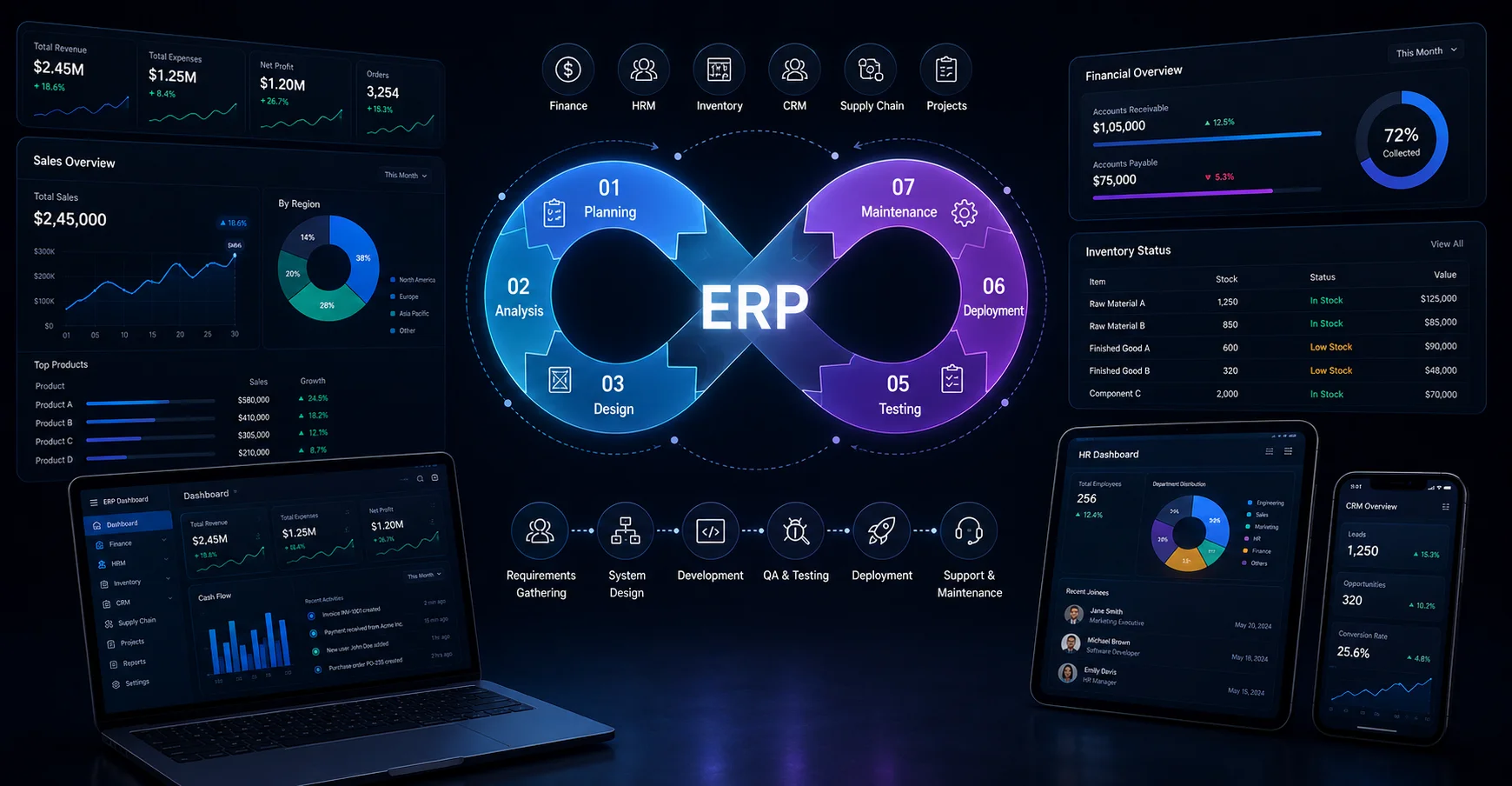
Is your business outgrowing its operational tools, or are your legacy systems quietly draining corporate productivity? As organizations move through these tangled digital terrains, generic tools just aren’t cutting it anymore. Industry data from Fortune Business Insights suggests the global ERP software market is expected to expand from $106.22 billion in 2026 to $229.79 billion by 2032, with a compound annual growth rate (CAGR) of 13.8%.
To capture that momentum, many enterprises are leaving behind rigid architectures and leaning into a tailored ERP software development lifecycle (SDLC). This guide, basically, walks through each stage of building custom enterprise software solutions, from architecture design and careful financial deployment planning to vendor selection strategies and company selection strategies, to successfully optimize your workflow.
- Custom vs. Off-the-Shelf ERP: Choosing the Right Path
- How a Custom Software Development Approach Future-Proofs Your Business?
- Core Architecture: Essential ERP System Modules
- The 6 Phases of the ERP Software Development Lifecycle
- Post-Launch: Maintenance, Optimization, and Continuous Support
- Financial Planning: Breaking Down the ERP Software Development Cost
- Selecting the Right ERP Software Development Company
- Final Thoughts
- FAQs
Custom vs. Off-the-Shelf ERP: Choosing the Right Path
Picking between a prepackaged application and a truly custom development sets the baseline for your company’s technical roadmap. If you select wrong, you can end up paying for costly software adjustments later, or worse, you get stuck in operational routines that just don’t really support long-term corporate growth.
Benefits of Tailored Enterprise Software Solutions
1. Complete Workflow Alignment
With customization, the solution maps directly to how your internal teams already work, and you avoid that usual bloatware situation where employees never use the full feature set. Everything feels more native, and there’s less operational compromise.
2. Unrestricted Scalability
A well-built system expands with your enterprise, so higher transaction volumes, new departmental units, or even new geography coverage doesn’t force you into “tiered” upgrade cycles as often. It grows with you, instead of asking you to renegotiate every time.
3. Zero Licensing Fees
Custom software can mean zero licensing fees in the sense that you’re not trapped in ongoing per-user subscription models and often cuts down the long-term total cost of ownership as your headcount expands.
4. Superior Security Control
When you build for your organization, you can own the security approach more directly. Think specialized encryption algorithms, multi-factor authentication, and private cloud isolation that matches your corporate risk tolerances, instead of relying on some one-size-fits-all security posture.
5. Seamless Legacy Integrations
You can connect more naturally with niche hardware, proprietary databases, and deeply rooted third-party systems without leaning on fragile or expensive middleware wrappers that break when things change.
How a Custom Software Development Approach Future-Proofs Your Business?
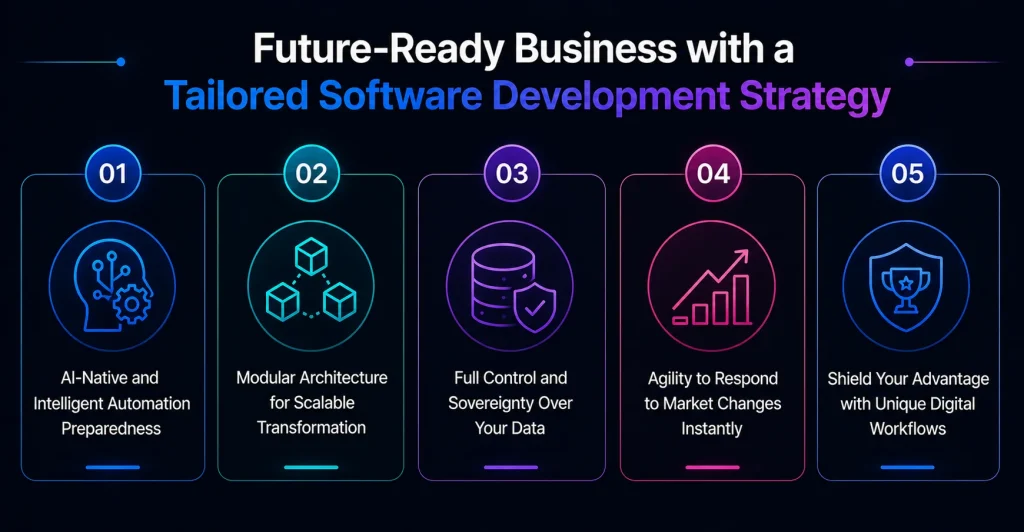
Using a custom software development approach ensures that your technology architecture evolves alongside your organization, eliminating technical debt and restrictive licensing models that frequently stymie long-term corporate growth.
1. Native AI and Automation Readiness
A proprietary infrastructure lets you slot in machine learning models and robotic process automation (RPA) workflows kind of seamlessly as operational needs start to mature and get more specific.
2. Monolithic to Microservices Flexibility
By using modular coding, your system can be updated or reorganized bit by bit, rather than forcing full-system downtime, even for functional upgrades or small changes that shouldn’t be “big” on the schedule.
3. Complete Data Ownership
Keeping absolute authority over your databases means you can do predictive data modeling without friction, run deep analytics more freely, and manage compliance in a way that isn’t compromised; at least that’s the idea in practice.
4. Rapid Adaptation to Market Shifting
When regulatory mandates or industry conditions change, your development team can push system updates quickly, bypassing vendor development backlogs that tend to drag on too long.
5. Competitive Process Insulation
Proprietary software structures help lock in your unique operational workflows, so competitors can’t just buy similar tools, copy the pattern, and replicate your specialized business strategy.
Core Architecture: Essential ERP System Modules
A high-performing internal architecture works like the operational spine of modern organizations, connecting isolated departments into one shared data environment, even if teams previously lived in different worlds.
By implementing focused ERP system modules, you can dismantle data silos and set up an uninterrupted operational flow across your corporate ecosystem, not just on paper but in day-to-day execution.
1. Financial Management & Accounting
It centralizes general ledgers, accounts payable, asset stewardship, and automated regulatory reporting so you get real-time financial tracking and smoother auditing compliance without last-minute surprises.
2. Supply Chain & Inventory Management
To lower the possibility of production bottlenecks and delayed deliveries, it simplifies procurement procedures, demand forecasting, real-time warehouse distribution tracking, and vendor communication loops.
3. Human Capital Management (HCM)
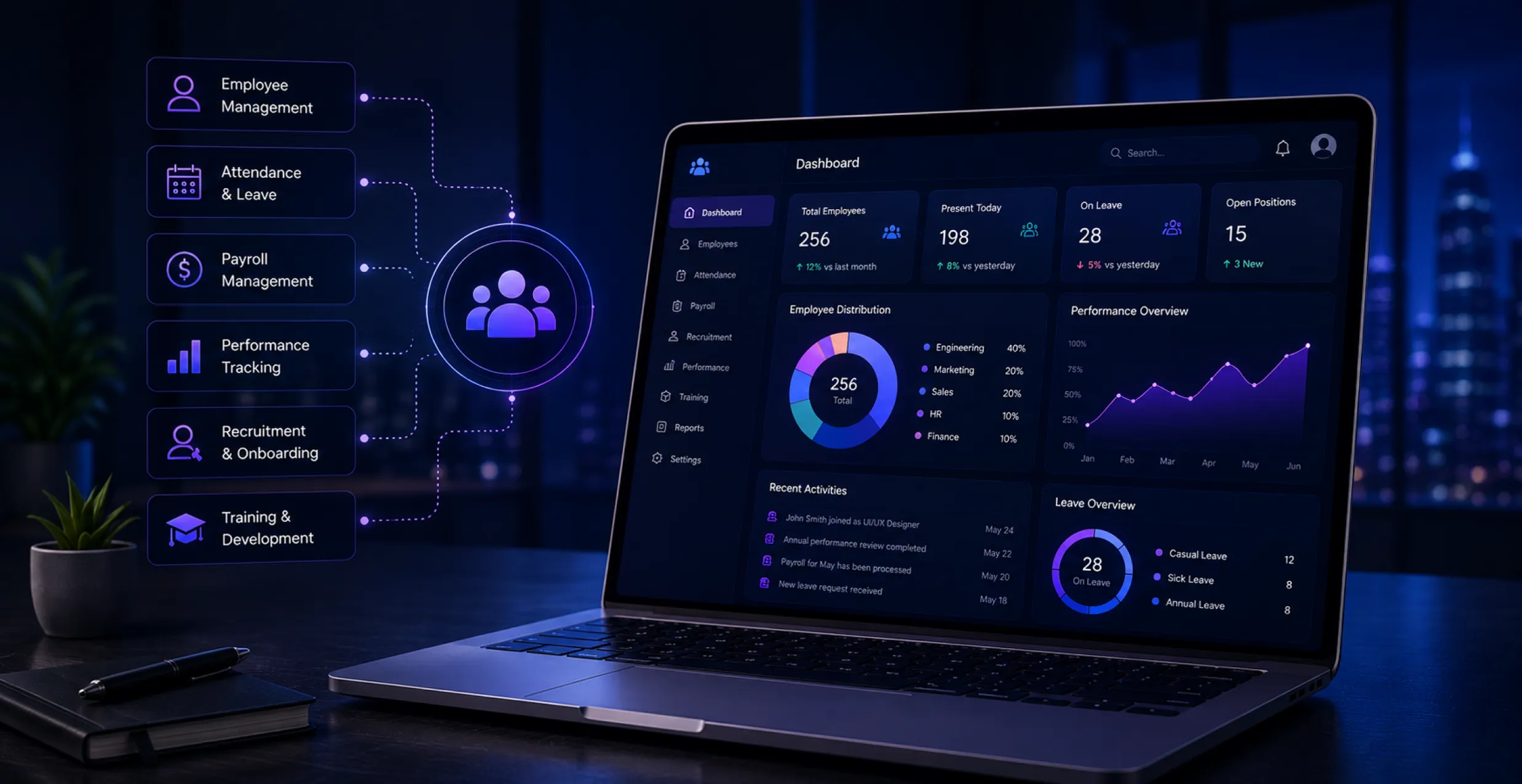
It automates the basic employee tracking, payroll distributions, performance metrics, and recruitment pipelines, so workforce utilization gets optimized across several locations, kind of like keeping everything in sync without too much manual friction.
4. Customer Relationship Management (CRM)
This brings together pipeline visibility, customer communications, marketing triggers, and support desk histories to maximize overall client lifetime value; at least that’s the goal, and it usually works out.
5. ERP Mobile App & Enterprise Mobile App Development
It extends back-office operations into field environments through optimized custom software development solutions. This is to keep real-time data synchronization working for remote teams, even when connectivity is sometimes unpredictable.
The 6 Phases of the ERP Software Development Lifecycle
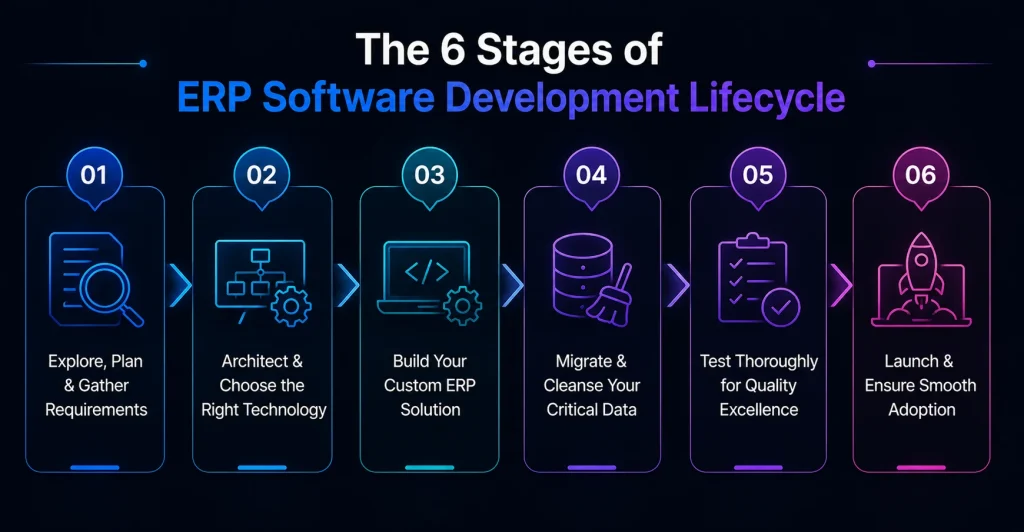
To achieve a successful digital transformation, it is necessary to follow a systematic, highly structured ERP software implementation roadmap. Skipping structural phases results in technical debt and missed deadlines.
Phase 1: Discovery, Planning, and Requirement Analysis
- Defining Project Scope and Business Goals: Stakeholders isolate operational obstacles, map out key performance indicators, and set functional limits so scope creep doesn’t quietly sneak in during long development timelines.
- Conducting a Gap Analysis of Legacy Workflows: Technical architects review the current software footprints against the future operational state to uncover process inefficiencies and identify critical data dependencies.
- Formulating an ERP Implementation Project Management Framework: This sets communication protocols, agile sprint checkpoints, risk mitigation parameters, and resource allocation schedules across cross-functional teams so everyone is aligned, sort of.
Phase 2: System Design and Tech Stack Selection
- Designing ERP Architecture for Scalability & High Performance: System engineers draft solid database and microservice setups that can manage high concurrency rates plus heavy data workloads. In practice, it’s less “perfect” and more “robust” because traffic spikes happen, and the architecture has to just keep going.
- UI/UX Design for Complex Corporate Workflows: Designers create clean, intuitive dashboards and navigational blueprints, but also try to keep the paths simple so users don’t make avoidable mistakes, and employee adoption speeds up too. Sometimes they tweak wording, icons, and the whole interaction flow, just to reduce friction.
- Choosing the Right Tech Stack: Technical architects carefully choose foundational programming frameworks, database structures, and cloud options like AWS and Azure so long-term performance stays steady while budget goals don’t drift off course. It’s a bit of a balance, you know, between “fast now” and “maintainable later.”
Phase 3: The Custom ERP Software Development Stage
- Agile Methodology in ERP Software Development: Engineering teams run bi-weekly sprints, and they continuously deliver testable code parts so stakeholders get feedback early. That way the system evolves step by step, not in one big risky release.
- Building Scalable Business App Solutions & API Integrations: Developers create secure RESTful or GraphQL APIs, connecting internal systems smoothly with outside logistical networks, payment gateways, and even enterprise software platforms. The idea is fewer manual handoffs and more automated handshakes.
- Developing Native and Cross-Platform ERP Mobile Applications: Mobile developers craft optimized iOS and Android interfaces so field workers can reach key system capabilities safely from almost anywhere. It’s basically remote access, but with guardrails and reliable performance.
Phase 4: Data Migration and Cleansing Strategies
- The Critical Role of Data Cleansing in Legacy Systems: Scripts identify, remove, and repair corrupted, duplicated, or poorly formatted historical records before any migration actions start. Otherwise, the new system just inherits the old mess.
- Mapping, Validating, and Transferring Data Cautiously: Engineers build precise schema maps so historical records can move into the new system without causing operational downtime or risking any data loss. They double-check assumptions before the big cutover, and they validate like it’s their job.
Phase 5: Rigorous Quality Assurance and Testing
- Functional, Security, Performance, and Compatibility Testing: QA teams get pretty intense; they run automated test cases, and then they end up checking load capacities, system boundaries, penetration vulnerabilities, and also how the display behaves across different platforms. It can feel slightly repetitive, but that’s kind of the point. It picks up tiny issues that would otherwise slip through. You know when you’re sure it’s fine, but it’s not.
- User Acceptance Testing (UAT): Departmental super users move through everyday workflows inside a staging sandbox environment just to see if the system behaves at operational standards. It’s not always glamorous, sure, but it’s where the “it works” part becomes more than theory.
Phase 6: ERP Software Implementation and Deployment
- Rollout Strategies: Organizations usually choose between an instant “big bang” migration, a phased module-by-module rollout, or a parallel operation strategy, which helps reduce operational rollout risks and is good because nobody really wants surprise downtime or sudden downtime spikes.
- Employee Training & Change Management for High User Adoption: Company leaders roll out targeted training materials and quick reference documentation so staff can adjust smoothly and also keep productivity high even while processes get reshaped in a more controlled way.
Post-Launch: Maintenance, Optimization, and Continuous Support
The completion of system deployment kind of signals the start of a continuous optimization journey, made to protect your long-term software investments and keep them from quietly losing value over time.
Staying proactive with system upkeep helps your custom ERP software development environment adapt smoothly to new corporate growth and to the shifting infrastructure demands that arise later.
1. Handling Support Tickets and User Feedback
For support tickets and user feedback, it helps to set up a clear help desk workflow that can quickly isolate, track, and then patch those UI anomalies or processing bugs that internal teams report. You know, like, fix fast but also keep records.
2. Periodic Security Audits and Compliance Testing
Run scheduled vulnerability scans and update security patches so the whole setup stays in line with strict regional data protections, without surprises.
3. Upgrading Features to Match Business Growth
Regularly tune processing capabilities, add custom fields, and build out new functional submodules as business requirements begin to expand upward.
4. Database Optimization and Tuning
Routinely clean database tables, rebuild indexes, and archive obsolete logs so the system query speeds stay consistently fast.
5. Integrating Advanced Business App Solutions
Continually evaluate and add secondary analytical tools, predictive dashboards, or automation helpers, so daily administrative performance gets maximized again and again.
Financial Planning: Breaking Down the ERP Software Development Cost
When a platform is about to go live, everything kind of depends on tight, clear capital budgeting. And if the plan is a bit fuzzy, unplanned expenses show up, usually because the technical scope was ill-defined or because integration needs were underestimated by quite a lot.
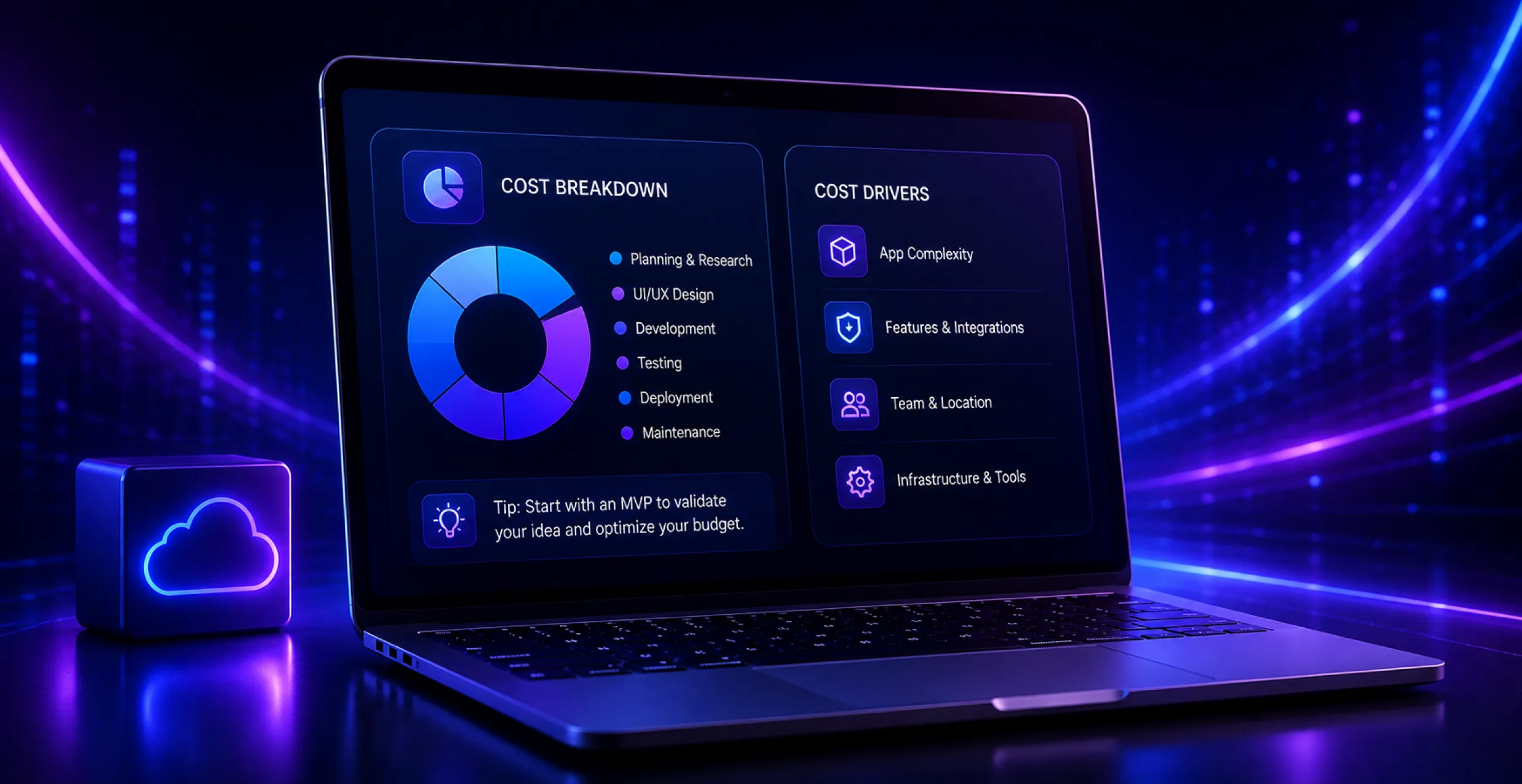
Getting your projected ERP software development cost right helps you avoid that annoying moment when money runs out, and it also keeps your overall return on investment from taking a hit.
1. Key Factors Influencing Base Pricing
The real number swings a lot with architectural complexity, how deep the modules actually go, how many people will use the system, and the size of the data-migration effort.
2. Exposing Hidden Infrastructural Expenses
A proper budget should account for cloud usage, hosting costs, limits tied to third-party API consumption, ongoing developer support contracts, and even team training hours, because those hours tend to appear no matter what.
3. Calculating Realized Return on Investment (ROI)
Leadership usually monitors financial recovery by looking at hours saved through automated workflows, reduced inventory overhead, and quicker decision-making cycles.
4. Allocating Long-Term Contingency Reserves
It’s smart to keep a cushion for sudden configuration changes or scope refinements that get discovered mid-build and that you didn’t fully predict earlier.
5. Optimizing Long-Term Upkeep Strategies
If you collaborate with dedicated enterprise mobile app development teams, it can make app store updates feel less stressful, and it also helps with codebase modernization so you don’t end up facing those huge, expensive overhauls later.
| Project Role / Expense Type | Estimated Hourly Rate (USD) | Average Allocation (Hours) | Projected Cost Range (USD) |
| Enterprise Solution Architect | $150 – $220 | 180 | $27,000 – $39,600 |
| Project Manager / Scrum Master | $100 – $160 | 350 | $35,000 – $56,000 |
| Senior Full-Stack Engineers | $120 – $180 | 1,200 | $144,000 – $216,000 |
| UI/UX Product Designer | $90 – $140 | 220 | $19,800 – $30,800 |
| QA / Automated Automation Engineer | $80 – $130 | 300 | $24,000 – $39,000 |
| Data Migration & DevOps Specialist | $130 – $190 | 160 | $20,800 – $30,400 |
| Third-Party Integrations & Cloud Infrastructure | N/A (Annual Licensing) | N/A | $12,000 – $25,000 |
| Total Estimated Budget | Composite Baseline | 2,410 Hours | $282,600 – $436,800 |
Selecting the Right ERP Software Development Company
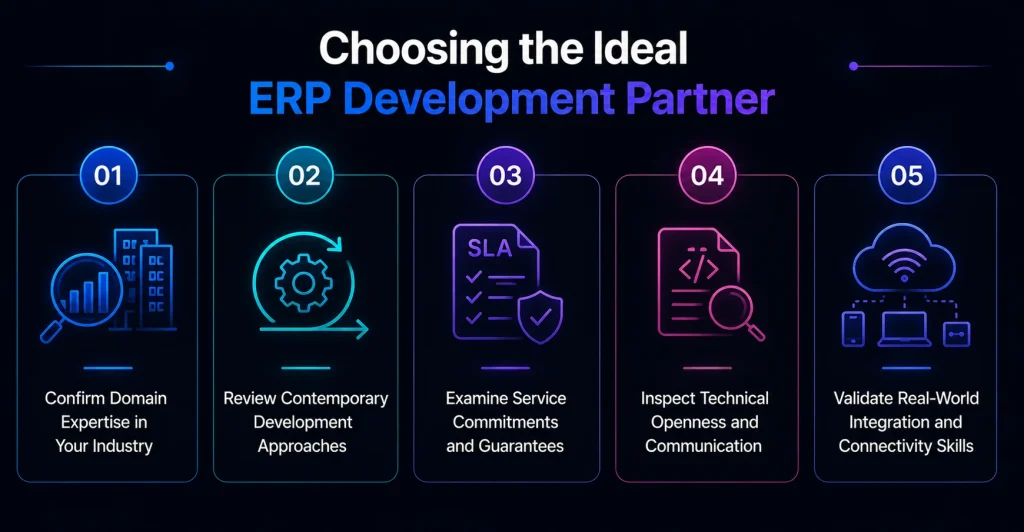
Your choice of technology partner will more or less decide if your system launch works smoothly or turns into a mess. A solid engineering team should behave like a strategic advisor, not only delivering features but also understanding your industry’s operational hurdles and the little regulatory quirks around them.
Partnering with an experienced ERP software development company can turn complicated technical requirements into something steadier and high-performing, so the end result feels like real corporate software, not just a collection of parts.
1. Verifying Industry Domain Specialized Pipelines Plus
Look a bit closer at your partner’s earlier portfolio, just to be sure they’ve actually handled the real-world regulatory maze and the workflows that come with it in your particular field.
2. Assessing Modern Engineering Methodologies
Check if they really use modern CI/CD deployment pipelines, plus automated testing tools and those clean, repeatable architectural patterns that support platform reliability. Otherwise, you may end up with fragile releases and surprise regressions.
3. Evaluating Service Level Agreements (SLAs)
Push for very clear terms about system uptime, what they will do during the post-launch bug resolution window, ongoing data security monitoring, and also who owns what in the code handover process.
4. Analyzing Technical Transparency Frameworks
Make sure the firm gives you open access to code repositories, regular sprint demos, and a granular breakdown of time tracking (not just vague estimates or dashboards you can’t interpret).
5. Checking Field-Ready Connectivity Integration Capabilities
Confirm the vendor can connect back-end data fields into modern mobile layouts and that they can deliver proper business app solutions for field staff so the information stays usable even offline or in low-signal areas.
| Professional Engagement Role | Outsourced Rate (USD / Hr) | Nearshore Rate (USD / Hr) | Onshore Corporate Rate (USD / Hr) |
| Principal Technical Consultant | $65 – $95 | $120 – $160 | $210 – $290 |
| Lead ERP Systems Developer | $55 – $85 | $110 – $145 | $185 – $250 |
| Mobile App Developer (iOS/Android) | $45 – $75 | $95 – $130 | $160 – $220 |
| Business Systems Analyst | $40 – $65 | $85 – $115 | $140 – $195 |
| DevOps Infrastructure Engineer | $60 – $90 | $115 – $155 | $195 – $270 |
Final Thoughts
Building a custom system through a structured lifecycle is genuinely a strong move if you’re aiming for operational excellence and long-term market leadership. When you navigate planning, design, and deployment carefully, your software can function like one consistent growth engine aligned with your corporate objectives.
Don’t let outdated, rigid tools quietly slow down your business growth. Work with a reliable ERP software development service provider, and you’ll typically unlock higher efficiency, full data visibility, and smoother end-to-end connectivity. Take a look at our specialized enterprise software solutions now, and get a scalable platform designed for your long-term success.


 Get in Touch
 By
By September 30, 2026