


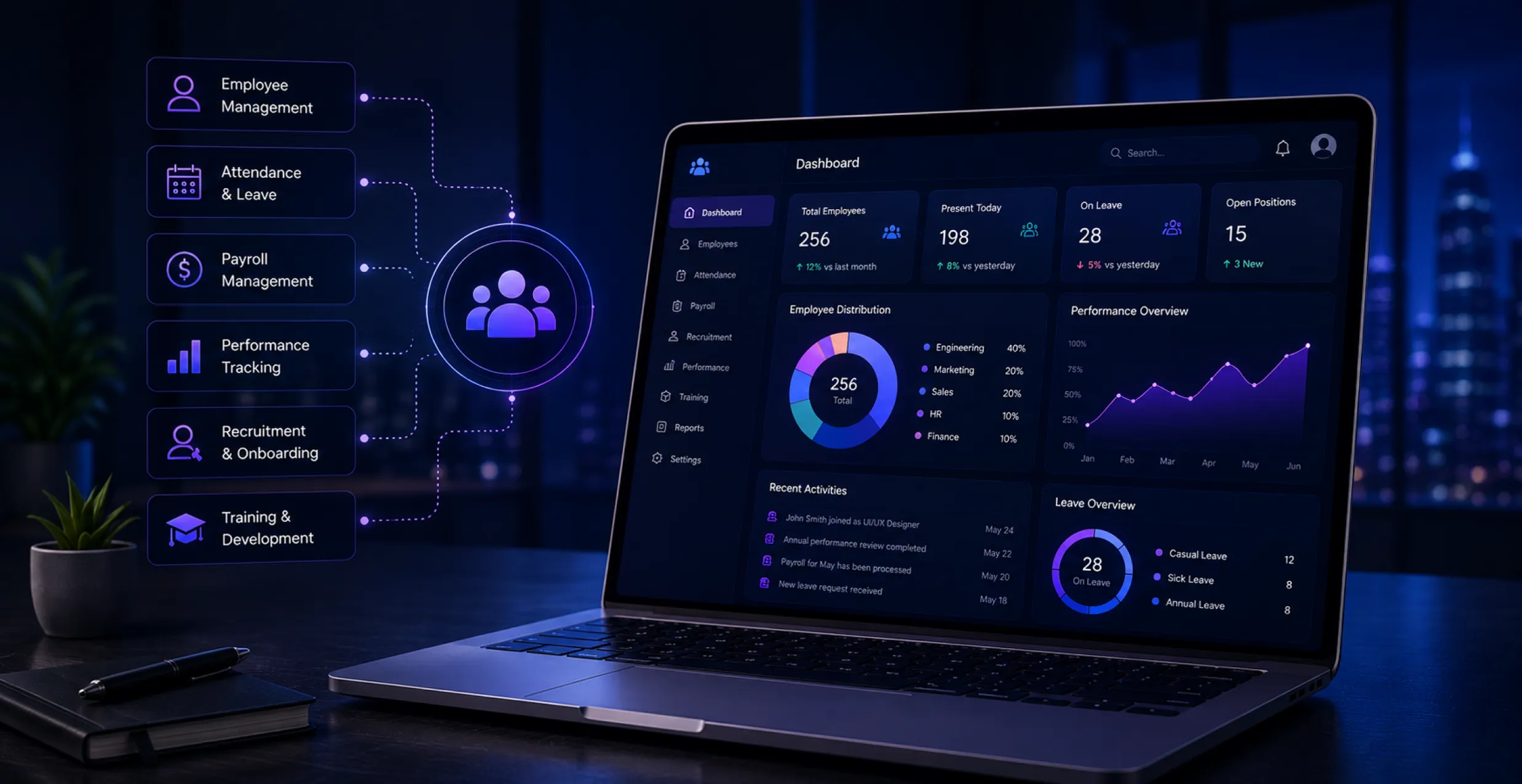
Every expanding company hits the same wall: spreadsheets and long email chains. Also, scattered folders just don’t scale when hiring ramps up, and payroll and compliance start getting complicated. So, businesses end up looking at human resource management software as the practical fix.
The global HR technology market is expected to rise from $51.79 billion in 2025 to $115.82 billion by 2035 (which is an 8.38% compound annual growth rate), according to Market Research Future. A major chunk of that growth comes from AI adoption and cloud migration and the steadily increasing need for custom human resource management software development.
Whether you’re trying out cloud-based HR systems for a fast-growing startup. Or mapping requirements for an enterprise-level human resource management system. The core questions around features, data protection, and integrations end up feeling much the same.
In this guide, we cover what you need to know before you build or buy an HR management system in 2026. Including features and costs, security topics, and real-world use cases.
Why Will Businesses Need Custom HR Management Software in 2026?
Generic tools are fine until a company grows past some headcount threshold. Indeed, that’s exactly when the gaps show up across recruiting, payroll, and compliance processes.
- Manual processes break down: Spreadsheet and email-based approvals take longer. However, they also invite compliance missteps, especially when employee headcount grows.
- Employees expect self-service: Modern hires expect instant access to payslips and leave balances. And required documents, without having to chase HR over and over.
- Built around your workflow: A tailored setup built through custom software development handles problems specific to your workflows.
- Scales with growth: A custom HR software solution adjusts for hiring plans and local employment rules in different regions. And even department-level approval chains as you expand.
- Necessary for distributed teams: If you’re running remote or multi-location operations, custom human resources software becomes an everyday operational requirement.
What Is HRMS? Understanding HRIS, HCM, and HR Software Basics
An HRMS (Human Resource Management System) is software that runs the core HR work, like payroll, attendance, and benefits, and keeps employee records organized. But it’s not just about storing data in one place; it goes further; it supports day-to-day HR operations and broader workforce management. Because of that, the whole process tends to be quicker, more precise, and in many cases less reliant on manual paperwork.
- HRIS (Human Resources Information System): This is the base layer, primarily focused on employee records, personal data, and document storage.
- HRMS (Human Resource Management System): Includes what HRIS covers. In addition, it also adds the real day-to-day operations, like payroll, benefits, attendance tracking, and leave
- HCM (Human Capital Management): This one sits a step higher, adding talent management, succession planning, and performance analytics. Along with workforce improvement over time.
- Step-by-step Structural Progression: HRIS is the data shelf; HRMS is the daily HR engine. Similarly, HCM solutions are the long-term workforce strategy.
- Most modern platforms mix all three, so the naming matters less than what’s actually inside the system.
- Vendors sometimes toss these terms around loosely in marketing, so you should double-check the feature list, not just the label.
- Once you know the difference. It’s easier to scope your project correctly and avoid paying for capabilities you don’t actually need.
- Businesses can also explore HR technology solutions that complement their existing HR systems, particularly when they need specialized tools for recruitment, workforce management, or other HR processes. A dedicated marketplace can make it easier to evaluate available solutions based on features, use cases, and business needs.
Custom HRMS vs Ready-Made HR Software
Choosing between building and buying human resources software is one of those early calls every HR buyer faces. Additionally, it quietly drives cost, schedule, and future flexibility for many years ahead.
1. Ready-made HR Software
You get functioning quickly and pay less at the start. Thus, it generally fits small teams that have standard, straightforward HR requirements.
2. Custom HRMS
It’s designed around your own steps, sign-offs, and approval chain. So you’re not forced to tweak your workflow to match somebody else’s software decisions.
3. Integration Flexibility
Custom systems can click into existing tools like payroll or ERP with less friction. While ready-made platforms often require a few workarounds that add up over time.
4. Feature Relevance
Off-the-shelf products bundle features you might never touch, while a custom build tends to include only what your team truly needs.
5. SaaS Development Option
A product built for you, then delivered as a subscription. This gives you a bit of “ownership” sense and less maintenance weight.
6. Scalability
A custom HRMS can grow as your company grows and as compliance changes. Whereas ready-made solutions sometimes hit feature or user limits.
7. Best Fit
Ready-made HR software for startups and smaller teams. But custom tends to suit businesses with complicated, shifting, or multi-location HR needs.
Quick Comparison: Custom HRMS vs Ready-Made HR Software
| Factor | Ready-Made HR Software | Custom HRMS |
| Setup Time | Fast (days to weeks) | Longer (months) |
| Upfront Cost | Lower | Higher |
| Customization | Limited | Fully tailored |
| Integrations | Often restricted | Built to fit your stack |
| Scalability | Limited by plan/tier | Scales with business needs |
| Best For | Startups, small teams | Growing or complex businesses |
Core Modules of HR Management Software
A strong HRMS is only as good as the modules powering it. Furthermore, missing the wrong one can undercut the entire system’s usefulness for daily HR operations.
1. Recruitment and Applicant Tracking
It runs job postings, screens resumes, and manages the candidate pipeline. So there’s less back and forth and significantly fewer piles of hiring paperwork.
2. Onboarding
It handles automated document collection, policy acknowledgments, and those welcome workflows. Therefore, new hires become productive quicker without HR having to chase down paperwork.
3. Attendance and Leave Management
This one tracks work hours, shift schedules, and leave balances in real time. This means fewer payroll disputes and fewer annoying manual errors.
4. Payroll Processing
It calculates salaries, deductions, and tax compliance automatically. Covering one of the essential types of HR software most businesses end up relying on.
5. Performance Appraisals
It organizes review cycles, goal tracking, and feedback loops. Basically, it replaces scattered spreadsheets with a steadier, auditable process.
6. Employee Self-service Portals
Employees can submit leave requests, grab payslips, and download documents by themselves. This cuts HR’s day-to-day administrative load.
7. Learning Management and Analytics
These features are increasingly bundled into full HRMS software, adding training tracking and workforce insight dashboards.
Note: Also, the UI/UX design across these modules matters a lot. Because employees are interacting with self-service tools almost every day. If it’s difficult or confusing, people just walk away. Some businesses even start with open source human resource management software first to see which modules matter before they commit budget to a fully custom build.
HR Document Management: A Critical HRMS Component
Contracts, tax forms, appraisal records, and compliance certificates just pile up so fast. Additionally, if you lose even one document, that can create real legal exposure for a business.
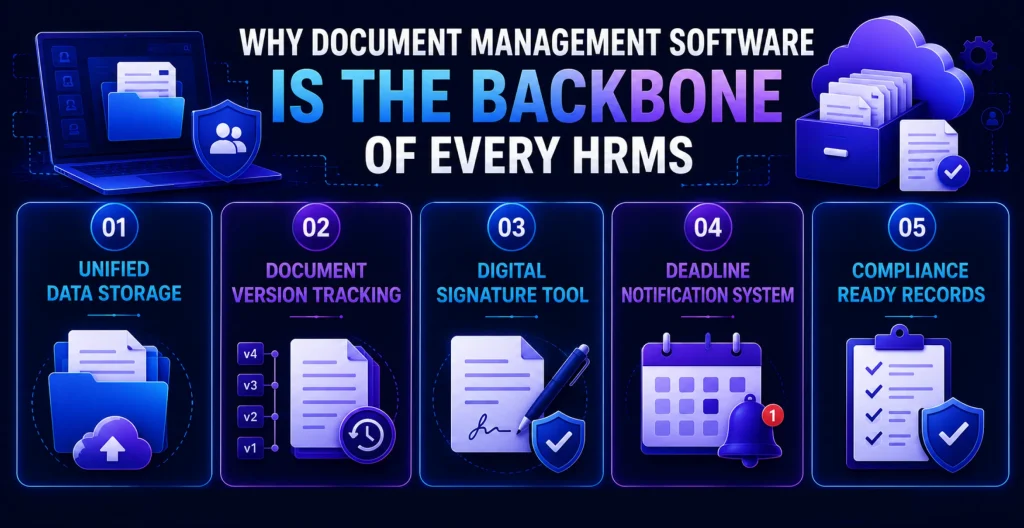
1. Centralized Storage
The HR document management software centralizes storage and enforces role-based access permissions across departments.
2. Version Control
Most human resources document management solutions usually include version history, so outdated policies don’t circulate by mistake.
3. E-signatures
Built-in e-signature support helps speed up offer letters and contracts. As well as policy acknowledgments; no need to print or scan anything.
4. Expiry Alerts
Automated alerts flag expiring licenses, certifications, or contracts well before those compliance deadlines get missed.
5. Audit Readiness
With structured human resources document management, audit prep goes from a scramble into a quick export.
Top Challenges in HRMS Software Development Solutions
Building human resources software sounds almost straightforward until the real-world stuff. Like data migration, integrations, and those shifting compliance rules. Then HRMS development challenges hit most teams off guard early on.
1. Data Migration Errors
Challenge: Moving old employee records from spreadsheets. Or older systems often lead to data loss and duplicate entries. Or unusual formatting mismatches when everything gets transferred.
Solution: Do structured data audits before you migrate and also use validation scripts to catch those little inconsistencies early. This helps keep the records clean before go-live.
2. Role-Based Access Complexity
Challenge: Getting role-based access right across departments turns out to be messy fast. Especially in large organizations where there are multiple layers and different approval chains across teams.
Solution: Map access levels to actual job roles early on and test permissions thoroughly before the rollout. That way you avoid the unpleasant data exposure gaps that nobody wants to discover later.
3. Multi-Country Payroll Rules
Challenge: Trying to handle country-specific payroll rules all at once is way more complicated than it looks. Tax structures differ, regulations vary, and suddenly your “single workflow” is no longer one workflow.
Solution: Work with a custom HRMS development company that has experience with multi-country compliance. Then you can build configurable region-specific payroll logic.
4. User Adoption Resistance
Challenge: A system can be well built and still fail in practice if HR teams and employees resist the change away from familiar manual routines and those old paper trails.
Solution: Involve end users early during testing and run short training sessions that connect to real day-to-day time savings.
5. Testing Gaps
Challenge: If you skip the proper software testing throughout the whole development process. You can easily end up with bugs that slip into production. Then minor annoyances turn into costly after-launch fixes.
Solution: Don’t wait until right before the launch to do QA. Instead, add QA checkpoints in every stage of development so the problems get caught while they’re still relatively cheap to fix.
6. Vendor Lock-In and Maintenance
Challenge: Picking the wrong platform early on can later make switching providers expensive and disruptive. And weirdly dependent on that one vendor roadmap.
Solution: Focus on open architecture and be quite clear about data ownership terms from the beginning. Also set aside a budget for ongoing software maintenance, rather than acting like launch is the finish line.
Essential Security Features in HR Management Software
HR systems contain some of the most sensitive data a company has: salaries, bank details, and medical records. Furthermore, a performance history, so security should be genuinely non-negotiable.
1. Access Control
Role-based access control keeps employees and managers limited to only the data that matches their specific responsibilities.
2. Encryption
End-to-end encryption protects sensitive data both while it’s moving and while it’s stored. This should apply across every module of the system too.
3. Multi-factor Authentication
MFA adds a critical extra layer of safety against login attempts that are not allowed and also against credential theft in general.
4. Audit Logs
Detailed audit logs follow every data change. Like a paper trail that helps with internal accountability and also for external compliance checks later on.
5. Regulatory Compliance
GDPR, or any regional data protection rules, should be considered from day one, not something you add afterward. Retrofits are messy and expensive.
6. Secure Infrastructure
Regular penetration testing plus secure cloud development methods further lower long-term security risk in a practical way.
AI in Human Resource Management Software
AI has gone from a “buzzword” to a real competitive edge across enterprise HR software. And in 2026, adoption is no longer a maybe-optional upgrade. It becomes standard practice for many organizations that want better outcomes without extra friction.
1. Resume Screening
An AI-powered HR software solution now automates initial resume screening. Furthermore, it cuts down early-stage recruiting workload by quite a lot.
2. Attrition Prediction
Predictive attrition modeling spots at-risk employees early, so HR teams get a window to act before resignations happen.
3. Chatbot Support
AI chatbots manage everyday employee questions like leave balances, policies, and payslips. Routine stuff stays self-service, and humans only step in when needed.
4. Smarter Scheduling
AI-driven shift scheduling can weigh availability, workload, and compliance constraints automatically. The result is fewer planning errors and less last-minute chaos.
5. Expert Guidance Matters
Partnering with experienced AI development services helps prevent bolting on features that don’t improve decisions.
6. Performance Summaries
AI-generated performance review summaries help save HR teams hours during busy appraisal cycles. Because the first draft is handled faster and more consistently.
Must-Have Integrations for a Seamlessly Connected HR Tech Stack
An HRMS usually doesn’t just operate by itself. It needs to communicate with the other systems that keep a business moving, or else information starts getting duplicated across tools that are disconnected.
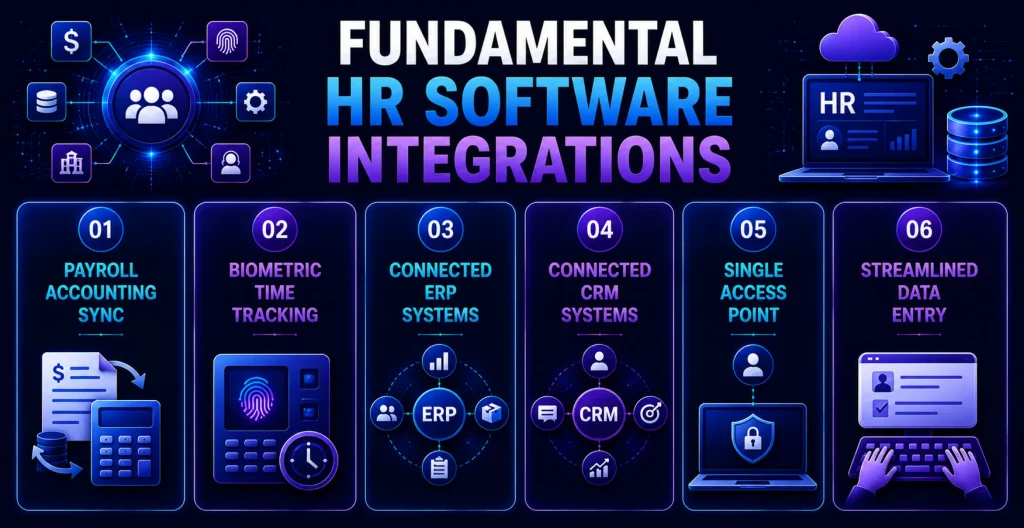
1. Payroll and Accounting
Payroll platform and accounting software integrations are now a default expectation. Most companies want that from day one.
2. Biometric Attendance
The attendance devices sync straight with an HRMS, so time tracking stays accurate and the “this doesn’t match” disputes become less frequent.
3. ERP Connectivity
When HRMS connects with ERP systems, businesses can synchronize workforce and financial data more effectively. It helps unify the finance side with workforce data across the broader organization.
4. CRM Integration
CRM development integrations let HR and those sales-adjacent teams share relevant employee performance context when it is actually needed.
5. Single Sign-on
SSO and tools like Slack or Teams round out a truly connected HR tech stack, not just a collection of separate apps.
6. Reduced Duplication
A properly integrated HRMS lowers duplicate data entry a lot across departments and every system that connects into it.
How Long Does It Take to Build HR Software? Step-by-Step Timeline
Timelines can vary a lot based on what you’re trying to do, even if you understand the usual phases. It helps set up expectations early, before anything starts moving forward.
- Requirement gathering often means scoping first. Then keyword-level requirement gathering tends to take about 2-3 weeks before the design work is allowed to begin.
- Then the design phase comes in; UI/UX design and architecture planning run another 3-4 weeks to get to a proper finish.
- For core development, building the key modules. Like mobile app development for employee-facing apps, it typically spans 3-5 months, depending on complexity.
- And while all that is happening, continuous integration is supported by DevOps development services. So the build stays consistent, and releases remain stable and predictable through the whole AI-powered HR software development process.
- Finally, testing and rollout include structured QA and security testing. Along with a phased rollout before the system can go fully live.
- Altogether, a mid-sized HRMS is commonly 4-7 months from kickoff to launch.
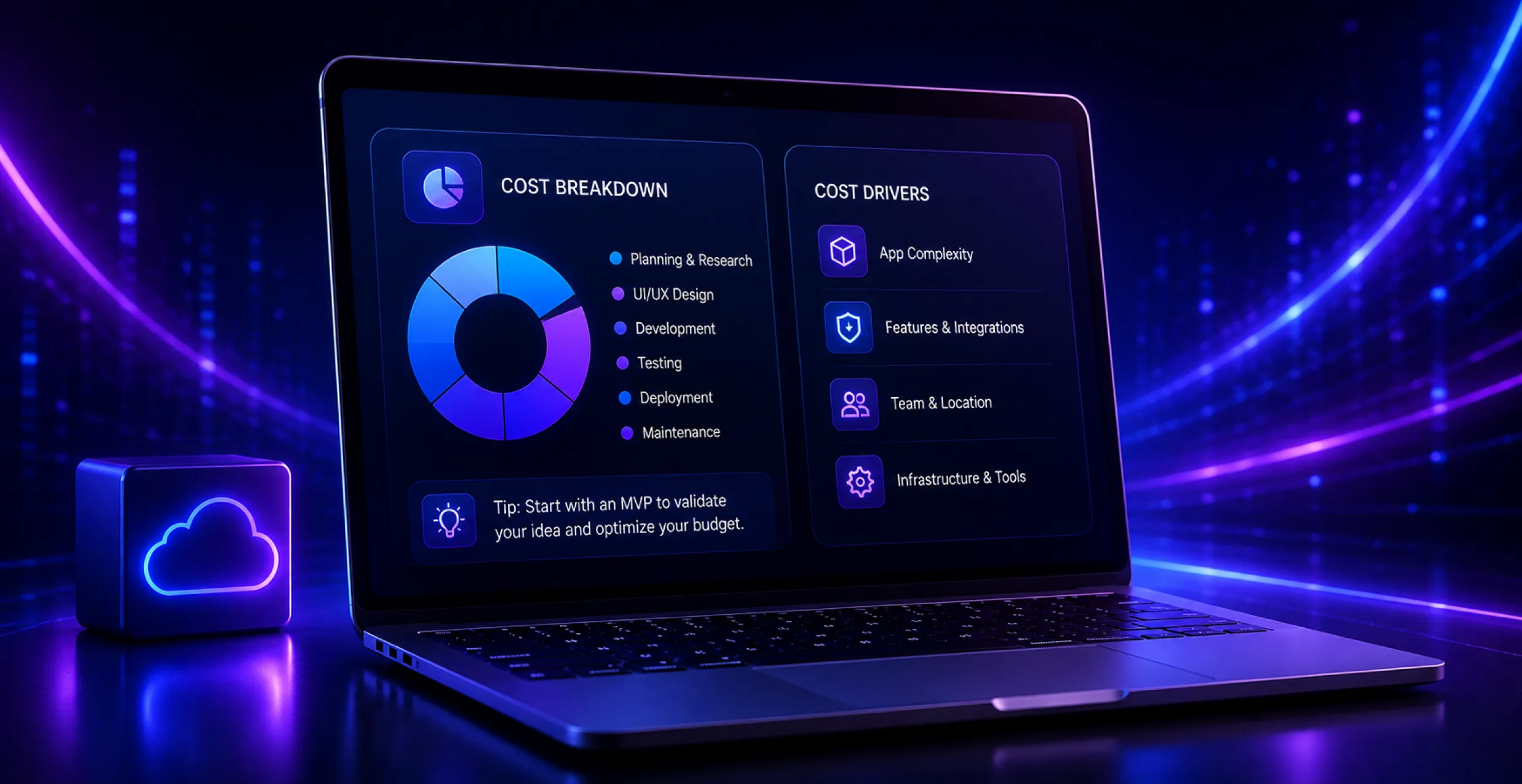
How Much Does Enterprise HR Software Cost?
Budgeting for human resources software depends on scope. But having rough cost ranges makes it easier to set expectations early on. Enterprise-level HRMS platforms with AI capabilities and multi-country payroll support usually start at around $150,000, depending on the scope and integrations required.
1. Basic HRMS
Covering attendance, payroll, and leave management, a basic setup usually lands around $15,000 to $40,000.
2. Mid-range Systems
When you add recruitment, performance management, and even some integrations. You often see costs move into a $40,000-$100,000 range.
3. Enterprise Platforms
AI capabilities, multi-country payroll, and deeper analytics: enterprise-grade solutions can go well past $150,000.
4. Ongoing Maintenance
Software maintenance, hosting, and feature updates typically tack on about 15-20% of the original build cost each year.
5. Licensing Costs
Per-employee licensing can stack up fast once headcount reaches a few hundred people.
| Tier | Typical Features | Estimated Cost |
| Basic HRMS | Attendance, payroll, leave management | $15,000 – $40,000 |
| Mid-range HRMS | + Recruitment, performance management, integrations | $40,000 – $100,000 |
| Enterprise HRMS | + AI features, multi-country payroll, analytics | $150,000+ |
HRMS in Action: Real-World Use Cases Across Industries
When HRMS is utilized in the real world, it’s suddenly more valuable than any feature list could ever be by itself. Especially when you look at different industries and different teams.
1. Logistics
Automated onboarding processes get seasonal hires across several warehouse locations in just a few hours, not days.
2. Healthcare
HRMS-based compliance tracking keeps licensing renewals in check for hundreds of clinical staff members automatically.
3. Retail
Workforce analytics spot peak season demand early. So staffing plans stay steadier, and there are fewer instances of overstaffing or those last-minute scrambles.
4. Distributed Tech Teams
Self-service portals manage leave requests and document access across time zones without HR becoming a bottleneck.
5. Manufacturing
Shift scheduling tools help reduce overtime costs by flagging understaffed shifts before they turn into a full issue.
Quick Comparison Guide
Sometimes the easiest way to understand HR technology options is to put them side by side. Instead of wading through paragraphs and then looping back and forth with definitions.
| Comparison | Key Difference |
| HRIS vs HRMS | HRIS handles core employee records; HRMS adds payroll and workforce management on top |
| HRMS vs HCM | HCM extends HRMS with talent management, succession planning, and deeper analytics |
| Custom HRMS vs SaaS HRMS | A custom HRMS is built for your exact processes; SaaS HRMS offers faster, subscription-based deployment |
| Cloud HRMS vs On-Premise HRMS | Cloud HRMS offers lower upfront cost and remote access; on-premise offers tighter data control |
| Web HRMS vs Mobile HRMS | Web HRMS suits desk-based HR tasks; mobile HRMS supports on-the-go approvals and field teams |
Why Choose Octal IT Solution as an HR Software Development Company?
Not every HR software development company gets both the technical build and those daily, day-to-day realities HR teams run into on the ground.
1. Industry Experience
Hands-on experience runs across fintech, large enterprise, and workforce-heavy sectors, and that experience colors how we tackle every HRMS build.
2. Balanced Priorities
Our approach is to build platforms that keep compliance and usability. As well as scalability in the same frame instead of over-indexing on just one.
3. End-to-end Support
From getting the requirements right, all the way through deployment and ongoing support. Our teams stay involved, so there aren’t any unexpected handoff gaps.
4. Security-first Approach
Security and performance aren’t something we “add later”; they’re treated as non-negotiable from day one, not added as an afterthought.
5. Tailored, Not Templated
Every HRMS is built around how your HR team actually operates, which means adoption feels smoother and faster too.
Human Resource Management Software Trends in 2026
HR technology keeps evolving. Additionally, a few trends are steering both vendor roadmaps and what buyers now expect heading into the rest of 2026.
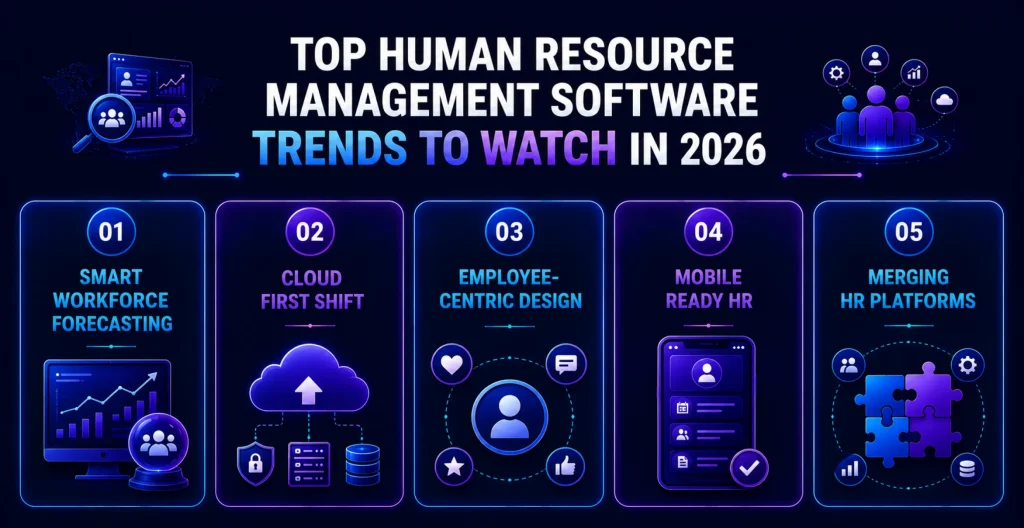
1. Predictive Analytics
AI-powered predictive analytics for attrition and performance is turning into the “default” option, not just some premium add-on.
2. Cloud Dominance
Cloud-based systems are pushing out on-premises setups. Because the total cost to develop HR management software tends to be lower and scaling is easier.
3. Employee Experience Focus
Employee experience platforms, and skills-based hiring tools too, are getting more attention across buyer priorities. HR teams comparing options often start by reviewing culture amp alternatives to find the right fit for their budget and scale.
4. Mobile-first Expectations
Mobile first HR experiences are becoming a baseline expectation, since employees are managing tasks almost entirely from phones.
5. System Convergence
HR automation software is increasingly blending with larger enterprise systems. It’s not trying to live as an isolated silo.
Final Words
The open-source human resource management software market has moved from a “nice-to-have” thing to real business infrastructure. Especially since workforces are getting more and more distributed and the compliance rules more complex.
Whether you go for custom development or a SaaS HRMS. The correct setup should cut down on manual chores and safeguard sensitive data. This will leave HR teams with the space to concentrate on people rather than paperwork.
If you nail the scoping, security, and integration decisions early on. Then everything afterward from launch and even later long-term maintenance is considerably smoother.


 Get in Touch
 By
By September 30, 2026