


You may have come across a situation where you bought a household product, but the description and user manual were written in a foreign language that you couldn’t understand. This is the situation where Google Lens comes into place. You can just scan it with Google Lens, and it will translate for you. This is just one of the examples of the uses of Google Lens. In the growing digital world, the app is playing an important role in the everyday life of people.
Do you know that according to Think with Google, there are almost 1.5 billion people using the app for searching what they see every month. And the lens is growing at the rate of 65% over yearwith more than 100 billion visual searches already this year.
So if you are looking to develop an app like Google Lens, then you are on the right path. Investing in this project can provide your business with long-term benefits, as it will help your business grow significantly in line with the latest market trends.
In this blog, we will cover all the necessary details to develop an app like Google Lens, factors affecting the cost of development, steps to develop, and how we can help you with all the processes. So without further ado, let’s get started with the blog.
What is Google Lens and Why Develop an App Like Google Lens?
When someone thinks of image recognition app development, Google Lens is one of the top apps that comes to mind. But what exactly the app is, and what features it provides. Google Lens is an image recognition technology which is developed by Google. The app uses computer vision and machine learning to identify objects, text, and scenes within an image and provides relevant search results and information.
In easy language, we can say ” Search What You See”
How image recognition apps like Google Lens are important for your business
Visual-First User Engagement- Users today prefer visual communication; combining AI-driven recognition with sharing capabilities boosts user interaction.
Instant Discovery & Sharing- Users can identify objects, landmarks, or products in real-time and instantly share findings with their network.
AI-Powered Personalization- Visual data allows for tailored content recommendations, enhancing user retention and engagement.
Enhanced User-Generated Content- Automatically tagged images based on object recognition make content more searchable and engaging.
Influencer & Brand Collaborations-Enable influencers or brands to promote real-world items that users can identify and shop instantly.
Community Building Around Visual Interests-Users can join niche communities based on visual content like fashion, travel, nature, or gadgets.
High Monetization Potential- Opportunities through native shopping, visual ads, and sponsored content are identified via AI detection.

Core Features of Google Lens That You Can Incorporate in Your Next Project
There are some amazing features that Google Lens has that you can include in your image recognition application for your business that can make you stand out in the competitive market.
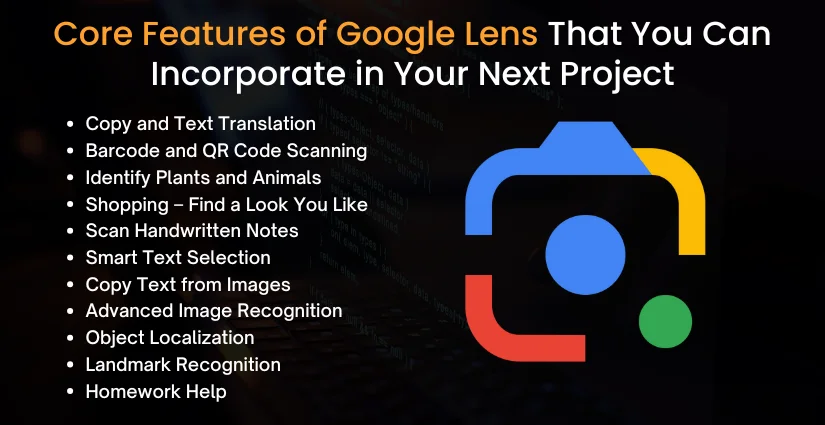
1. Copy and Text Translation
Google Lens can detect text from printed documents, menus, signage, or handwritten notes and translate it instantly into any preferred language. This feature enhances accessibility and is valuable for travel, education, and customer support tools.
2. Barcode and QR Code Scanning
The feature enables scanning of product barcodes or QR codes to offer quick and efficient access to the product information, URL, price comparisons, or promotions typically used in retail, inventory, and logistics use cases.
3. Identify Plants and Animals
With a single click of the camera on a plant or a pet, one can distinguish the type of the plant or pet. This adds value to educational applications, natural enthusiasts, farming applications, and pet-related companies.
4. Shopping – Find a Look You Like
Google could use Google Lens, for example, to allow users to browse or purchase clothes, furniture, or accessories over the web that match up with a picture taken. This “visual shopping” experience is a great feature on top of eCommerce sites and fashion apps.
5. Scan Handwritten Notes
Transform a handwritten text in a form of an editable document. Ideal to be used in productivity applications, educational software, or a collaboration tool for preparing and organizing notes digitally.
6. Smart Text Selection
Users can tap on the text within a picture to copy it, search or take an action on it (such as calling a number or entering an address). It makes the field between visual content and interactivity.
7. Copy Text from Images
Lift and paste text directly out of any image, screenshot or scanned document and share or save easily. This increases ease of use and better utility applications with mobile phones.
8. Advanced Image Recognition
The main features of Google Lens are object recognition, product recognition, animal recognition, or even text recognition in a picture. You are able to train your app to identify certain types pertinent to a business.
9. Object Localization
Identify and determine the position of several objects within an image, allowing for such features as augmented reality overlays or in-app item tagging.
10. Landmark Recognition
People just need to shoot photos at historic places, and the system will identify them and provide relevant details. Perfect to be used as a travel app, museum guide, or a tool to learn about other cultures.
11. Homework Help
One can use Google Lens, which can examine math problems, science questions, or historical questions and provide assistance in steps. An essential attribute of an EdTech solution is that it deals with the student audience.
Also Read: Develop an App like DeepL: A Complete Guide
Average Cost to Develop an App Like Google Lens
The mobile app development cost for the Google Lens depends on the requirement of client. Everyone has different ideas and wants to do better in the growing market. Thus, it will increase or decrease the cost accordingly. Secondly complexity of the feature can also affect the cost. However, the average cost can range from $100,000 to $300,000. Here is the detailed cost that we have mentioned below, but as we said, it can differ.
| Development Stages | Cost |
| UI/UX | $15,000- $25,000 |
| Frontend Development | $30,000- $60,000 |
| Backend Development | $30,000 – $70,000 |
| AI and ML Learning | $40,000 – $80,000 |
| AR Integration | $20,000 – $40,000 |
| Testing and QA | $10,000 – $25,000 |
| Deployment | $5,000 – $10,000 |
Factors that affect the Cost of Development of an App like Google Lens
As we already discussed and mentioned above, there are multiple things that affect the cost of development of an app like Google Lens. Here are the cost considerations and different factors that we have mentioned in detail so that you can get a better understanding.
Complexity of Image Recognition
- An app such as Google Lens is based on image recognition.
- The accuracy and the variety of objects have a critical effect on the cost.
- In case you need an app with high-level image recognition, as Google Lens, there can be different expenses with the arrangement of the basic model or a very sophisticated one.
| Complexity Level | Features | Estimated Cost |
| Basic Image Recognition | Identifies common objects, landmarks | $30,000 – $40,000 |
| Advanced Image Recognition | Recognizes diverse objects, real-time identification, and multiple categories | $40,000 – $100,000 |
AI and Machine Learning Integration
- Google Lens depends on AI and machine learning (ML) to recognize objects, translate language, and read text.
- The level of AI integration will also affect the cost of developing an app like Google Lens, especially in cases where you are trying to develop advanced AI models, where the accuracy increases over time.
| AI Integration Type | Features | Estimated Cost |
| Basic AI Models | Simple object detection and classification | $30,000 – $40,000 |
| Advanced AI Models | Complex models, continuous learning, multi-language support | $60,000 – $100,000 |
Augmented Reality (AR) Features
- AR provides an additional layer to the experience of the user, allowing such possibilities as overlaying digital information with the real world.
- This will add to the total dedicated cost of developing any app similar to Google Lens, given the complexity and the nature of the AR experience.
| AR Feature Type | Features | Estimated Cost |
| Basic AR Overlays | Basic image-based overlays for products or objects | $15,000 – $30,000 |
| Advanced AR Experiences | 3D object rendering, interactive real-time overlays | $40,000 – $70,000 |
Optical Character Recognition (OCR)
- Google Lens can use OCR when deciphering and digitizing text in images to make them searchable.
- Sophistication of OCR affects the price of building an image recognition app, such as Google Lens, particularly when multi-language processing or the text of different fonts and formats is required.
| OCR Complexity Level | Features | Estimated Cost |
| Basic OCR | Text extraction from standard documents | $10,000 – $20,000 |
| Advanced OCR | Multi-language, varied font sizes, and handwriting recognition | $30,000 – $50,000 |
Backend Infrastructure
- The capability of dealing with large quantities of data and providing real-time collaboration is crucial, which is why it requires a scalable and stable backend.
- How comprehensive your back-end system will depend on the final price of creating an app just like Google Lens.
| Backend Type | Features | Estimated Cost |
| Basic Backend | Standard user data storage, basic processing | $30,000 – $40,000 |
| Advanced Backend | Real-time data processing, scalable architecture for millions of users | $55,000 – $100,000 |
Third-Party Integrations
- Incorporation of third-party services like Google Assistant and cloud storage, an eCommerce platform is also preferable as it introduces additional value to your app, but adds to the total cost of Google Lens app development.
| Integration Level | Features | Estimated Cost |
| Basic Integrations | Integration with Google Assistant or simple APIs | $5,000 – $10,000 |
| Complex Integrations | Multi-platform integrations, advanced APIs (eCommerce, AR tools) | $30,000 – $50,000 |
Cross-Platform Development
- In case you intend to release the app on both Android and iOS app development, the cost of making an app like Google Lens will be even more, because development will have to go into both and both will require quite a different development process.
- The creation of an app that can work across different platforms can prove to be cost-saving.
| Platform Type | Features | Estimated Cost |
| Single Platform (iOS/Android) | Development for one platform | $25,000 – $50,000 |
| Cross-Platform Development | Seamless performance on both Android and iOS | $40,000 – $60,000 |
Security Features
- It is paramount to secure the app, particularly an application like the one that handles sensitive information in the form of text and images.
- The presence of powerful encryption and data security functionalities will add an additional cost to the development of the clone app of Google Lens.
| Security Level | Features | Estimated Cost |
| Basic Security | Data encryption, secure APIs | $10,000 – $25,000 |
| Advanced Security | GDPR compliance, secure cloud storage, multi-factor authentication | $30,000 – $45,000 |
Testing & Quality Assurance (QA)
- This wide-scale testing is essential to such an app as Google Lens because of the complexity of functions, such as instant recognition of images and AR.
- Final QA, both manual and automated, means seamless operations in different environments, which influences the price to create an app such as Google Lens.
| Testing Type | Features | Estimated Cost |
| Basic Testing | Functional testing, basic compatibility | $10,000 – $20,000 |
| Advanced Testing | Automated testing, stress testing, AR, and AI-specific testing | $20,000 – $35,000 |
Post-Launch Maintenance and Updates
- After launching the app, you will require continuous app maintenance services to repair the bugs, update the features, and make the app compatible with new versions of the Os.
- The constant feed of new updates and upgraded features will be the determining factors to keep the users involved, and the continuous cost of Google Lens app development.
- Maintenance costs break down as follows.
| Maintenance Type | Features | Estimated Cost (Per Year) |
| Basic Maintenance | Bug fixes, minor updates | $10,000 – $30,000 |
| Advanced Maintenance | Feature updates, compatibility improvements, and continuous enhancements | $20,000 – $40,000 |
These particular considerations point to the different elements that determine the cost of creating a similar app like Google Lens. Beginning with the sophistication of AI and AR combinations and up to the backend structure, all those elements add time and cost to the development cycle.
Read More: How to develop an AI Virtual Assistant App like Cortana
Stages to Create an App like Google Lens
For any project, the process from ideation to launch is very important. As the project can make or break in this process. So here are the steps that are followed by our expert developers to make your idea come to life.
1. Market Research and Ideation
Begin by analyzing competitors, user needs, and industry trends. Find critical issues that your application will address. This is the step that aids in the development of the target, the value position, and the positioning strategy. The appropriate ideation will make sure that you are a developer of a product that will be competitive and have its purpose in the visual recognition field.
2. Feature Definition and Technical Specification
Explain some of the main features, such as image identification, text extraction, and object detection. Write technical documentation, such as APIs, 3rd-party integrations, database requirements, and AI/ML model requirements. This step means that developers will have a clue on what the scope is and their expected performance, as well as the technology stack needed to develop a scalable, secure, and intelligent application.
3. UI/UX Design
Make complex AI interactions as friendly as possible. Pay attention to the appropriate mechanism of navigation, instant feedback, and visual observability. See to the fact that UI converts well to devices and user personas. The design can be used to draw people along through such actions as shopping, scanning, or translating, and improve interaction and retention.
4. Backend Development & AI/ML Integration
Design the server side and include machine learning models of image classification, OCR, object detection and NLP. Apply the scalability to frameworks such as TensorFlow or PyTorch, and cloud-based. The backend is expected to overcome high-rate data processing, safe API operations, and real-time with minimal latency.
5. Frontend Development and QA Testing
In this process, do frontend app development with the help of frameworks such as React Native or Flutter. Facilitate easy camera incorporation, processing of the picture, and dealing with the user. Perform a complete QA testing, and test on functions, performance, and usability. Early bug fixing means a polished, stable product that is delivered to all the supported devices and platforms.
6. Deployment, Launch, and Ongoing Support
Deploy your app to app stores and monitor performance post-launch. Gather user feedback, address issues promptly, and release regular updates. Ongoing support involves maintaining AI accuracy, fixing compatibility issues, and scaling infrastructure. Continuous improvement is key to staying relevant in the fast-evolving AI-driven app landscape.
How Long Does it Take to Make an App Like Google Lens?
The mobile app development time can vary according to several factors, such as complexity and requirements of the features, the platforms the client wants to target for their business (iOS, Android, or both), and the depth of AR and AI integrations. But as per our past experience, we can say that the average time to develop an app like Google Lens can take around 6 to 12 months with similar functionalities. To make this better to understand, we have separated each development phase and the estimated time for a rough idea for your next project for your business.
| Development Stages | Estimated Time |
| Market Analysis and Ideation | 2- 4 weeks |
| UI/UX Design | 4- 6 weeks |
| Frontend development | 8-10 weeks |
| Backend development | 10-12 weeks |
| AI and ML integration | 12- 16 weeks |
| AR integration | 8-10 weeks |
| Optical character recognition8 | 6- 8 weeks |
| Testing and Quality Assurance | 6-8 weeks |
| Deployment and Launch | 2-4 weeks |
This may differ according to the requirements of the client. So what are you thinking? Have an idea, contact our experts, and get the exact estimate for your project.
Drive Revenue by Developing an App like Google Lens
Businesses can get multiple benefits by developing an app like Google Lens. Here are some of the top strategies that can drive revenue to your business and help get better ROI.
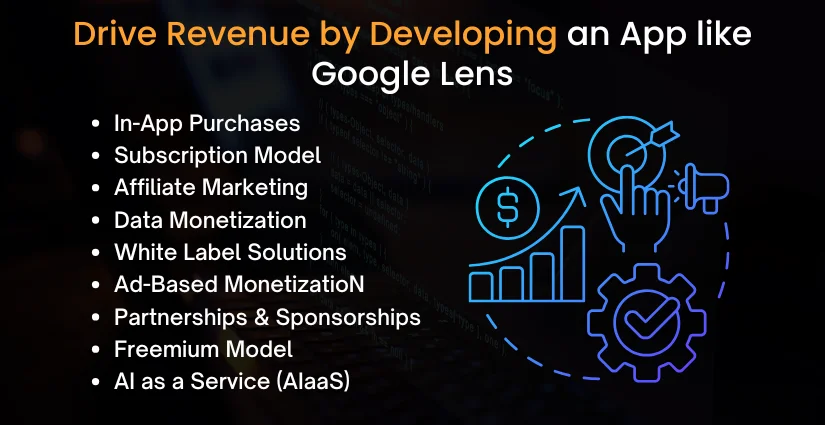
In-App Purchases
Offer premium features such as enhanced image analysis, advanced search filters, or downloadable content. These microtransactions can drive steady income without relying solely on ads. Ideal for casual users willing to pay for one-time convenience or niche tools.
Subscription Model
Introduce monthly or annual plans that unlock ad-free usage, unlimited scans, or access to exclusive tools. This ensures a predictable and recurring revenue stream from loyal users. Perfect for professional users or power users who seek uninterrupted access.
Affiliate Marketing
Link products identified in scanned images to platforms like Amazon or Shopify. Earn commissions on every purchase users make through your embedded affiliate links. Best suited for shopping, fashion, and home décor-focused recognition apps.
Data Monetization
Sell anonymized visual search data and behavioral insights to researchers, retailers, or marketing platforms. Valuable user data can attract high-paying enterprise clients, especially in trend and market analysis. Ensure compliance with data privacy laws like GDPR and CCPA for ethical monetization.
White Label Solutions
License your visual AI engine to other businesses that can rebrand and deploy it. This allows you to generate B2B revenue while expanding your technology’s market reach. Especially lucrative for agencies, educational tech, and enterprise software providers.
Ad-Based Monetization
Integrate native or visual ads relevant to what users scan, such as fashion, food, or gadgets. Contextual relevance boosts engagement and click-through rates, increasing ad revenue. Partnering with ad networks or direct advertisers can maximize CPM and ROI.
Partnerships & Sponsorships
Collaborate with brands to feature their products when users scan similar objects. These brand partnerships and sponsorships can bring in sizable income, particularly from retail and consumer goods companies. It also improves user trust by offering relevant, branded experiences.
Freemium Model
Offer a basic feature set for free while placing advanced capabilities behind a paywall. This strategy helps grow your user base and convert high-intent users into paying customers. Works well when combined with upselling prompts and usage-based limits.
AI as a Service (AIaaS)
Commercialize your visual recognition models by offering APIs or SDKs to other developers. This scalable B2B revenue stream makes your app’s core AI technology a sellable asset. Great for tech startups and enterprises that lack in-house AI expertise but want integration.
Learn More: How to Develop AI Voice Recorder App Like Audacity
Octal IT Solution, Your App Development Partner
At Octal IT Solution, we don’t just build apps, we craft intelligent digital solutions that help businesses grow, compete, and lead in today’s tech-driven market. With over 18 years of experience in mobile and web app development, also known as the top artificial intelligence app development company that specializes in delivering high-performance, scalable, and secure applications tailored to your business objectives. Whether you’re planning an AI-powered visual search app like Google Lens or a complex enterprise platform, we bring the right mix of technology, creativity, and strategic thinking to bring your vision to life.
Why Choose Octal IT Solution?
- End-to-End App Development
- AI & Image Recognition Expertise
- Cross-Platform & Native Development
- Agile and Scalable Development
- Exceptional UI/UX Design
- Security and Compliance Focused
- Cost-Effective & Transparent Pricing
- Global Experience, Local Understanding
- Long-Term Maintenance & Upgrades
- Industry-Specific Customization
These are just a few examples; you say we do it. We have a team of more than 250 developers who keep updating their knowledge as per the market demand. So, without having any second thought, pick up your phone and schedule a call with our experts, and get a detailed overview of app development and get a quote for your idea.

What technologies are used to develop an app like Google Lens?
Different technology stacks are used in the image recognition app like Google Lens. It depends on the features that you are opting for in your business. Here are some of the top technologies that are considered in the process.
| Layer | Technology/Tool | Purpose |
| Frontend (Mobile) | Flutter / React Native / Swift (iOS) / Kotlin (Android) | Cross-platform or native app development for iOS and Android |
| Frontend (Web) | React.js / Vue.js | Web interface for admin or social interactions |
| Backend | Node.js / Python (Django, Flask) / Ruby on Rails | Server-side logic, APIs, authentication, and user data management |
| Database | PostgreSQL / MongoDB | Storage of user profiles, posts, tags, and product data |
| Cloud Storage | AWS S3 / Google Cloud Storage | Store images, scanned content, and media files |
| AI/ML Engine | TensorFlow / PyTorch / OpenCV | Image recognition, object detection, and visual analysis |
| Visual Search API | Google Cloud Vision / Amazon Rekognition / Custom ML Model | Extract and identify visual elements from photos |
| Search Engine | Elasticsearch / Apache Solr | Fast retrieval of matched images, objects, or product info |
| Authentication | Firebase Auth / Auth0 / OAuth 2.0 | Secure login, social login, session handling |
| Real-Time Features | Firebase Realtime DB / Socket.io | Live updates, chats, notifications |
| Push Notifications | Firebase Cloud Messaging / OneSignal | Sending user alerts, updates, and engagement prompts |
| Analytics | Google Analytics / Mixpanel / Firebase Analytics | User behavior tracking, performance monitoring |
| Deployment & CI/CD | Docker / Kubernetes / Jenkins / GitHub Actions | Continuous integration, scalable deployment |
| Hosting | AWS (EC2, Lambda) / Google Cloud Platform / Azure | Hosting backend servers and ML models |
Conclusion
Making an app like Google Lens is a tedious process; thus, it requires proper understanding and hands-on experience with the latest technologies and trends. With features such as image recognition, translation, and augmented reality, Google Lens can help users engage with the world very differently. Talking about the cost, that also differs according to the requirements of the clients; on average, it can be $ 300,000. By taking care of the small details and leveraging advanced technologies like AI integration, AR features, and cross-platform development, you can get the best results and perform great in the growing market.
So if you are still confused about developing an app like Google Lens, contact our expert developers and get your custom app developed.
FAQs
Yes, expertise in AI, especially computer vision and deep learning, is crucial. Partnering with experienced developers or AI consultants can help streamline the development process. Third-party AI APIs can reduce the workload.
Yes, you can develop it for both using native or cross-platform tools like Flutter, React Native, or Xamarin for consistent performance across Android and iOS devices. Cross-platform development reduces time and cost.
Challenges include training accurate AI models, real-time processing, handling diverse image inputs, ensuring cross-platform performance, and integrating robust cloud and API services for data analysis. Regular updates help overcome evolving limitations.
Yes, startups can begin with an MVP focusing on core features like object detection and visual search, using open-source tools and cloud APIs to reduce development costs. Scaling can be done gradually as traction grows.


 Get in Touch
 By
By September 10, 2026