


What if your website could feel as fast and convenient as a mobile app without requiring an app-store download? That is why progressive web apps for businesses are becoming a practical channel for engagement.
The global progressive web apps market size was valued at USD 4.2 billion in 2025 and is projected to grow from USD 5.00 billion in 2026 to USD 20.07 billion by 2034, registering a CAGR of 18.98% during the forecast period from 2026 to 2034. One major reason is that more teams want web tools that run well on phones right away. (Source: Straits Research)
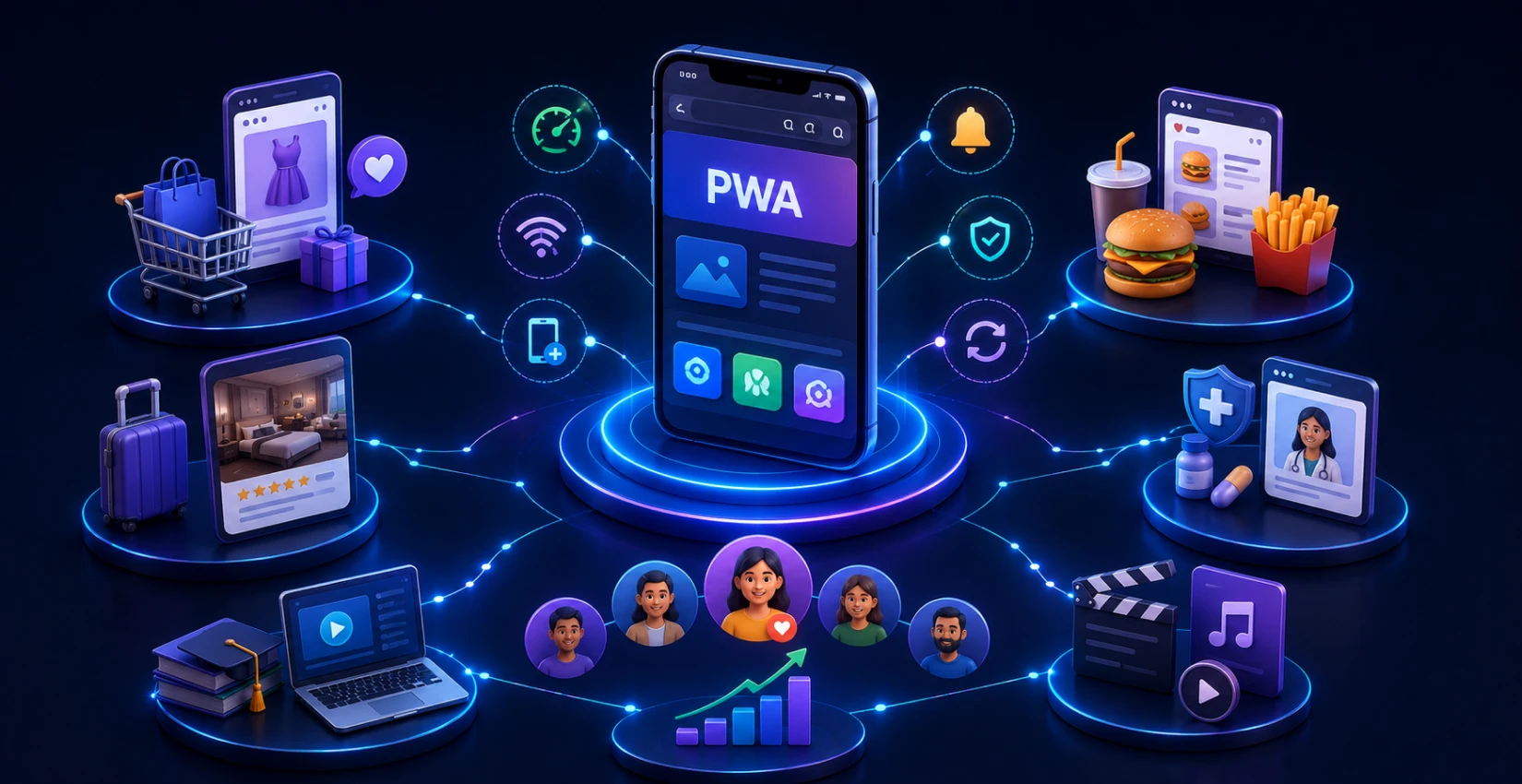
A PWA is often faster to load. It can also work even when the user is offline. There is usually a simple install-style action, and prompts can appear when they matter. Put those parts together, and the whole trip through the site feels less clunky.
You can see PWAs in retail, health care, and finance. These groups use them to remove extra steps for users. With fewer hurdles, people tend to visit again.
What Is a Progressive Web App?
A Progressive Web App is a website built with app-like capabilities. It adjusts well to many screen sizes. People can place it on their device, so it looks like a real app.
It can also store key files so some parts keep working when the connection is weak or gone. Because of that, users often have an easier time on mobile. They do not need a separate app store download.
How Progressive Web Apps Improve Customer Engagement
Progressive web apps boost customer engagement through the elimination of standard mobile obstacles. These include slow page loading, unstable network connections, complex navigation systems, and multiple authentication steps.
1. Faster Page Experiences
PWAs load important resources quickly and can cache previously visited content. This enables users to access products and information without experiencing lengthy wait times. That often leads to mobile user abandonment.
2. Relevant Push Notifications
Brands that get user permission can send customized notifications about price reductions, service appointments, and package tracking information. Along with incomplete purchases to attract customers back without needing to depend on their email inbox.
3. Reliable Offline Access
Offline experiences enable users to reach their stored content, product information, forms, and vital data during times of poor network connection. This boosts business trust through progressive web apps.
4. Home-screen Visibility
Once a PWA gets installed, it shows up on your device’s home screen, which creates an easy way to access it again. While users to avoid the app store process of searching for apps and waiting for downloads and updates.
5. Simplified Customer Journeys
A capable progressive web app development company can create optimized user pathways. This enables users to complete login procedures, checkout processes, and booking requests. As well as support interactions through reduced screen navigation and effective task execution.
Key Benefits of Progressive Web Apps for Businesses
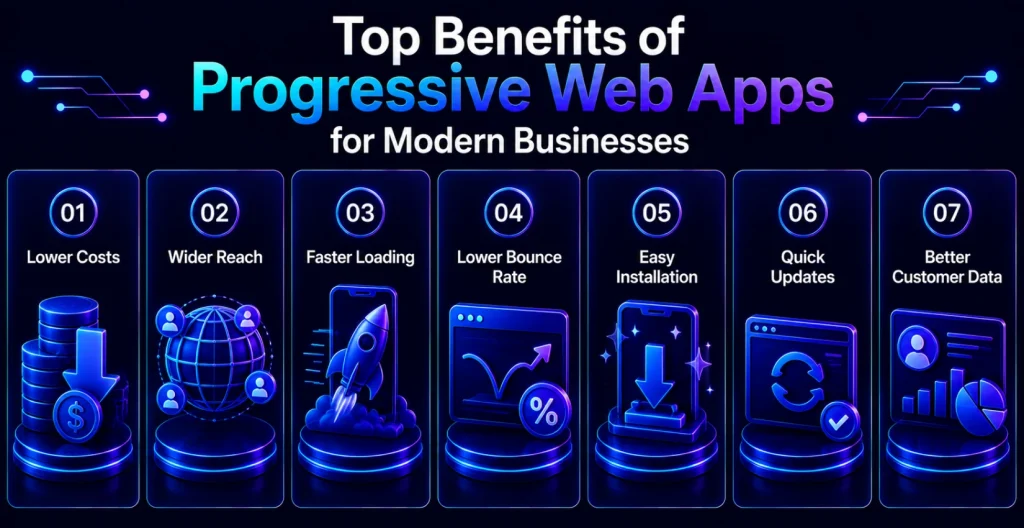
The main benefits of progressive web apps for business operations stem from their ability to deliver quick mobile experiences. That users can access anytime, while businesses reduce their expenses for running separate native applications.
1. Lower Development Overhead
A single PWA codebase can serve mobile, tablet, and desktop users, reducing duplicated platform work compared with separately maintained iOS and Android applications.
2. Broader Cross-platform Reach
Progressive web apps for businesses operate through current browsers. This supports multiple devices to help organizations connect with users who don’t need to own particular operating systems or app store accounts.
3. Faster Loading Performance
The combination of cached assets with performance-oriented design elements results in faster user interface responses. This helps retail businesses, service providers, and publishers retain their users during brief mobile interactions.
4. Reduced Bounce Risk
Visitors will be far less inclined to drop off before they’ve had an opportunity to view your products and complete a form. Or access the information they’re seeking if those pages load quickly and work well even over a slower connection.
5. Frictionless Installation
Now users will be able to easily add a PWA to their home screen where it is available without needing to go through long installation processes on an app store. This makes repeat use more convenient for customers who return to your business regularly.
6. More Efficient Updates
Businesses will be able to release website updates without having to wait for an app store review process. Allowing them to make quick fixes and change content and campaigns quickly.
7. Stronger Customer Data Workflows
Connecting a PWA to your CRM software development allows you to create unified customer profiles, launch targeted campaigns, and track service follow-ups. Furthermore, it is possible to measure engagement through different touchpoints much better.
How PWA Improves User Engagement: Core Features Breakdown
If you’re familiar with PWA’s design improvements, then you know that push notifications help businesses stay top-of-mind during times of low web traffic (while still respecting your customer’s privacy). But there are other ways to see how these underlying PWA capabilities improve user engagement. Such as, enabling an offline experience while using multiple networks. Or helping build more natural brand familiarity through app-like UX components.
1. Push Notifications
Permission-based alerts keep customers engaged with updates on their orders and important events. Along with other relevant interactions while the web application isn’t active.
2. Offline Mode
Service workers allow customers to view cached content and perform certain operations while they’re experiencing weaker connectivity.
3. App-like UX
Full-screen layouts, intuitive navigation flow, touch-first interaction techniques, and state persistence provide many benefits similar to having a dedicated application.
4. Add to Home Screen
Easy home-screen access makes returning to a website easier. This also creates a consistent way to interact with your business outside the app store installation.
5. Background Sync
Supported background processes can queue selected user actions and synchronize them once connectivity returns. Reducing disruption for forms, drafts, and transactions.
A skilled Web3 development company that’s building products that leverage the power of the blockchain should look into integrating features. Such as secure wallet connection and decentralized identification flows into things that might traditionally only exist within native apps. But can easily transition to PWAs for easy consumer access from mobile devices.
Progressive Web Apps for Different Industries
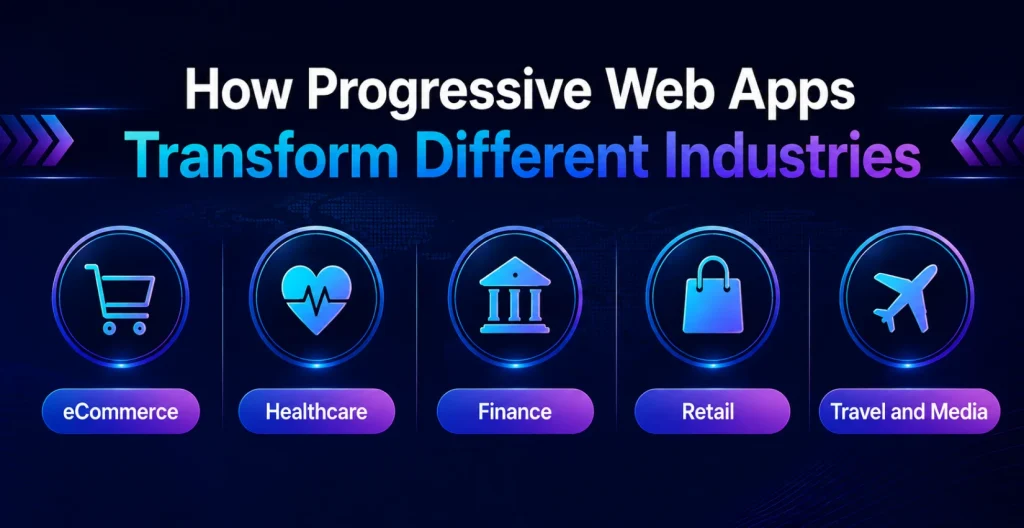
Progressive web apps offer essential value to various business sectors. They deliver instant customer access and trustworthy service through mobile devices. They maintain steady performance even when network signals become weak.
1. PWA for eCommerce Businesses
The PWA system helps eCommerce businesses deliver rapid product discovery to customers. Furthermore, they can keep their shopping carts while completing checkout processes quickly. And receive instant notifications about their shopping cart recovery.
The website allows users to view stored catalog information when their network signal becomes weak. But personalized messages will motivate them to return to finish their shopping activities. Web.dev shows that Carrefour achieved a 4.5-fold increase in conversion rates. Through their PWA-based web push notification implementation for user engagement.
2. PWA for Healthcare
Healthcare organizations can benefit from PWAs, which offer appointment reminder services and patient education resources. As well as medication tracking systems, protected portal entry, and brief symptom reporting tools.
The development team of healthcare applications needs to build consent systems and security measures. Furthermore, accessibility solutions and interoperability standards before they start working with protected health information.
3. PWA for Financial Services
A PWA for financial services can give users simple access to their account information and transaction details. In addition to bill alerts, financial learning materials and customer service assistance.
Financial institutions need to combine the PWA user experience with multiple security measures. These include user authentication protection, session control, data encryption, risk detection systems, and compliance monitoring systems.
4. PWA for Retail Businesses
A PWA helps a shop connect in-store activity with what a customer sees on a phone. The shop can let people sign in for loyalty points. Customers can also use digital coupon offers. The system can send deals based on what shoppers choose.
After someone buys, the PWA can show the order status. Staff and shoppers can open it in a phone browser right away. No separate app install is needed.
5. PWA for Travel, Media, and Emerging Sectors
Travel companies can list trip plans and update booking info. They can add local guides too. Media teams can post new articles fast. They can also send alerts that match what a reader tends to follow.
Training groups, delivery and logistics teams, and event planners. Additionally, field service firms can similarly benefit from reliable mobile-first web applications.
How Businesses Use Progressive Web Apps to Drive Growth
Successful organizations that have started treating PWAs like a link between what shoppers do and what the business can measure grow fast. They connect customer behavior, service delivery, and tailored messages to clear results you can track.
1. Recover Abandoned Carts
Stores can send a message to people who left items behind. The note can mention stock still available, a sale that is ending, or the exact items waiting. This can help without relying only on email or ads.
2. Increase Repeat Sessions
A shortcut on the home screen makes it easy to open again. Push alerts that match what the user cares about. Over time, an occasional browser visitor can become a regular app-like user.
3. Improve Checkout Completion
Pages that load fast on phones, fewer jumps to other pages, and stored choices can cut the effort. Short forms and clear steps also reduce stress right when someone is ready to buy.
4. Extend Service Availability
Some pages work even when the signal is weak. Cached files can still show important details. This matters for healthcare, travel, education, and field-service experiences.
5. Test and Optimize Quickly
Since updates can be pushed from one place, teams can try new screens and flows often. They can adjust signup, menus, offers, and page content. Then they can use what customers do and conversion data.
PWA vs Native App vs Responsive Website
A responsive website that runs on many screens changes its layout as you scroll and tap. A native app is made for one device, and it can use tools made for that device. A PWA takes the middle path. You open it in a browser, but it can still look like an app.
| Comparison factor | Progressive Web App | Native app | Responsive website |
| Installation | Optional home-screen installation | Downloaded through an app store | No installation |
| App-store dependency | Usually not required | Required for standard distribution | Not required |
| Offline capability | Supported through caching and service workers | Strong, depending on design | Usually limited |
| Push notifications | Supported with browser and platform differences | Strong support | Limited or unavailable |
| Cross-platform delivery | One web codebase for many platforms | Separate platform builds often needed | One web codebase |
| Device API access | Increasing but browser-dependent | Broadest access | Limited browser-based access |
| Updates | Deployed on the web | App-store review and user update cycles | Deployed on the web |
| Development cost | Moderate | Often highest | Usually lowest |
| Best fit | Engagement-led mobile services and commerce | Device-intensive, high-performance applications | Content-first and basic business sites |
How Much Does It Cost to Build a Progressive Web App?
The progressive web app development cost can vary a lot. It depends on features, integrations, data security, design complexity, and testing requirements. A simple PWA for reading articles can cost less than a PWA for payments, healthcare, or an enterprise commerce platform.
| PWA scope | Typical functionality | Indicative development cost |
| Basic PWA | Responsive UI, offline pages, installability, contact forms | USD 15,000–35,000 |
| Mid-level PWA | User accounts, notifications, APIs, payment or booking flows | USD 35,000–80,000 |
| Advanced eCommerce PWA | Catalog, search, carts, checkout, CRM, analytics, personalization | USD 80,000–180,000+ |
| Enterprise or regulated PWA | Advanced security, integrations, role-based access, audits, scalability | USD 150,000–400,000+ |
Factors that increase progressive web app development cost include custom UI/UX, backend work, third-party services, payment processing, language support, accessibility work, security checks, and the work needed after launch. These numbers are early plan estimates, not set rates used across the field.
Why Partner With a Progressive Web App Development Company?
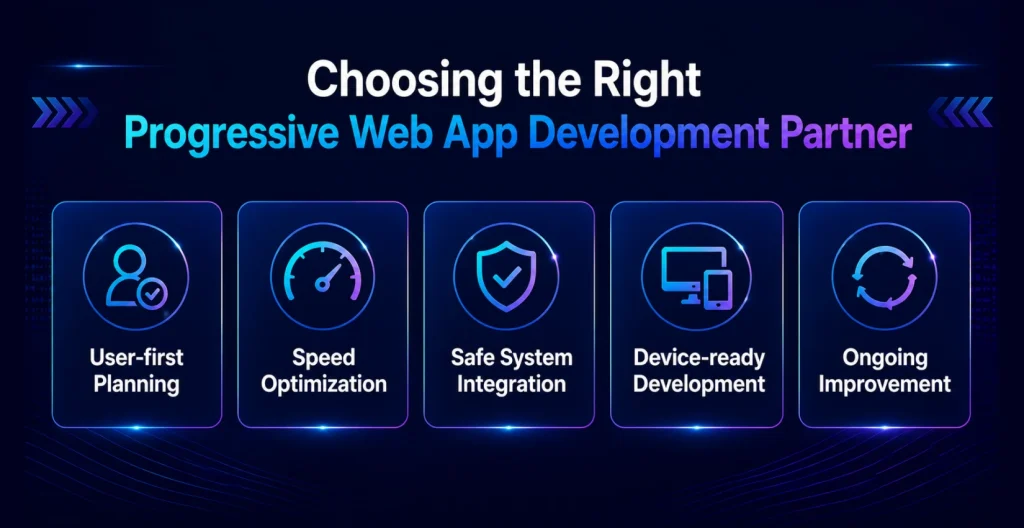
A reliable progressive web app development company turns web app features into results you can track. They do this with clear plans, strong technical design, testing, and continuous improvement.
1. Customer-centered Strategy
Looks at the full mobile path before writing code. They spot where people drop off, where screens feel slow, where connections fail, and where reminders help. Then they focus on the highest-impact improvements.
2. Performance Engineering
Progressive web app development companies optimize load times, how files are fetched, what gets stored for reuse, and how fast the app feels to users. This keeps people engaged, even on shaky mobile networks.
3. Secure Integration Delivery
Specialists connect payments, sign-in flows, analytics, stock and inventory systems, and CRM links. They also keep sessions stable, control what users can access, and guard how data moves. Including any sensitive business information.
4. Platform-aware Implementation
PWA features do not work the same on every browser or phone OS. So a careful team plans backup options. They do not sell the idea of the same push messages, the same APIs, or the same install flow on all devices.
5. Long-term Optimization Support
A strong development team checks real results over time. They look at installs, page speed, user actions, sign-ups for alerts, and repeat use. Then they apply what they learn to the next round of updates.
Final Words
Progressive web apps can help businesses create quicker, steadier, and more useful online experiences. They do not require every user to install a native app first. If you are building for online stores, clinics, money tools, or in-store engagement. You can use a PWA plan to raise access and keep people coming back.
A trusted healthcare app development company also focuses on safe delivery and growth readiness. As well as work that matches what users actually need. Start by finding the step that causes the most drop-offs on mobile. Then shape the PWA so it is easier to complete that step.
FAQs
1. Can a PWA work without an internet connection?
A PWA can run without a network for some uses. It does this by storing key pages and files ahead of time. It may also keep certain data ready. What you can do offline depends on what is saved and how updates are handled.
2. Do customers need to visit an app store to use a PWA?
No. You can open a PWA in a browser that supports it. On some sites, the user may see an option to add the PWA to the home screen of a phone or tablet.
3. Are PWAs suitable for businesses with limited app budgets?
Yes. One web build can work across more than one device. That can reduce the effort to maintain separate native apps for each platform.
4. Can a PWA send promotional notifications to every visitor?
No. Push notifications only go out after the user says yes. Results can differ based on the browser and the device software. Whether the PWA was added to the device and the way the feature is set up.
5. Is a PWA secure enough for banking or healthcare services?
A PWA can be made secure, but it depends. Key points include the login approach, encryption, the rules you set, security review steps, careful backend requests, and how data is stored and sent. It also takes testing across the full setup.


 Get in Touch
 By
By September 25, 2026