



Salesforce Integration Services
Your sales team updates a deal, but finance never sees it. Octal IT Solution is a Salesforce integration company that fixes this gap. It connects Salesforce with your ERP, marketing, support, and data tools, giving teams a more unified view of customer and business data.
- Certified Salesforce Experts
- Real-Time Data Sync
- Secure, Compliant Builds
- Post-launch Support
Why Brands Trust Octal With Their Salesforce Data
More than 900+ customers have relied on Octal IT Solution for software projects over 19 years. The reason is simple: costs are explained early, and progress is shown every sprint. Integrations are built to keep working, with alerts and checks after launch. When something goes wrong, the team owns it and fixes it fast.









2300+
Projects delivered across mobile, web, and emerging technologies
300+
Expert mobile app developers driving innovation
19+
Years of experience in scalable digital solutions
900+
Global clients served with secure, high-performance apps
Leading Salesforce Integration Services Provider
Salesforce data integration links Salesforce with the systems your teams use every day. Records move between them on their own, so no one copies data by hand. The result is fewer mistakes and faster work for every team.
Octal IT Solution plans, builds, and supports these integrations for growing and enterprise teams. Think of the firm as a Salesforce integration partner that stays after launch. You get one trusted view of every customer and far less manual work.
Salesforce Integration Services Designed Around Your Goals
No two companies use Salesforce the same way. Our custom Salesforce integration services work around your goals, not a set template. These services cover the full path, from the first planning steps to day-to-day support.

Salesforce Integration Consulting & Strategy
A Salesforce integration consultant maps your systems, your data flow, and possible risks before any build begins. You get a simple plan, a realistic quote, and fewer last-minute issues. We also point out early wins, so the work you do first can pay off sooner.

Salesforce CRM Integration Services
Sales, finance, and support often track one customer in three different tools. Salesforce CRM integration brings those records into one shared place. Reps see orders, invoices, and past tickets without switching screens.

Salesforce Service Cloud Integration
Agents lose time when case history sits in another tool. These integrations connect Service Cloud with your help desk, phone systems, and billing records. Customers stop repeating themselves, so tickets close faster and trust grows.

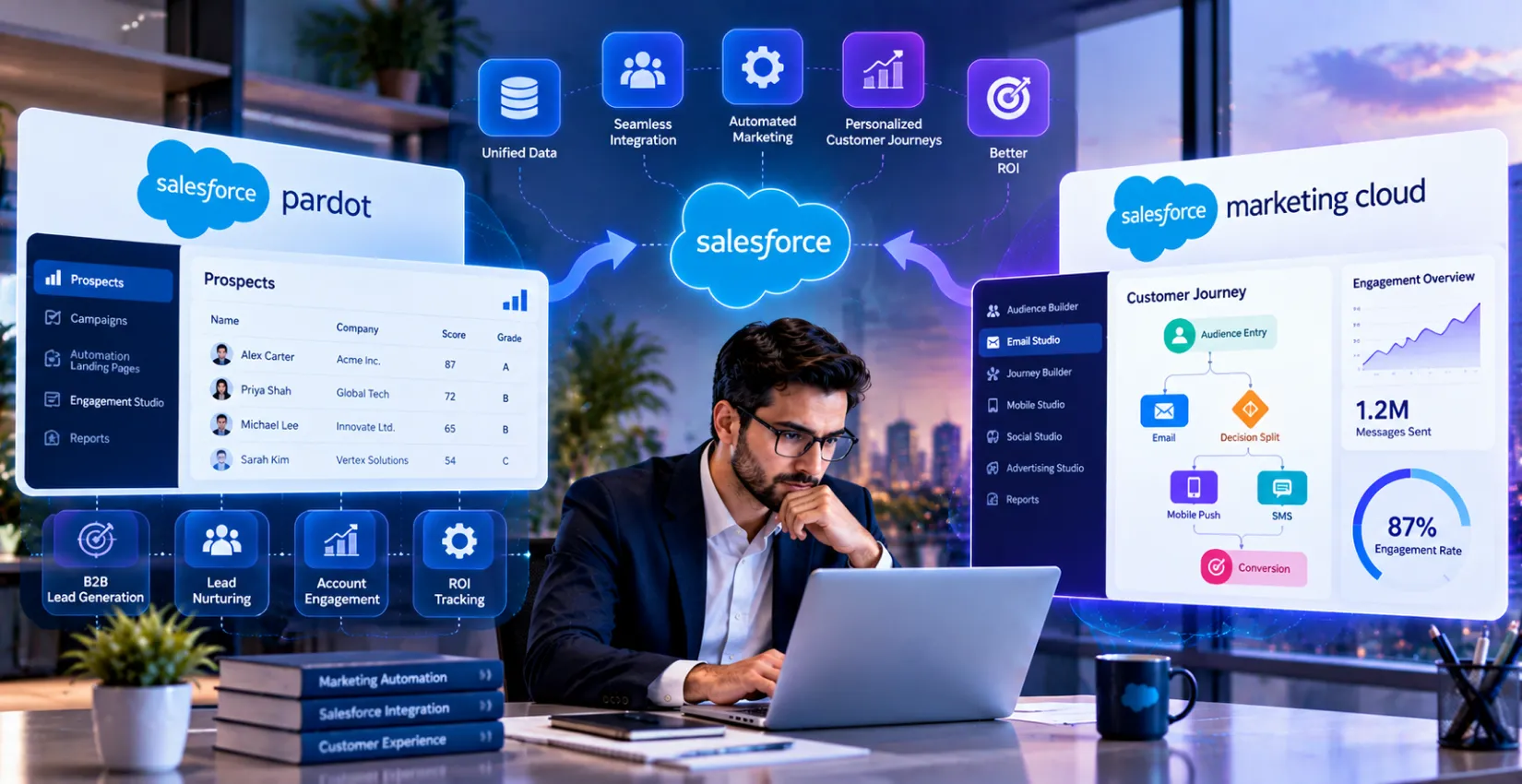
Salesforce Marketing Cloud Integration
Campaign data is only useful when the sales team can actually see it. This integration can keep leads, engagement data, and scores synchronized with Salesforce based on your configured data flow. If Marketing Cloud is new, Salesforce implementation services can start journeys first, then align the rest of the setup.

Salesforce Web Service Integration
With Salesforce API integration services, your site, portal, or custom app can pull current Salesforce data. Users can check their orders and support cases without an agent. Permissions are set up clearly. Access is tracked. Audits are simpler since every action is recorded.

Salesforce Mobile App Integration
Salesforce app integration helps teams who work outside the office. Reps and managers can view customer records in their own mobile app. The app accesses current CRM data instead of relying on saved copies. When changes happen, they sync back and update the other side. That way, reps do not rely on outdated details.

Legacy System Integration & Data Migration
Many older systems still store years of customer and order history. With Salesforce legacy system integration, you can connect those platforms without a risky rip-and-replace project. The work happens in steps. Data is cleaned, mapped, and moved in phases; the business keeps operating each day.

Salesforce AI Integration: Agentforce & Data 360
AI tools do not help if they cannot access the right data. AI development services link Agentforce and Data 360 to your ERP, billing, and support systems. When people ask questions, the results match the current data, not outdated details from the past.

Salesforce Integration Managed Services
After you go live, integrations still need regular attention. Salesforce development services cover monitoring, fixes, and applying upgrades when your setup changes. When issues show up, we find them sooner. That helps your team focus on your customers instead of chasing problems.
Salesforce Integration Solution for the Tools You Already Use
Many teams already have the apps they need to expand. Salesforce third-party integration lets those apps share data instead of working alone. Octal usually connects these six kinds of systems.

ERP & Finance Integration
Invoices, orders, and product counts often live in the ERP. They are not usually stored in the CRM. With Salesforce ERP integration, these details come into Salesforce from SAP, Oracle NetSuite, or Dynamics 365.

E-commerce & Payment Gateway Integration
When someone buys online, new customer info is created. Sales and service should be able to view it. Salesforce eCommerce integration also matches carts, orders, and returns to your other systems.
Marketing & Sales Tool Integration
When lead data shows up late, marketing and sales start to drift. With Salesforce Sales Cloud integration, you can connect HubSpot, Marketo, and Pardot. The goal is to keep deal stages updated in real time.

Customer Support & Contact Center Integration
Support works better when the full customer history is ready before the first call. Zendesk, ServiceNow, Twilio, and Amazon Connect can send live info into Salesforce.

Collaboration & Documents
Contracts, files, and chat threads can vanish when they live in too many apps. Links to Slack, Teams, SharePoint, and DocuSign help keep everything tied to the right record.
Data, BI & Cloud Platform Integration
The team needs one reliable source of data instead of dashboards that show conflicting numbers. With Salesforce cloud integration with Snowflake, Tableau, AWS, and Azure, reports can pull from current data.
Stop Moving Data Between Systems Manually
Connect Salesforce with your ERP, marketing, support, and business tools so your teams always work with the right data.
Connect Your Systems
Salesforce Integration Use Cases That Pay Off Fast
Strong integration work starts with a real business problem. These eight examples show where integrating systems helps first.
-
Quote-to-Cash: Salesforce + ERP

A rep lands a major sale. Then the finance team needs an invoice fast. With Salesforce-SAP integration, the signed order goes to ERP, so billing can start now.
-
Lead-to-Revenue: Salesforce + Marketing Automation
Marketing runs campaigns and generates leads, but sales often has little visibility into which leads become buyers. The Salesforce HubSpot integration tracks each lead from the first click to the final closed deal.
-
Omnichannel Support: Service Cloud + Telephony & Ticketing
People move from phone to chat to email without much effort. When a high-priority case shows up, Salesforce Slack integration sends an alert to the right agent instantly.
-
Customer 360: Salesforce + Data Warehouse
Some customer behavior sits outside the main CRM. With Salesforce database integration, usage, billing, and web actions get pulled into a single view for each customer.
-
Unified Commerce: Salesforce + eCommerce & Payments
People want the same kind of help online as they get in a store. With the Salesforce Shopify integration, order details, returns, and past activity go into one shared customer profile.
-
Multi-Org Consolidation After Mergers
After a deal, one side may use Salesforce and the other may use Dynamics. The Salesforce Microsoft Dynamics integration helps both systems work at the same time until the teams are fully merged.
-
Legacy to Cloud Modernization
Shifting everything to the cloud in one go can cost a lot and create downtime risk. A better approach is to modernize the old systems in stages. Legacy system modernization helps keep the old setup and the new one working together.
-
AI Agents Grounded in Real Business Data
An AI agent that cites old prices will lose trust quickly. When it pulls from live sources for pricing, stock, and case details, its replies stay accurate.
Technical Approaches for Salesforce Integration Services
Different integration methods balance speed, cost, and complexity in different ways. Below is a simple explanation of each approach and where it usually fits.

API-Based Integration (REST, SOAP, Bulk)
With APIs, one system can request data from another system directly. A common example is using the Salesforce REST API integration. APIs support direct data exchange and work well for applications that need fast updates or on-demand lookups.

Middleware & iPaaS Connection
Middleware works as a middle layer. It takes data or events from one system and sends them to another. If you have many systems that need to work together, Salesforce MuleSoft integration is often picked for these connections.

ETL & Batch Data Integration
Not all data has to move every second. ETL runs on a planned timeline. It pulls data, fixes issues, and then loads the records. Doing it on a schedule helps control costs.

Real-Time & Event-Driven Integration
An event triggers, and the system reacts instantly. Think of a paid invoice or a new support ticket. Platform Events, CDC feeds, and Kafka can help move updates with low latency.

Zero-Copy & Data Virtualization Integration
Copying data can be the bottleneck. Salesforce Data 360 supports zero-copy approaches that let supported external data remain in its source system while Salesforce accesses it for selected use cases. The data stays where it already is.

Hybrid Cloud + On-Premise Integration
A lot of companies keep important apps on servers they own. Cloud integration services bridge those servers and Salesforce. Secure gateways can bridge those on-premises systems and Salesforce.
Industry-Specific Salesforce Integration We Offer
Every industry has its own setup, rules, and risks to manage. The right integration respects all three from the very first day.

Healthcare
Patient data can move between EHR systems and Health Cloud with workflows designed around applicable HIPAA requirements. EHR integration often involves complex data structures.

Banking & Finance
The Salesforce payment gateway integration matches each payment to the right account and case. Every build focuses on audit trails first. Strong access rules are also required.

Retail & eCommerce
Shoppers buy online, in-store, or through an app. They want a brand to feel familiar. With Salesforce eCommerce integration, stock, pricing, and offers stay the same across all channels.

Manufacturing & Logistics
If a delivery shows up late, it hurts more than the schedule. It also hurts the sale. Connecting ERP, shipping, and CRM systems can give teams one live view of orders, inventory, and delivery status.

Real Estate
Think about a real estate agent answering calls all day. New leads come in, and there are showings to schedule. The agent also has to keep track of each listing and file. Now add a connected workflow. It records each request and attaches the paperwork to the correct property.

Education
In education, applicants ask questions through chat, email, and calls. After that, they sometimes stop replying. Web application development can help here. It pulls the needed details from Salesforce and shares them in a portal, so advisors do not lose track of who is waiting and what they asked.

Media & Entertainment
Rights, subscriber counts, and ad terms usually sit in different systems. With integration, they come into one view. Then the teams can understand what each audience brings.

Travel & Hospitality
People want staff to already know their likes and habits. Live links to booking tools help staff provide that experience. Past stays are easier to see when guests arrive.
Make Every Salesforce Integration Secure by Design
Protect customer data with controlled access, reliable data flows, and integration practices built around your compliance needs.
Secure My Salesforce Integration
Security, Compliance & Data Governance
Moving customer data among different systems is risky. You have to build security into the process from the start. Don’t wait until the last step.

Secure Authentication & Access Control
Before data moves, each connection should use an appropriate authentication and authorisation mechanism. OAuth 2.0 helps manage access. Named credentials and least privilege roles reduce the chance of sloppy permissions.

Encryption & Data Protection
Data is protected when it travels and when it is stored. For sensitive parts, masking or tokenization can be used before data leaves a system.

HIPAA, GDPR, CCPA, SOC 2, and PCI DSS Alignment
The requirements change by industry and by location. Because of that, we start each build with your context. Early on, we outline consent, how long data stays, and what must be logged for audits.

Data Ownership & Master Data Rules
Often, two systems end up claiming the same field. If we do not set a clear ownership rule, syncing can turn messy. We define which system has final say. That step cuts down on conflicts and also reduces duplicate records.

Salesforce Integration Cost & Timeline
The final cost comes down to what you need done. It is not set by a fixed number. These rough ranges are here so you can plan ahead of your first call.

Indicative Budget
| Project Size | What It Covers | Indicative Budget |
|---|---|---|
| Simple | One or two systems, using a standard connector or REST API | $5,000 to $15,000 |
| Mid-Level | Three to five systems, middleware, and some custom logic | $15,000 to $50,000 |
| Enterprise | Many systems, legacy tools, compliance needs, and high data volume | $50,000 and above |
Typical Timeline
| Phase | Simple | Mid-Level | Enterprise |
|---|---|---|---|
| Discovery & Audit | 1 week | 2 to 3 weeks | 4 to 6 weeks |
| Build & Testing | 2 to 4 weeks | 6 to 10 weeks | 3 to 5 months |
| Deployment & Training | 1 week | 1 to 2 weeks | 2 to 4 weeks |
| Total | 4 to 6 weeks | 2 to 4 months | 4 to 8 months |
Technology Stack Behind Every Integration
A good set of tools keeps an integration stable, and it is simple to expand later. Cloud application development on AWS or Azure comes with other platforms like Salesforce, MuleSoft, and Kafka. The table below shows the complete toolkit, sorted by what each part is for.
| Layer | Tools | Used For |
|---|---|---|
| Salesforce Platform | Sales Cloud, Service Cloud, Marketing Cloud, Commerce Cloud | Core CRM and customer data |
| Middleware & iPaaS | MuleSoft, Dell Boomi, Informatica | Connecting many systems |
| Cloud | AWS, Azure | Hosting and hybrid links |
| Events & Streaming | Apache Kafka, Platform Events | Real-time sync |
| APIs | REST, SOAP, Bulk API | Direct data exchange |
| Data & Analytics | Snowflake, Databricks, Tableau | Reporting and zero-copy access |
| Security & DevOps | OAuth 2.0, Git, CI/CD pipelines | Safe, repeatable releases |

Our Agile Methodology for Salesforce Integration Services
Small sprint blocks help everyone see what is happening. Changes stay minor instead of turning into big surprises. You check what is really done at each step, so you don't rely only on status updates.
01 Discovery & Integration Audit
We start working with your goals, the issues you deal with, and the tools you already use. Then our Salesforce consulting service checks what you have now and points out what is not there yet.
02 Architecture & Data Mapping
For each field, we set a source and a destination. We also name who is responsible. Before the first sync, our data migration services clean up older records to ensure a smooth transition.
03 Sprint-Based Development
Salesforce integration development is done in small sprints. Each sprint finishes with a demo. You can try what was built, share input, and shift direction sooner.
04 Testing and QA
This testing covers more than just the best-case flow. It also includes load tests, checks for API limits, and user acceptance runs in the sandbox.
05 Deployment, Cutover & Training
We use a go-live checklist that teams have tested before. There is also a rollback plan if anything goes wrong. Our team runs short training sessions for both admins and end users. That helps people feel confident with the new steps.
06 Monitoring & Managed Support
Once the system is live, monitoring stays on. Dashboards and alerts track each sync run. We keep improving settings and fixing issues over time. This continues as data grows and workloads shift.
Why Hire Octal IT Solution for Salesforce Integration Services
Selecting a Salesforce integration partner is not a quick choice. It affects your work for years. Here are six things to expect from Octal IT Solution.


Honest Advice Before Any Code
Don’t only look at what to use. Also look at what to avoid. If Octal thinks a ready-made connector solves the problem, it says so. That kind of direct talk helps you keep the budget in check and earns confidence instantly.

Plain Numbers On Costs & Timeline
If the quote is fuzzy, you lose time, and you end up stuck. We give real ranges, break the work into steps, and document key risks early. Then you can judge other vendors with the same yardstick.

Salesforce, Mobile, AI & Cloud Under One Roof
Work can get stuck when Salesforce, mobile apps, and AI are split across different vendors. We bring Salesforce, mobile app development, AI agents, and cloud work together. That means fewer handoffs. This usually leads to less waiting and less blaming between teams.

Reliability From Day One
Some integration issues fail without a clear warning. Those are the ones that end up costing the most. Our team adds retries, alerts, and reconciliation to each project from the first sprint. You can see issues through monitoring and alerts instead of discovering them after they affect a customer.

Built Around Your Stack, Not Your Template
Most connector sets do not fit the way your day runs. Octal IT Solution adjusts the setup to match your process. Our CRM development services also close the missing pieces. You can keep your routine, and your data still gets better over time.

Experience With Regulated Industries
In healthcare and finance, the work has extra limits. There are more checks and more review steps. We account for applicable HIPAA and PCI DSS requirements from the first workshop. Our team also covers the audit needs early. That way, the formal review later is less of a surprise.
Your Systems Should Work Together, Not Against Each Other
Tell us where your data gets stuck, and we’ll help map the Salesforce integrations your business actually needs.
Plan My Integration
What Makes Us the Buzz of Tech Town
Here’s what our business partners say about us.




Forexcitypro
Octal IT Solution developed a robust stock and forex trading app with live market data, seamless trading, portfolio management, and performance tracking.


Runner Consulting
Octal IT Solution delivered the app as per specifications, with clear planning, weekly updates, and strong attention to detail.


Fintech Company
Octal IT Solution developed an agile payment web and mobile app with intuitive UI and seamless software integrations.

mVOCHA
Octal IT Solution built a coupon website and iOS/Android apps enabling users to easily find and download discounts.

Frequently Asked Questions
Small projects can start around $5,000. Big enterprise work may go over $50,000. After a quick discovery call, we review your needs and share a clear price.
For simpler setups, plan on about four to six weeks. Larger projects often take several months. If you only need one connector, like a Salesforce NetSuite integration, timelines usually land closer to the shorter end.
MuleSoft is a good fit when you have lots of systems, and you want monitoring plus reuse. If you only need one or two straightforward connections, building directly with APIs is often cheaper.
Yes. There are options like API integration services and secure gateways. You can also use custom connectors. The data can move in phases, so daily operations can continue without a full shutdown.
To avoid Salesforce API limit issues, you can send work in batches, store results in a cache, and use event-driven flows so you do not call the API for every small change. Track usage over time so you see spikes early, not after you hit a limit.
It can be, if security is built in from the start and you test as you go. Use encryption, least-privilege access, audit logs, and compliance mapping for what your org must follow for each release.
Tech Talk: Stay Up-to-Date with Our Latest Insights
We have our eyes on what’s new in the tech world and bring you the latest updates here!

Octal IT Solution In The News
Octal IT Solution Has Been Featured By Reputed Publishers Globally.